DOLBY PRO LOGIC IIx
Dolby Pro Logic IIx processes both stereo and 5.1 signals into a 6.1 or 7.1
channel output. At Dolby Pro Logic IIx, you can choose PLIIx Movie or PLIIx
Music modes to tailor your listening experience to the source material.
Dolby Pro Logic IIx surround processing yields more stable imaging and full
bandwidth sound to the rear channels in Movie mode oering sound that is
more similar to Dolby Digital decoding. For two channel signals, PLIIx Music
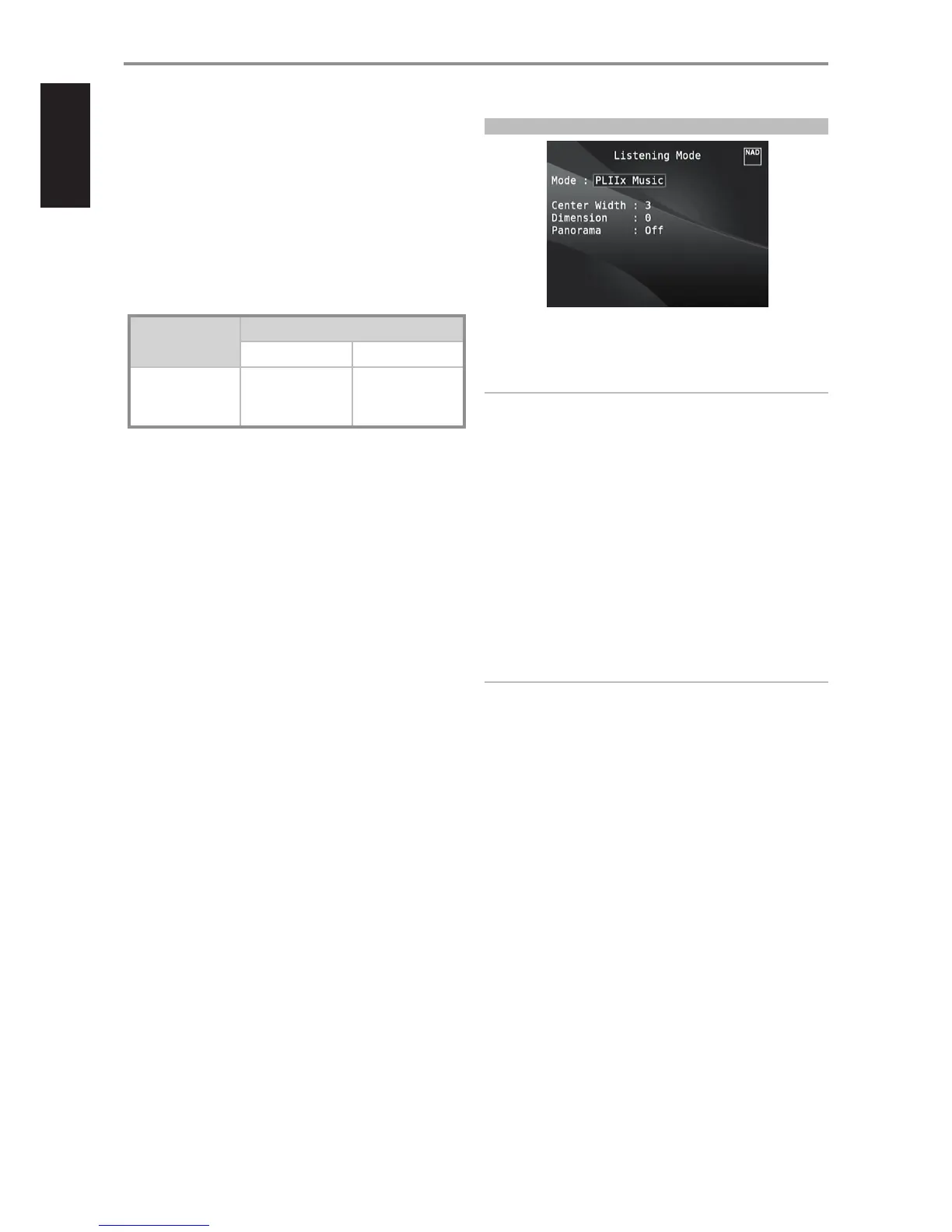
mode also features three additional user controls - Dimension, Center Width,
and Panorama. See also section about “Adjusting Listening Modes” below.
The following chart shows the channels available assuming they are
enabled in the “Speaker Conguration” menu:
Listening Mode
Two-Channel Sources
Active Decoded Output Channels
6.1 Speaker System 7.1 Speaker System
PLIIx Music
PLIIx Movie
Front (left, right),
Center, Surround (left,
right), Back Surround,
Subwoofer
Front (left, right), Center,
Surround (left, right)
and Back Surround (left,
right), Subwoofer
DTS NEO: 6
Two-channel recordings, whether stereo or surround-encoded, are
reproduced with Neo: 6 surround with output to front left/right, center and
discrete left/right surround channels plus subwoofer (assuming these are
present in the current “Speaker Conguration”). The M17 provides two DTS
Neo: 6 variations - NEO:6 Cinema and NEO:6 Music. See also section about
“Adjusting Listening Modes” below.
EARS
Two-channel recordings, whether stereo or surround-encoded, are
reproduced with proprietary NAD surround processing with signals output
to the front left/right, center and discrete left/right surround channels,
plus subwoofer (assuming these are present in the current “Speaker
Conguration”). EARS does not employ the surround back speakers (if any).
EARS extracts the natural ambience present in nearly all well-produced
stereo recordings. It does not synthesize any ambience or other sonic
elements and thus remains truer to the sound of the original musical
performance than most other music-surround options.
Select EARS for listening to stereo music recordings and broadcasts.
EARS produces a subtle but highly natural and believable ambience from
nearly all “natural-acoustic” stereo recordings. Typically, these include
classical, jazz, and folk genres as well as numerous examples from others.
Its virtues include realistic, stable “front-stage” sonic imaging and spacious
but unexaggerated ambient “virtual acoustics” that remain faithful to the
original recording.
ENHANCED STEREO
All recordings are reproduced in stereo via the maximum speaker
complement congured in the current “Speaker Conguration”. Enhanced
stereo can be useful for maximum volume from all channels or for multi-
speaker background music (cocktail party) listening. For this mode, Front,
Center, Surround and Back speakers can be turned ON/OFF as desired.
ADJUSTING LISTENING MODES
Several of the M17’s listening modes have one or more selectable variations
and adjustable parameters that you can modify to suit your system or
personal preferences.
NOTE
Listening Mode parameter changes are maintained when you change
listening modes. You may also save a modied Listening Mode for easy
recall by saving it to a Preset (See “A/V Presets” below under Setup Menu
discussions).
PRO LOGIC IIx
PLIIx MOVIE is optimized for lm soundtracks.
PLIIx MUSIC for music recordings
Center Width (0 to 7): Modies the “hard-centeredness” of the center
image, by gradually mixing mono center content to the Front left/right
speakers as well. A setting of 0 retains the center-channel-only default
while a setting of 7 yields a fully phantom center channel.
Dimension (-7 to +7): Adjusts front-rear emphasis of the surround
eect independently from the relative channel levels.
Panorama (On/O): Adds a “wraparound” eect by extending some
stereo content into the surround channels.
NOTE
Pro Logic IIx mode will decode as PLII mode when the BACK surround
speakers are set to “OFF” from “Speaker Conguration” menu. See also
section about “Speaker Conguration” under “Speaker Setup” of the
Setup Menu.
DTS NEO: 6
NEO: 6 Cinema is optimized for lm soundtracks.
NEO: 6 Music for music recordings
Center Gain (0 to 0.5): Adjust for better center image in relation to the
surround sound channels.
OPERATION
USING THE M17 MAIN MENU
12


 To Next Page