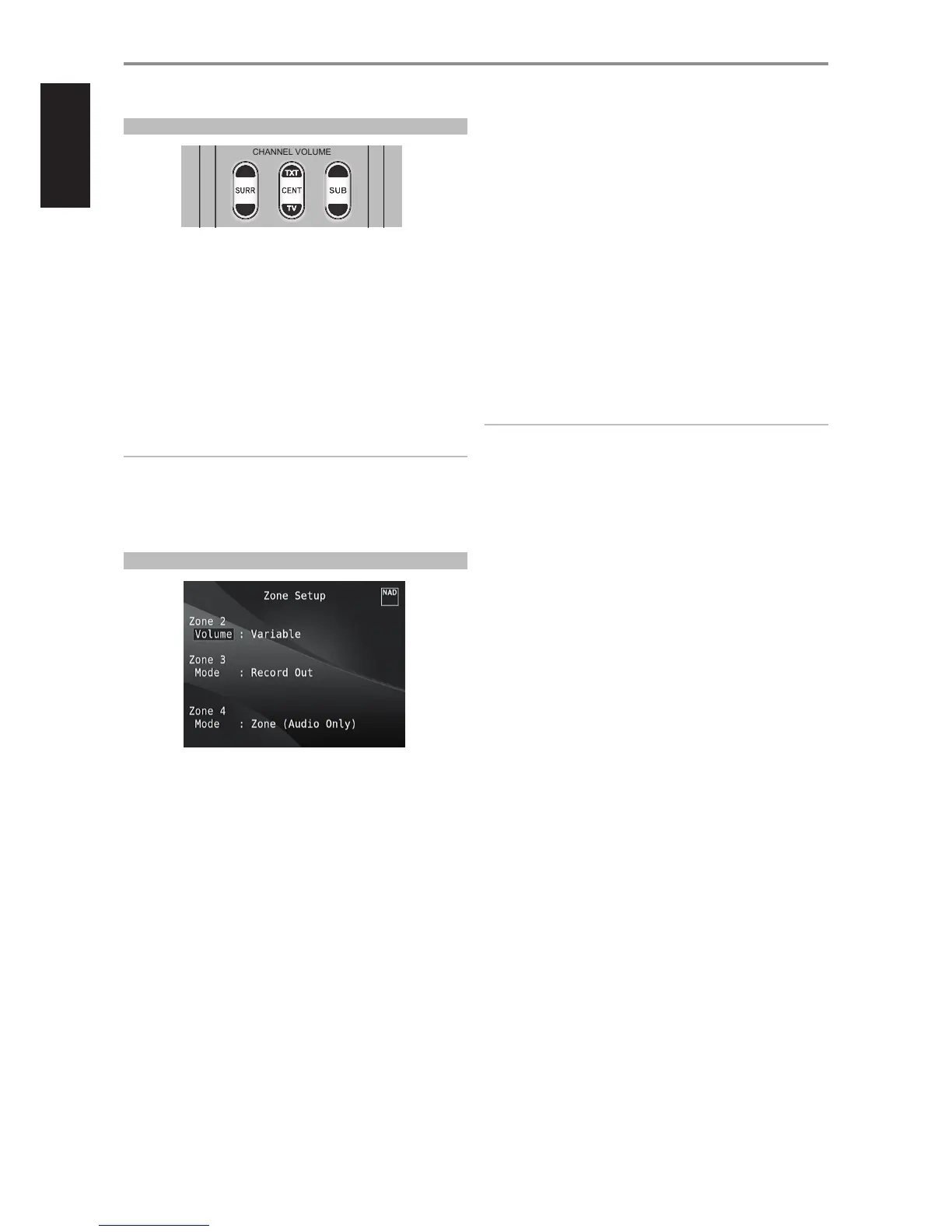
ADJUSTING CHANNEL LEVELS “ON THE FLY’
You can make changes to the relative levels of center, surround and
subwoofer outputs without having to go into the
“Speaker Levels” menu. This is very convenient in circumstances like
increasing (or tone down) a lm’s dialog level by raising (lowering) the
center channel or reducing excessive deep bass (or enhance deep bass) by
lowering (raising) the subwoofer level.
Use the HTRM 2’s “SURR”, “CENT” and “SUB” keys for direct-access level
adjustment of these channels over a range of ±6 dB.
The surround back channels (if any) adjust in lockstep with the surround
channels.
NOTE
Level settings adjusted “On the Fly” are added or subtracted to the setup
levels established at the M17 level-calibration routine as invoked by the
HTRM 2 [Test] key. However, selecting any Preset will revert the channel
levels to those stored in the preset. It will also take M17 o the levels set
via Audyssey Auto Calibration.
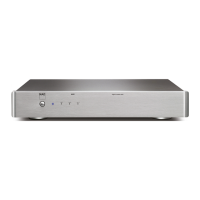
ZONE SETUP
The Zone feature allows one to simultaneously experience in dierent
zones of the house multiple sound sources from all enabled Sources.
The M17 has three congurable Zones – Zone 2, Zone 3 and Zone 4. Use
a combination of [W/E/R/T] and [ENTER] keys to navigate through the
Zone Setup menu parameters.
VOLUME
Zone 2 have Fixed and Variable volume control. When set to “Variable” and
while at the “Zone Controls” menu OSD, the Zone 2 Volume level can be
adjusted using the HTRM 2’s [R/T] or directly via ZR 7’s [VOL d/f].
On the other hand, if Volume is set to “Fixed”, the Zone 2 Volume is set to
a preset dB level and thereafter the Zone’s volume can be varied via the
volume control of the separate amplier it is fed into.
MODE
Zone 3 and Zone 4 can be congured into two modes - Record Out and
Zone (Audio Only). If the selected mode is “Record Out”, the audio of the
assigned Source is directly sent out to the applicable Audio output. When
Zone 3 or Zone 4 is set to “Record Out” mode, they will not be available at
the “Zone Controls’ section of the Main Menu window.
See discussion also on “Zone Controls” at the Main Menu.
NOTE
The ZR 7 remote control will only control Zone 2 applications.
OPERATION
USING THE M17 SETUP MENU


 To Next Page