PRESET TUNE
Use this option to select a DAB preset station.
1 While listening to a DAB broadcast, press the [MENU] button and then
[ ] to select “Preset tune”. Press [ENTER].
2 Press [ ] to step up or down between presets. Note that Presets
must have been previously stored.
3 Press [ENTER] to select desired preset number.
SETTING DAB PRESETS
The T 737 can store as many as 99 DAB stations of your favorite DAB
broadcast for immediate recall.
1 To store a DAB preset, rst tune the DAB broadcast, and then press
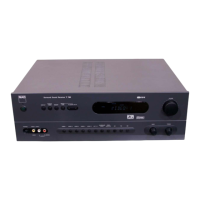
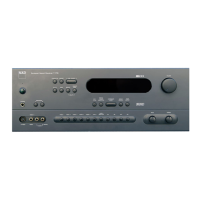
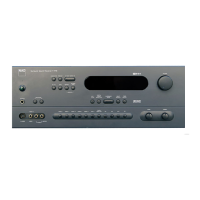
the AVR 3’s panel [MEMORY] button (DEVICE SELECTOR must be set
to “TUN”). The VFD will show “Preset Memory” and the next available
vacant Preset number (the number is blinking).
2 Press [MEMORY] button again to store the desired DAB broadcast on
the Preset number shown or use the [ ] keys to select another
available Preset number.
3 Then, press [MEMORY] key button again. Your desired DAB broadcast is
now stored in the assigned preset.
STATION ORDER
Use “Station order” to sort the sequence of the listed stations. There are four
orders – Alphanumeric, Active, Ensemble and Favourite.
1 While listening to a DAB broadcast, press the [MENU] button and then
[ ] to select “Station Order”. Press [ENTER].
2 Toggle [ ] to select through “Alphanumeric”, “Active”, “Ensemble”
and “Favourite”.
3 Press [ENTER] to select desired station order.
ALPHANUMERIC
This is the default setting. Stations are arranged by numbers rst and then
alphabetically by letters.
ACTIVE
Active stations are listed at the top of the channel list. Those channels
that are in list but have no service in the area will be displayed last in the
channel list.
ENSEMBLE
Digital radio is broadcast as groups of data called ensemble. Each ensemble
contains a number of stations, transmitted at a set frequency. When
“Ensemble” is selected as the mode of station order, the radio stations are
arranged in the order of their ensemble names.
NOTE
Ensemble is also interchangeably termed as “multiplex” by other
broadcast providers.
FAVOURITE
The T 737 memorizes the top ten stations you listen as you tune in stations.
They will be listed at the top of the channel list. A heart-shaped icon [ ♥ ]
will be illuminated beside a favourite station.
DYNAMIC RANGE
The level of compression of stations can be set to eliminate the dierences
in dynamic range or sound level between radio stations. Popular music
would normally be more compressed than classical music, resulting in
possible dierent audio levels when changing from one station to the
other. Setting the Dynamic Range to “D-Range 0” means no compression,
“D-Range 1/2” indicates medium compression and “D-Range 1” shows
maximum compression. No compression is recommended, especially for
classical music.
1 While listening to a DAB broadcast, press the [MENU] button and then
[ ] to select “Dynamic range”. Press [ENTER].
2 Toggle [ ] to select through “D-Range 0”, “D-Range ½” and
“D-Range 1”. The upper line display shows the current dynamic range
setting while the lower line display will show the choices for the
dynamic range values.
3 Press [ENTER] to select desired dynamic range level.
MANUAL SCAN
This option allows you to manually tune to a desired channel and include it
in the service list (if not yet available at the time). You can also use MANUAL
SCAN to assist you in positioning the DAB antenna for best reception of the
desired channel.
1 While listening to a DAB broadcast, press the [MENU] button and then
[ ] to select “Manual Scan”. Press [ENTER]. The current channel and
frequency are shown in the lower line of the VFD. The number of “o”
displays at the upper line of the VFD indicates the signal strength level
of the current channel.
2 To select other channels, toggle [ ] to step through the channel
list. Release [ ] when you have arrived at your desired channel.
Channel and frequency are shown in the lower line of the VFD. The
number of “o” display at the upper line of the VFD indicates the signal
strength level of the current channel. To improve the reception of the
selected channel, adjust or reposition the DAB antenna until the best
reception is indicated.
3 Press [ENTER] to tune the selected channel.
NOTE
The number of ensembles and stations that could be scanned will vary
depending on your location.
PRUNE LIST
There maybe situations wherein certain stations become inactive. The
“Prune List” option enables the deletion of these inactive stations in the
service list.
1 While listening to a DAB broadcast, press the [MENU] button and then
[ ] to select “Prune List”.
2 Press [ENTER]. Use [ ] and then press [ENTER] to select between
“Cancel” or “OK? [SELECT]”. Any inactive stations (normally preceded by
a “?” mark) are automatically deleted when “OK? [SELECT]” is selected.
Otherwise, select “Cancel”.
OPERATION
LISTENING TO DAB RADIO
30
ENGLISH FRANÇAIS ESPAÑOL ITALIANO DEUTSCH NEDERLANDS SVENSKA РУССКИЙ


 To Next Page