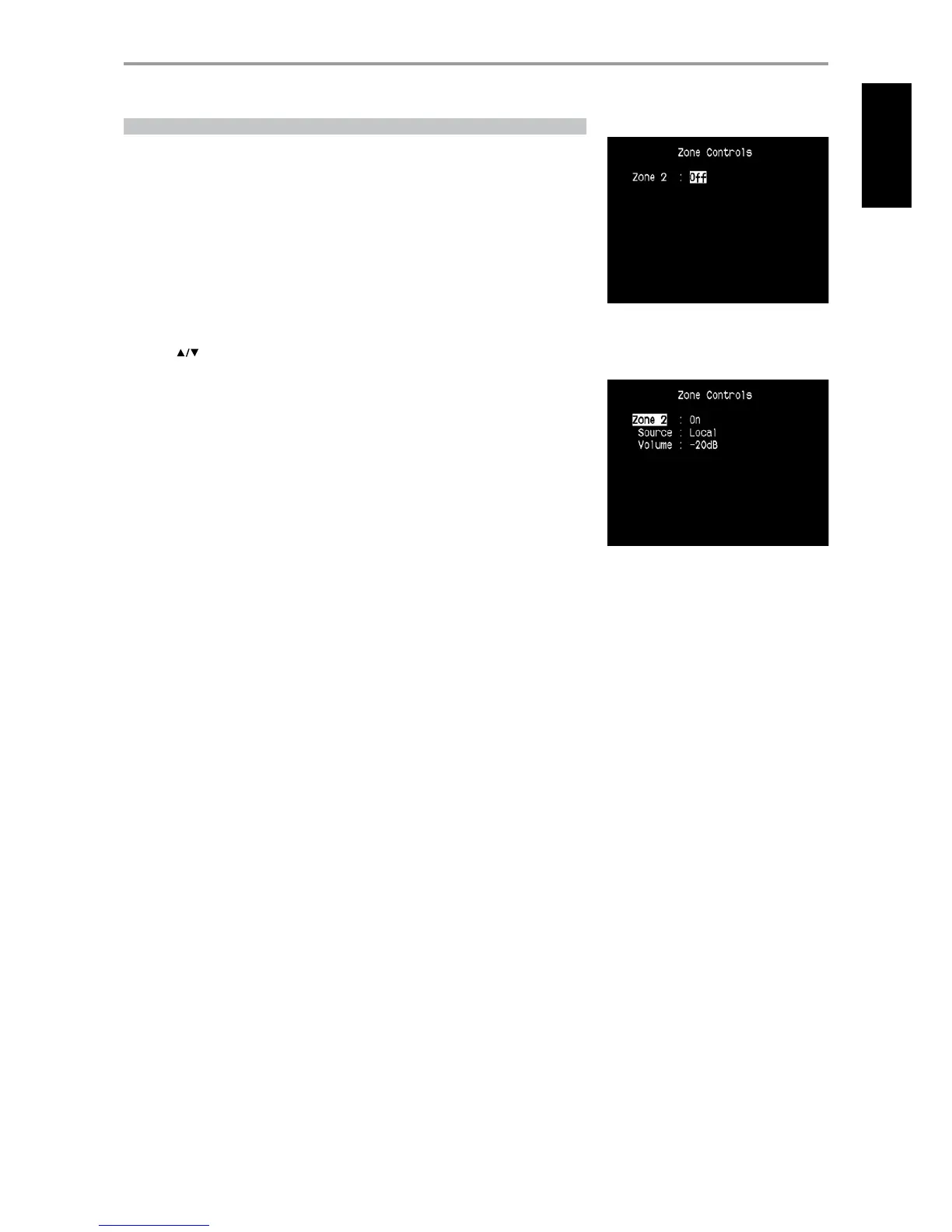
ZONE CONTROLS
Depending on the settings made at the separate “Zone Setup” menu under the “Setup Menu” section
discussion, Zone 2 can be congured and managed via this “Zone Controls” window.
Select “On” to activate Zone 2. When activated, the Source input for Zone 2 can be allocated by
selecting through the following inputs – All enabled Sources, Front Input, Media Player, Tuner and
Local.
Select “Local” as Zone 2’s Source input if you wish to enjoy the same source as the main Zone and allow
simultaneous listening, but with full separate volume levels.
If Zone 2 is set to “O”, it is deactivated or powered o.
“Volume” refers to the adjustable secondary Zone Volume level that can be increased or decreased
using the [ ] buttons of the HTR 3 or front panel’s.
When Zone 2 is activated, a corresponding Zone 2 icon is illuminated at the VFD.
OPERATION
USING THE T 755 MAIN MENU
15
ENGLISHFRANÇAISESPAÑOLITALIANODEUTSCHNEDERLANDSSVENSKAРУССКИЙ


 To Next Page