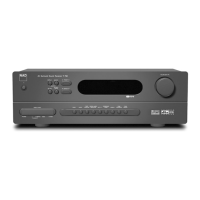
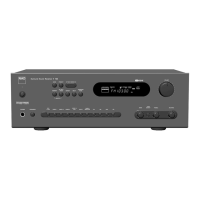
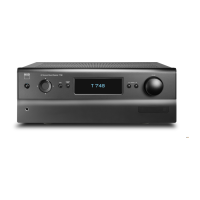
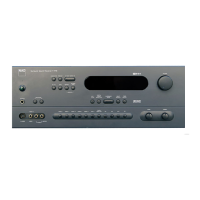
You can control your iPod player using the assigned buttons in the T 755
front panel. And with the corresponding HTR 3 remote control function
keys, you can select the materials stored in your iPod for playback as well as
access many of its functions even from across the room. The optional NAD
IPD 1 also charges your iPod player while it is connected to the T 755.
NOTES
• NAD IPD 1 and iPod player are optional and not supplied with your
T 755.
• iPod player functions, features and playback capabilities accessible
through T 755 may vary depending on your iPod player model.
• When using the HTR 3 to control the iPod functions, make sure that the
Device Selector is set to “AMP”.
CONNECTING THE OPTIONAL “NAD IPD 1 DOCK WITH
iPod” AND iPod PLAYER TO THE T 755
Make sure that all the devices are unplugged before making the
connections.
1 Connect the NAD IPD 1’s plug into the T 755’s “MP DOCK” data port.
2 Connect also the NAD IPD 1’s S-Video out and audio out to the T 755
Audio 5/Video 5 input (the default iPod source allocation in the T 755).
You can also connect both audio and video out connectors to any
available assignable input of the T 755.
3 Dock your iPod player into the NAD IPD 1.
NAVIGATING THE iPod PLAYER’S FUNCTIONS AND FEATURES
After linking together your iPod player, NAD IPD 1 and the T 755, you can
now plug them IN to their applicable power sources.
1 With your T 755, iPod player and NAD IPD 1 all at power ON state, select
SOURCE 5 of your T 755. Your iPod player will show in its display the NAD
logo and below it “OK to disconnect”. On the other hand, the T 755 VFD will
show in the upper line “iPod Menu” and the lower line “Playlists”. The lower
line will vary depending on the current menu selected. At the same time,
the T 755 OSD will display the whole iPod Menu selections like Playlists,
Artists, Albums, Songs, Podcasts, Genres, Composers and Audiobooks.
2 Navigate through the iPod menu selections using a combination of the
[ ] buttons.
NOTES
• The iPod player’s click wheel and controls will not operate when it is
properly connected to the T 755 via the NAD IPD 1.
• To exit from the iPod Menu at Source 5, press [ ] bringing you to “Menu
Select” OSD. Follow the instructions as shown.
CONTROL FEATURES AND SETTINGS
The following control functions and settings are selectable or enabled
using the front panel and HTR 3 remote control buttons. Since the HTR 3
will be the primary controller in most cases, we will focus on remote-
controlled operations.
ENTER
Press [ENTER] to go “iPod Settings” menu where you can setup the following
options:
Shue: Select “Shue” to enable random playback of either “Songs” or
“Albums” lists. To turn o shue mode, select “O”.
Repeat: Select “One” for repeated playback of the current song. Select
“All” for repeated playback of your entire list under “Songs” selection.
Audiobook Speed: The playback speed of your audiobook can be
varied according to your preference. During audiobook playback,
adjust the reading speed to “Normal”, “Fast” or “Slow”.
DISP
During playback, toggle [DISP] key of HTR 3 to show in the T 755 VFD upper
line the Song title, Artist Name and Album title. If there is no information
available, the display will show “No Song”, “No Artist” or “No Album” as
applicable. Aside from this information, the lower line will display the
current title’s track number allocation and time elapsed.
The equivalent front panel key for [DISP] is [INFO].
NAVIGATION BUTTONS
During playback mode, press [ ] to skip forward to the next song or [ ]
to skip back to the previous song. For quicker scrolling up or down the list,
press and hold [ ].
While at menu options or selection lists, toggle [ ] to go up or down
the options or lists.
The equivalent front panel keys for [ ] are [TUNE / /
PRESET / ].
SKIP/CH/PRESET
Press [SKIP/CH/PRESET ] to scroll up and down the Songs list one
page or at least 8 titles at a time. Press and hold [SKIP/CH/PRESET ]
to quickly scroll through the song titles. During fast scrolling, the rst letter
of the song is displayed on the bottom right corner of the OSD as the title
changes.
SCAN / / PAUSE / PLAY
Press PAUSE [ ] during playback to stop playback temporarily. Resume play
by pressing PAUSE [ ] again or PLAY [ ].
During playback or PAUSE mode, press [SCAN / ] for fast forward or
backward scanning of current song.
TO VIEW VIDEOS LOADED IN YOUR iPod
Videos uploaded in your iPod can be viewed directly via the T 755. The
following are the steps
1 Make sure that the “TV Out” setting of your iPod’s Video Settings menu is
at “On” mode and appropriate “TV Signal” is chosen.
2 Video le selection and playback procedures are managed directly from
your iPod player and not through the T 755. You must exit completely from
the T 755’s Setup Menu or Menu Select OSD for you to be able to navigate
through your iPod player’s video playback menu options. A more direct way
is by going to the “iPod Setup” menu and set “Enabled” to “No”.
3 With the iPod dock’s S-VIDEO OUT and AUDIO OUT ports connected to
the T 755’s AUDIO/VIDEO 5 input or to any other assignable input, you
can now directly enjoy via T 755 your video selections as uploaded in
your iPod. Make sure that you select the correct “Source Number” of the
T 755.
NOTE
For other navigation functions, please refer to your iPod player’s owner’s
manual. Depending on the iPod player model, some other functions
maybe controlled using the applicable T 755 navigation controls.
iPod is a trademark of Apple Inc., registered in the U.S. and other countries.
OPERATION
USING THE T 755 AM/FM/DB/iPod


 To Next Page