ANALOG AUDIO
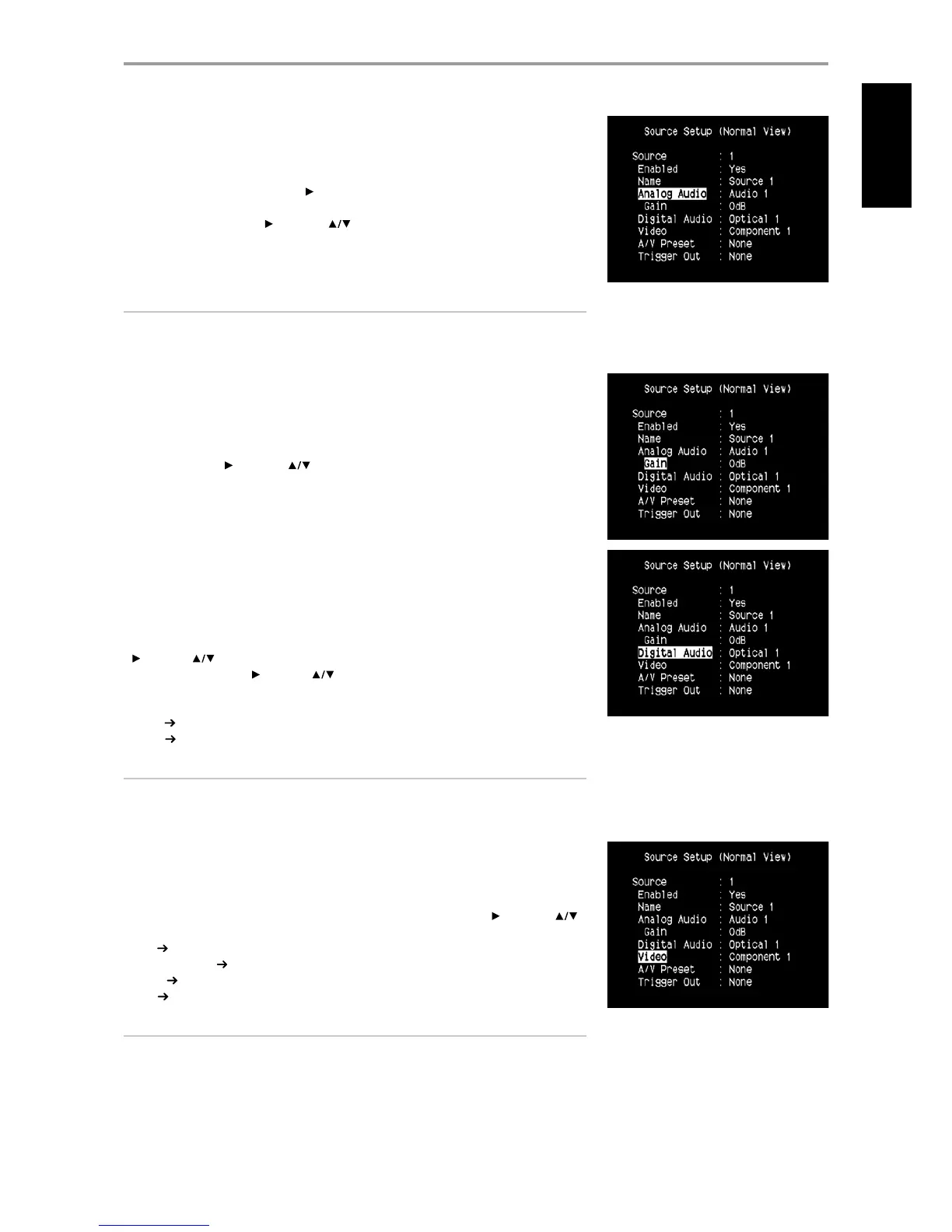
The T 755 has nine analog audio inputs including 7.1 input. These analog inputs - Audio 1, Audio 2,
Audio 3, Audio 4, Audio 5, Audio 6, Audio Front, Audio MP and 7.1 Input can be variably assigned to
each Source.
Scroll to “Analog Audio” and then press [ ] to select and assign an analog audio input to the particular
Source. There are three choices – Audio, 7.1 Input or O.
When “Audio” is chosen, press [ ] and then [ ] keys to select and assign the desired audio input
– 1 to 6, Front and MP.
Select “7.1 Input” to choose the audio signal fed to “7.1 Channel Input”. If “O” is selected, no incoming
analog audio signal is selected by the particular Source.
NOTE
An incoming digital signal present at the assigned digital input will always take precedence over the
assigned analog audio input, even if both are present. To maintain the analog audio input for the
particular Source, select “O” at the “Digital Audio” setting of the same ”Source” menu.
GAIN
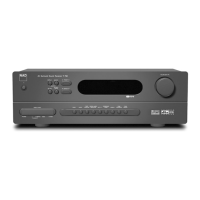
Gain adjustment allows all sources to play back at the same volume so you don’t need to adjust the
volume every time a new source is selected. It is generally preferable to reduce the level of the loudest
source rather than making louder the softer sources.
Scroll to “Gain”, press [ ] and then [ ] to step through the desired level from -12dB to 12dB.
DIGITAL AUDIO
To take advantage of the T 755’s high performance surround and digital audio circuitry, it is advisable
that its Digital Audio inputs are selected.
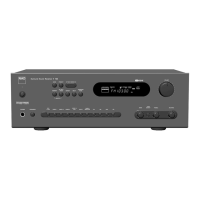
There are two types of Digital Audio input for the T 755: Optical and Coaxial. A third option is “O” whereby
no incoming digital audio signal is selected by the particular Source.
The desired digital audio input for a particular Source can be selected by scrolling to “Digital Audio”, press
[ ] and then [ ] to step through the desired digital input source. After nalizing which type of Digital
Audio input is desired, press [ ] and then [ ] again to select the specic Digital Audio input.
There are seven Digital Audio inputs selectable for the T 755. They are the following
Optical Optical 1, Optical 2, Optical 3, Optical Front
Coaxial Coaxial 1, Coaxial 2, Coaxial 3
NOTE
An incoming digital signal present at the assigned digital input will always take precedence over the
assigned analog audio input, even if both are present. To maintain the analog audio input for the
particular Source, select “O” at the “Digital Audio” setting of the same “Source” menu.
VIDEO
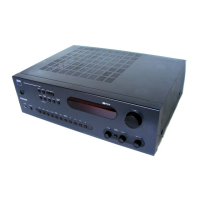
There are four types of video input a particular Source could be assigned. These are HDMI, Component,
S-Video and Video inputs. A fth option is “O” wherein the particular Source is prompted not to select
any Video input.
Navigating through the Video input selections involve a combination of pressing [ ] and then [ ]
to step through the selections. The following are the assignable Video inputs
HDMI HDMI 1, HDMI 2, HDMI 3
Component Video Component 1, Component 2, Component 3
S-Video S-Video 1, S-Video 2, S-Video 3, S-Video 4, S-Video 5, S-Video Front
Video Video 1, Video 2, Video 3, Video 4, Video 5, Video Front
NOTE
An audio input and video input should always be associated to a selected Source setting to ensure audio and video
output. If “O” is selected for any of the Analog Audio, Video or Digital Audio settings, there will be no corresponding
audio or video for the associated Source. For example, if the selected Video setting for a particular Source is
Component 1 and both Digital and Analog Audio are set to “O”, only video output will be available but no audio.
Ideally, when the selected Video input is Component 1, it follows that the Digital Audio input is set to Optical 1 or any
of the digital inputs. Refer also to the QUICK START section under the INTRODUCTION – GETTING STARTED page.
OPERATION
USING THE T 755 SETUP MENU
17
ENGLISHFRANÇAISESPAÑOLITALIANODEUTSCHNEDERLANDSSVENSKAРУССКИЙ


 To Next Page