EasyManua.ls Logo

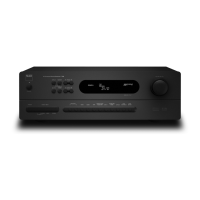
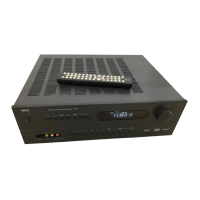
NAD T761 - User Manual

NAD T761
24 pages
Print Icon
To Next Page IconTo Next Page
Loading...
GB
• OWNER'S MANUAL
NA
D
T 761
©2001 NAD ELECTRONICS LTD. T 761

Questions and Answers

  • A
    april10Aug 12, 2025
    What to do if the remote control is not working for NAD T761 Receiver?
    • E
      Emily WilsonAug 12, 2025
      If the remote control handset for your NAD Receiver isn't working, start by checking or replacing the batteries, ensuring they are correctly inserted. Make sure there are no obstructions blocking the IR transmitter or receiver windows. Also, avoid placing the unit in direct sunlight or very bright ambient light.
  • K
    Kelsey JacksonAug 15, 2025
    What to do if there is no sound on surround channels of NAD T761?
    • A
      Alexis NelsonAug 15, 2025
      If there's no sound on the surround channels of your NAD Receiver, first ensure that a surround mode is selected. Then, test the system with stereo or Dolby Surround material, especially if using a mono sound source. Check the speaker connections to confirm they are properly connected. Finally, increase the surround volume level if it's set too low.
  • K
    krista65Aug 19, 2025
    How to fix no sound on my NAD Receiver?
    • J
      jennifer36Aug 20, 2025
      If you're not getting any sound from your NAD Receiver, make sure the AC power cord is properly plugged in and the power is switched on. Also, check if the Tape Monitor mode is selected and deselect it. Finally, verify that the Mute function is off.
  • J
    Jessica StewartAug 23, 2025
    How to fix no sound on the center channel of my NAD Receiver?
    • C
      collinsbobbyAug 23, 2025
      If you're not getting any sound on the center channel of your NAD Receiver, start by checking the center speaker mode in the setup menu and select the appropriate setting (large or small) instead of 'OFF'. Next, verify the speaker connections to ensure they are properly connected. Finally, increase the center volume level if it is set too low.
  • W
    Walter ThompsonAug 27, 2025
    Why is Dolby Digital or DTS auto-detection not working on my NAD T761?
    • J
      James ColonAug 27, 2025
      To resolve the issue of the 'Dolby Digital' or 'DTS' auto-detection function not working on your NAD Receiver, ensure that the source is connected using digital inputs. If it is, activate the corresponding digital input using the Digital Audio Selector.
  • R
    robertsryanAug 31, 2025
    What causes weak bass or diffuse stereo image on NAD T761?
    • T
      Timothy StephensAug 31, 2025
      If you are experiencing weak bass or a diffuse stereo image with your NAD Receiver, check the connections to all speakers in the system to ensure they are wired in phase.
  • M
    Matthew RasmussenSep 4, 2025
    How to troubleshoot no sound with tuner on NAD Receiver?
    • J
      John JenkinsSep 4, 2025
      If you're experiencing no sound with the tuner on your NAD Receiver, check the antenna connections to the receiver to ensure they are correctly connected. Also, re-tune the station or switch off FM Mute if the signal is weak.
  • J
    John JacksonSep 7, 2025
    What causes noise or hiss on AM and FM on NAD T761?
    • M
      michaelwilsonSep 8, 2025
      If you're experiencing noise or hiss on AM and FM with your NAD Receiver, it might be due to a weak signal. Check the station tuning and adjust or replace the antenna.

Summary

Important Safety Instructions

General Safety Precautions

Instructions on placement, ventilation, water exposure, heat sources, power connections, and cleaning.

Electrical Safety and Servicing Warnings

Covers risk of electric shock, servicing by qualified personnel, and unauthorized part replacement.

Antenna and Grounding Safety

Guidelines for outdoor antenna grounding and safety near power lines.

Safety Warnings and Hazards

Laser Product and Radiation Warning

Alerts regarding Class 1 laser product and invisible laser radiation when exposed.

Digital Apparatus Radio Noise Compliance

Statement on digital apparatus not exceeding Class B radio noise limits per Canadian regulations.

Installation Notes and Rear Panel Connections

Installation Precautions

Advice on unit placement, ventilation, and initial connection setup.

FM and AM Antenna Connections

Instructions for connecting the supplied AM loop and FM ribbon antennas.

Tape 1 and CD Input

Details on connecting analogue audio sources like tape decks and CD players.

Video 1-4 Input Connections

Connecting video sources with S-Video or composite video and audio.

Rear Panel Input and Output Details

Video 1 & 2 Audio;Video Inputs

Using inputs for video playback only, with optical digital links.

Video 3 & 4 Audio;Video Inputs

Connecting VCRs for recording/playback, with coaxial digital links.

5.1 Channel Inputs

Connecting external decoders or DVD players for multi-channel audio.

Digital Audio Inputs and Outputs

Connecting digital sources via optical/coaxial and outputting to recorders.

Audio Pre-Outs and Subwoofer Out

Connecting to external amplifiers and active subwoofers.

Speaker and System Connections

Front, Center, and Surround Speaker Connections

Connecting the primary set of surround sound speakers.

Front Panel Controls and Indicators

Power Button Operation

Controls for switching the unit on, off, and into standby mode.

Display Panel Functions

Information displayed, including RDS data and station frequencies.

Front Panel Input and Tuning Controls

FM Mute and Mode Control

Mutes tuning noise and switches between Stereo and Mono reception.

Memory Button for Presets

Used to store radio stations into memory presets.

Preset and Tune Mode Selection

Toggles between selecting stored presets and manual tuning.

Tuning Navigation Buttons (Down;Up)

Scrolls through presets or auto-tunes radio stations.

Volume and Setup Control Dial

Adjusts volume and accesses system setup menus.

Front Panel Input Selection Controls

Audio & Video Input Selectors

Buttons to cycle through available audio and video inputs.

Front Panel Source Input Management

Digital Audio Selector

Activating digital inputs for various sources.

Front Panel Advanced Control Functions

Digital Input Activation

Toggling digital inputs between active and inactive states.

Preset Management and Remote Control

On-Screen Display (OSD) Setup

OSD Setup Menus Details

Surround System Setup Guide

Detailed Surround System Calibration

Final Speaker Level Adjustments

Troubleshooting Guide

NAD T761 Specifications

General IconGeneral
TypeAV Receiver
Total Harmonic Distortion0.08%
Input Sensitivity200 mV
Damping Factor> 100
Speaker Impedance4 - 8 ohms
Power Output80 W per channel (8 ohms)
Frequency Response20Hz - 20kHz
Input Impedance47k ohms
Inputs2 x Coaxial
Outputs1 x component video
Video ConnectionsComposite, S-Video, Component

Related product manuals