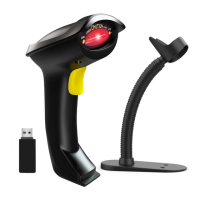
** To show Android keyboard, it needs to install the “CILICO
Bluetooth barcode input method” APP. Please contact us
(server@nadamoo.cn) for the app and tutorial.
Note 2
:If scanner leaves out character,please slow down speed .
Note 3:
When the scanner switches to Bluetooth mode, the scanner
will automatically reconnect to the last connected Bluetooth device.
If you do not want to connect the scanner to the last device, double
click the button before the Bluetooth automatically reconnection
succeeds, it will switch to the Bluetooth pairing state to connect to
the new device. And double click the button again, the scanner will
automatically connect to the last device.
You can also delete the scanner from last connected device and
connect the scanner to the new device.


 To Next Page
 Loading...