12
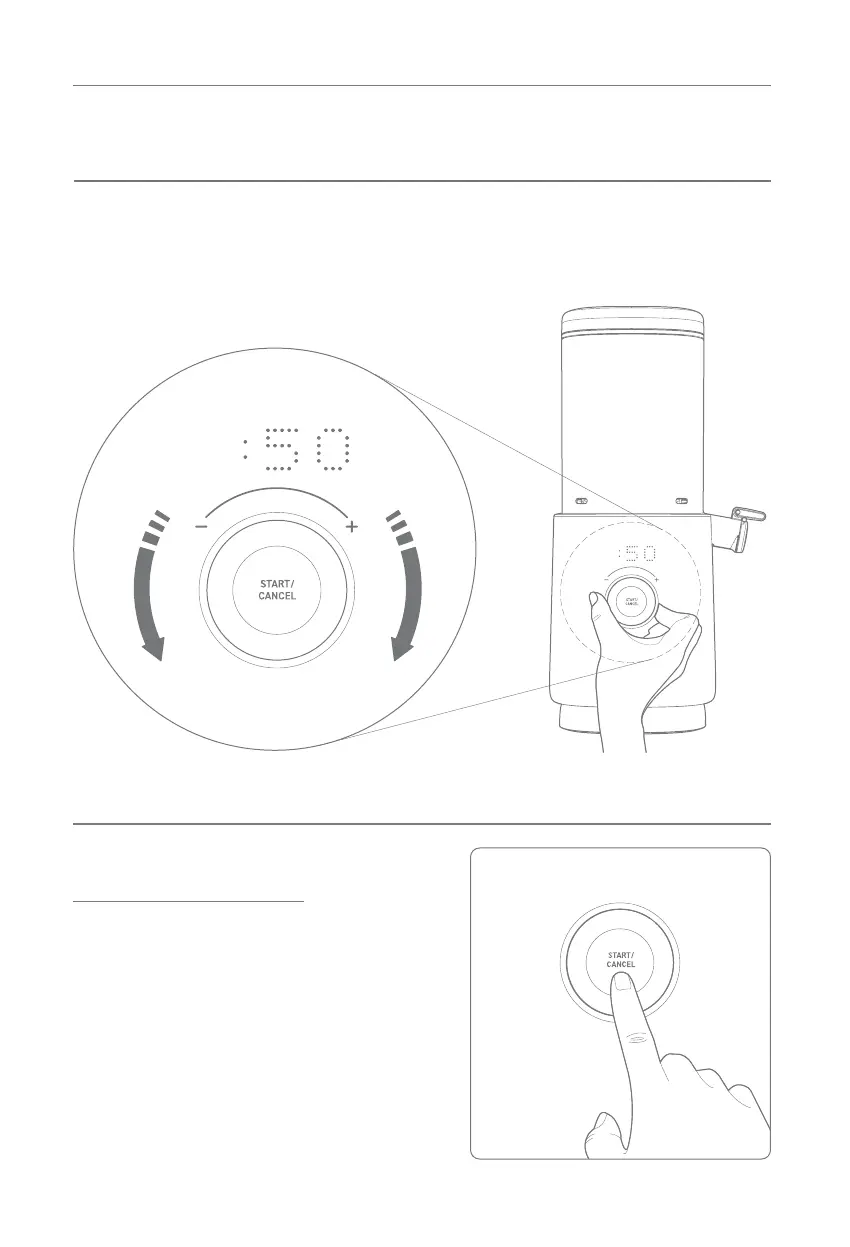
INTERFACE AND DISPLAY
The control knob can be
rotated left and right to
adjust the blend time.
BLEND TIME
Press the START/CANCEL
button to begin processing.
If the START/CANCEL button
is pressed during operation,
it will stop and revert back to
the beginning of the process.
Processing can be canceled
at any time.
START/CANCEL
BUTTON


 To Next Page