Page 39
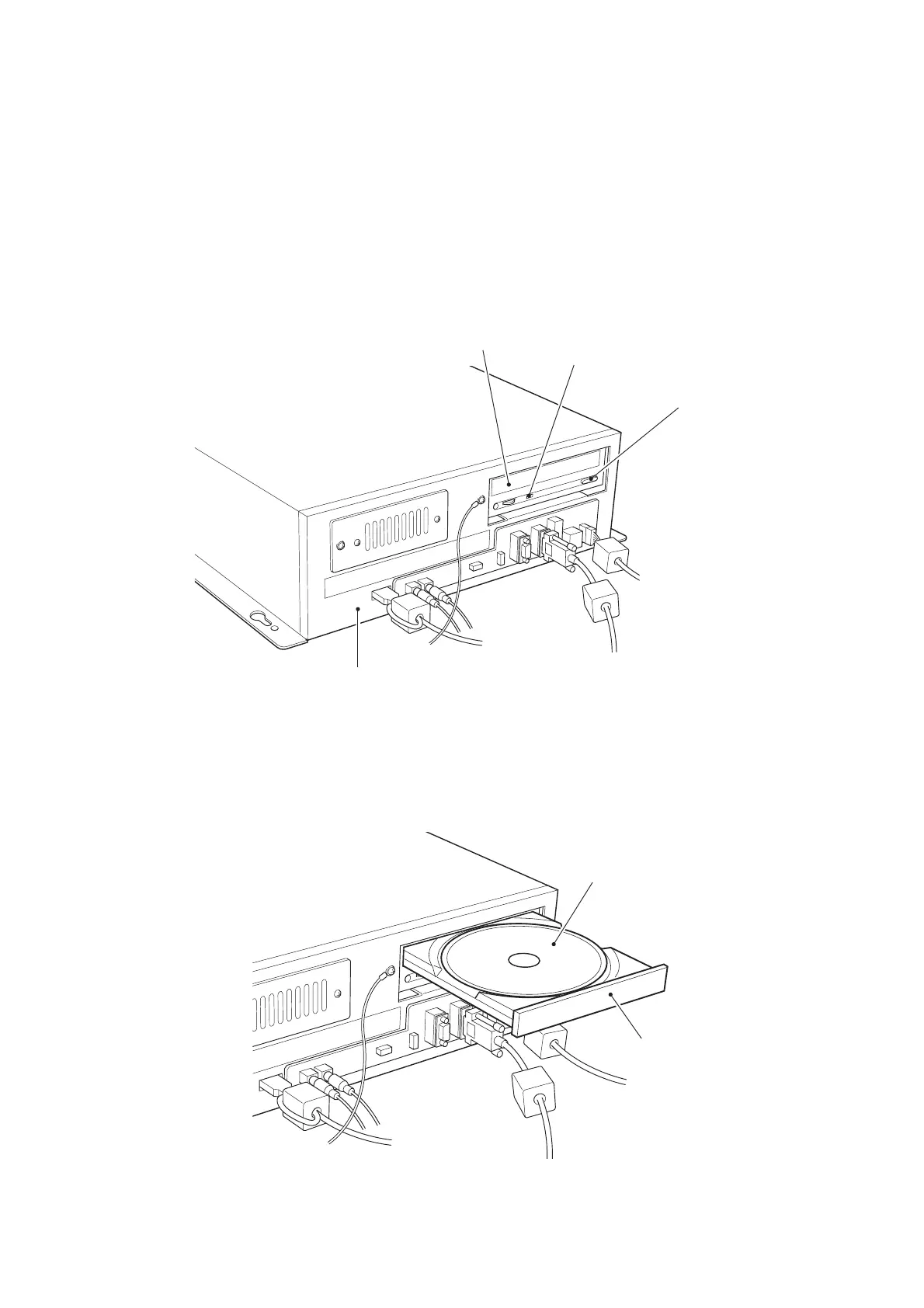
5-3 Fitting the CD Rom
The supplied CD-ROMs are designed for this game only. Do not use them with
other games. Do not insert any other CD-ROMs. These may result in malfunction.
Always install one CD-ROM to each Game PCB Assy.
Note that the tray automatically closes after approximately 10 seconds.
1. Remove the Lower Rear Door from the Monitor Cabinet.
2. Press the EJECT button on the CD-ROM drive to open the tray.
3. Mount the CD-ROM on the tray with the label (print) surface upwards.
4. Press the EJECT button on the CD-ROM drive to close the tray.
5. Replace the Monitor Cabinet Rear Door.
EJECT button
Game PCB Assy
CD-ROM tray
Operating lamp
CD-ROM
Tray








 To Next Page