Page 63
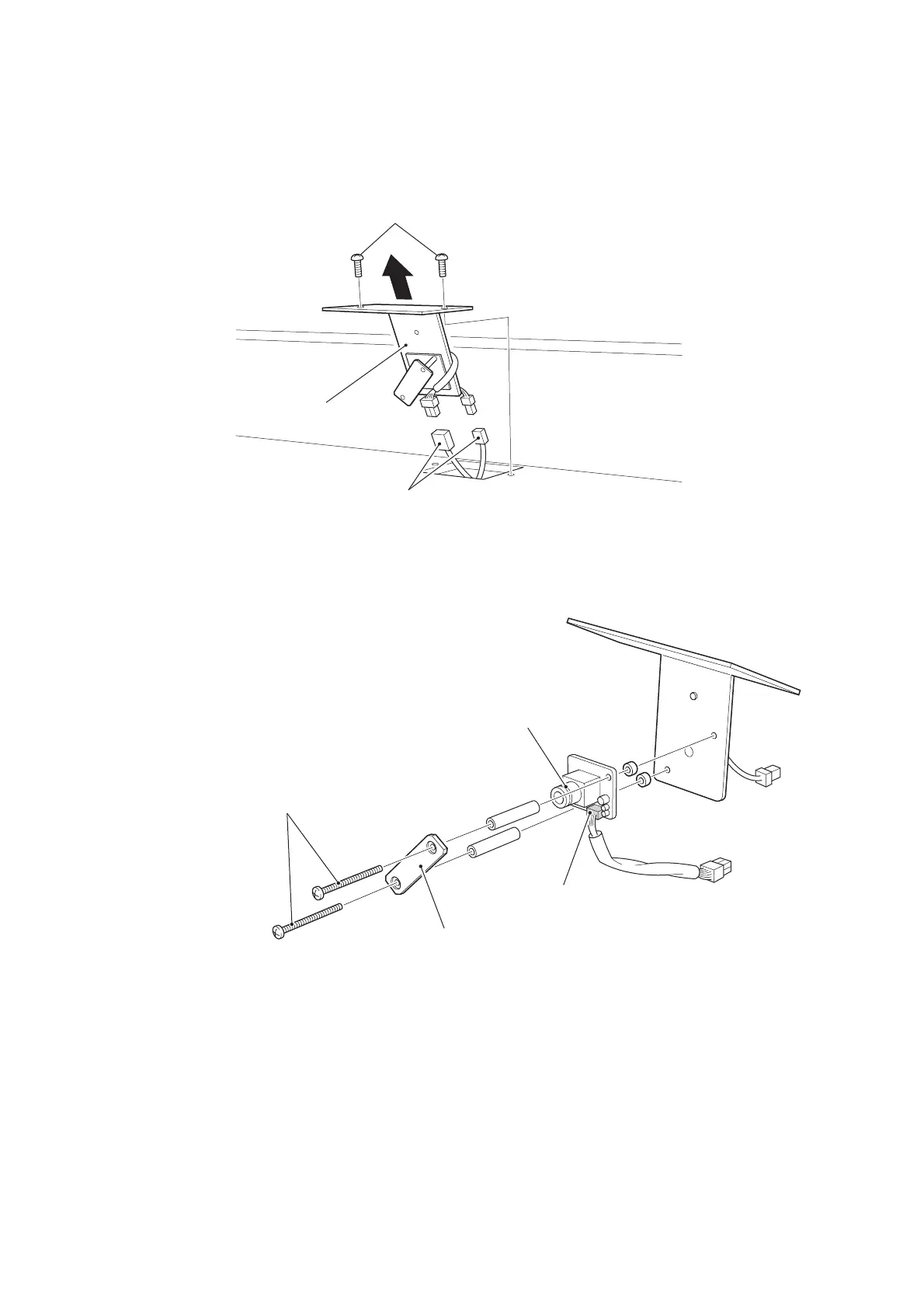
7-4 Replacing the Camera Assy
1. Remove 2off pozi head screws (M5x12), lift the Camera Assy sufficient to
disconnect the connectors and remove the Camera assy.
2. Remove 2off pozi head screws (M2x30) and remove the CCD Camera.
3. Reasemble in reverse order.
Note: Always reinitialize the guns if the camera has been removed or replaced.
(see 6-2-3-1 page 46)
Pozi head screws (M5
×
12)
Camera Assy
Connectors
Pozi head screws
(M2
×
30)
Camera filter (Note direction)
Connector
CCD camera (Note direction)









 To Next Page