Page 71
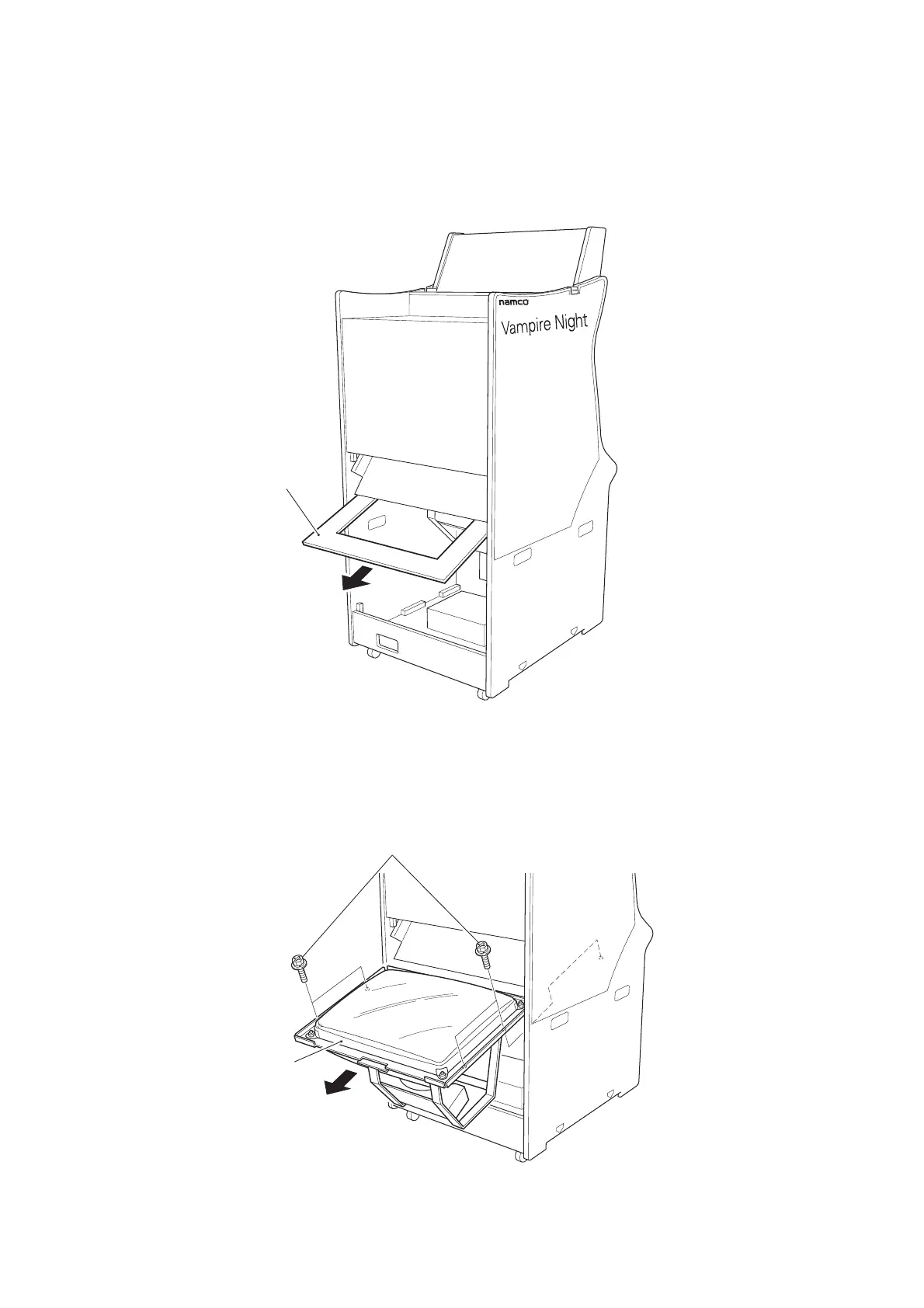
7-8 Replacing the Monitor
1.Remove the Mirror. (see 7-2 page 61)
2. Remove the Monitor Mask by sliding it out.
3. Remove 4off pozi head screws (M6x16), with flat and spring washers. and
remove the Monitor.
4. Reassemble in reverse order.
Monitor mask
Pozi head screws (M6x16), with flat and spring washers.
Monitor












 To Next Page