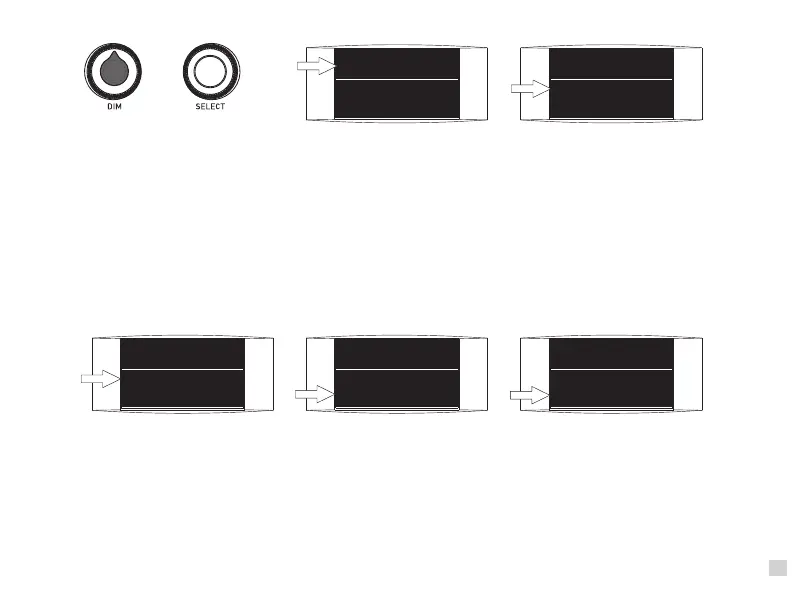
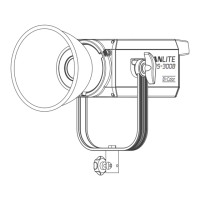
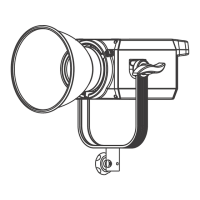
(3) Address code setting: Press the function knob down, if it shows"*" in the front of "CH",
that means the adress code can be edited. To turn in clockwise to plus one while minus one for every pushing by
turning the knob anticlockwise. The setting range can be 1-512.
(4) Fan setting: Press the function knob down, if it shows "*" in the front of "FAN", that means under the fan mode.
To rotate this function knob, status is "* FAN: ON", fan is on and the fixture is at full output power.
While current status is "* FAN: OFF", fan is off and the fixture is at ⅓ output power.
(1) Brightness setting: Rotate the dimmer knob, brightness can be increased when forward adjust, while reverse adjust,
the brightness can be decreased.
(2) Lighting Effects Mode Setting: Press function knob, if it shows "*" in the front of "FX", that means under the Lighting
Effects mode. User can rotate the function knob to enter into this mode. To turn the knob clockwise to enter into next
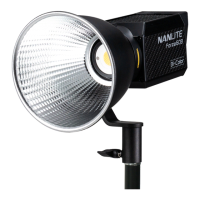
mode, while return to previous mode by turning the knob anticlockwise. Forza 60 provides 9 different light modes, the
order is "OFF / FLASH 1 ( 0.25 seconds )/ FLASH 2 ( 1 seconds )/ FLASH 3 ( 0.1-6 seconds )/ STORM 1 ( 0.2-5
seconds in random variations ) / STORM 2 ( 5-10 seconds in random variations )/ STROM 3 ( 10-15 seconds in
random variations )/ TV / Bad Bulb. OFF" means the states is released from Lighting effect mode.
DIM:
100%
*
FX: OFF
CH: 5
DIM:
100%
*
FX: OFF
CH: 5
Dimmer Knob Function Knob
(1) (2)
DIM:
100%
*
FX: FLASH 1
CH: 5
DIM:
100%
*
CH: 512
*
FAN: ON
DIM:
100%
*
FX: FLASH 1
*
CH: 512
(2) (3) (4)
5
·Some special lighting effects may be updated for the upgraded controller firmware, please learn more details
about our newest function description.


 To Next Page