2
Setup
Camera Setup
Power Supply
Plug one end of the provided power adapter into a wall outlet and the other end
into the back of the camera. Camera automatically turns on when plugged in.
See Fig. 3.
Note : Use the adapter labeled OUTPUT: 5V DC 2.0A for the camera.
Fine-Tuning
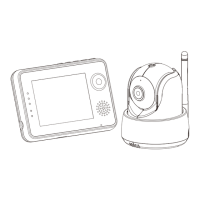
Place the camera in a convenient location, point the lens toward the observation
area.
Night Vision
The camera has eight light-intensity levels for picking up clear images in the
dark. When the light sensor detects low ambient light levels, the LEDs will be
automatically activated.
Room Temperature Measurement
Temperature sensor can measure room temperature on camera side and the room
temperature indicator will be displayed on the screen of the monitor unit.
1
Monitor Setup
Power Supply
The monitor has built in 3.7V 2600mAh (Li-ion) battery and uses household AC
power current.
1. Plug one end of the provided power adapter into a wall outlet and the other end
into the monitor. See Fig. 4.
Note : Use the adapter labeled OUTPUT: 5V DC 1.0A for the monitor.
2. Slide the Power switch to "ON". See Fig. 4.
Note 1: When power on the monitor, "Power" LED will light up (green light).
When battery is low, the red LED light will start blinking.
When thebattery is charging, the red LED will light up.
If charging is finished (fully charged), the "Power" LED will turn
off (when power off ).
Note 2: (Out of Range) will be displayed on the LCD screen if the
monitor exceeds the range (unlink)
Talkback Function
Press the talkback button to speak through the camera unit, and the icon
will then be displayed on the screen. See Fig. 5.
2.1
2
2.2
1.1
1.2
1.3
1.4


 To Next Page