NAPCO Security Group
NAPCO Gemini C-Series Control Panel Programming Instructions--Volume 1
Page 52 Programming Instructions, Volume 1
PROGRAM THE DATA ENTRIES
1. Enter the panel's Dealer Security Code, then press R.
2. Answer NO to all questions until "ACTIVATE PROGRAM Y/N" is displayed; then press YES. NOTE: If you pass
"ACTIVATE PROGRAM", scroll backward using
A.
3. Press C to enter the Address Program Mode. Address "0000" will display.
4. Press
2018 to access Address 2018. The existing data will display and the cursor will ad-
vance to the data field.
5. Press
2457. The numbers 2, 4, 5 and 7 will appear on the keypad display indicating the
zones activated.
6. Press
U to save. Address 2018 is now programmed with "2, 4, 5 and 7".
7. Press
R and enter another 4-digit address to continue programming--or--press C to exit and resume
normal keypad operation.
B) DECIMAL FORMAT
Settings such as Entry Delay and Exit Delay display and accept data in "decimal" format, as a 3 digit number. Data
is entered directly, by pressing keys 0 – 9, with the cursor automatically moving to the right upon each key press.
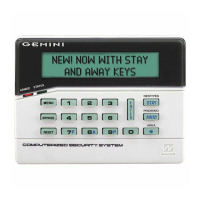
EXAMPLE: Entries with the GEMC-FK1 keypads: Program Abort Delay to be 15 seconds.
DETERMINE THE DATA ENTRIES
Referring to SYSTEM DELAYS & TIMEOUTS in the Programming Worksheets that follow, the Abort Delay is locat-
ed at address 5306:
PROGRAM THE DATA ENTRIES
1. Enter the panel's Dealer Security Code, then press R.
2. Answer NO to all questions until "ACTIVATE PROGRAM Y/N" is displayed; then press YES. NOTE: If you pass
"ACTIVATE PROGRAM", scroll backward using
A.
3. Press C to enter the Address Program Mode. Address "0000" will display.
4. Press
5306 to access Address 5306. The existing data will display and the cursor will ad-
vance to the data field.
5. Press
015. The numbers 015 will appear on the keypad display indicating the number of
5306 - - - D
5306 015 D
ZONES 1 8
ZONES 9 16
ZONE FEATURES ADDR Z1 Z2 Z3 Z4 Z5 Z6 Z7 Z8 ADDR Z9 Z10 Z11 Z12 Z13 Z14 Z15 Z16
1 2 3 4 5 6 7 8
1 2 3 4 5 6 7 8
Exit/Entry Follower 2018
6 7 8
2118
DATA ENTRY LOCATION:
Decimal Format
No time yet entered
Address
5306
"Abort
Delay"
DATA ENTRY LOCATION:
Decimal Format
Press 015 in order to set the
"Abort Delay" to 15 seconds. The "D" on the
right indicates "Decimal" format.
ADDRESS 5306
[Default = 000]
ABORT
DELAY
(sec.)
Address
5306
"Abort
Delay"



 To Next Page
 Loading...