NV30/NV40 Operations and Maintenance Manual Operating the transmitter
Issue 3.3 2014-12-10 Page 2-11
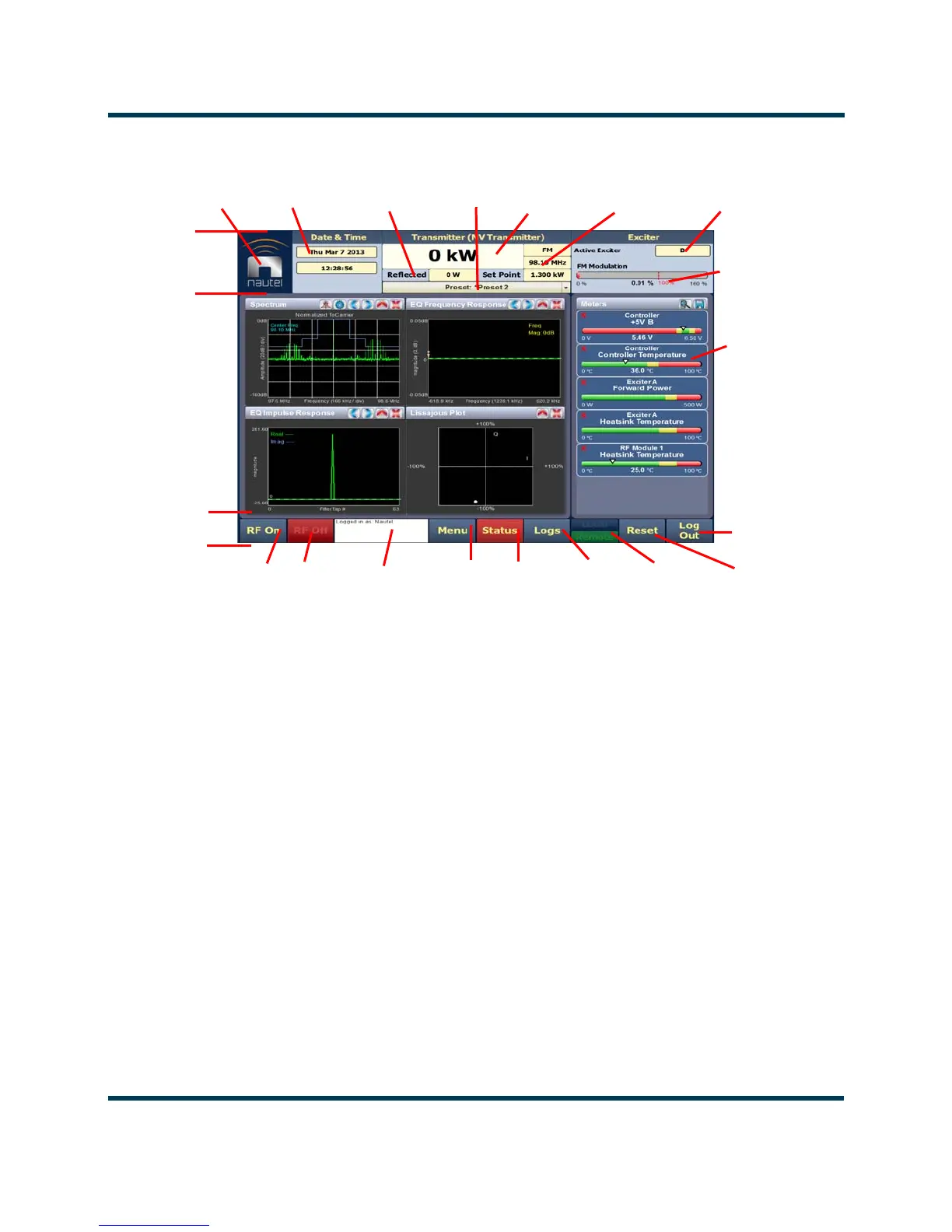
Figure 2.4: Using the AUI
The top banner is permanent on all AUI pages and includes:
• Nautel Logo: From any AUI page, press the displayed logo to reload the AUI and prompt
for a login. Press this if your local AUI stops responding.
• Date & Time: Displays the date (including day of the week, month, day and year) and current
time (see Time setup on page 2-100).
•
Transmitter: Displays the name of the active preset, current forward power (and power set
point based on the active preset) and reflected power levels as well as the operating mode
(FM, FM+HD, HD, etc.) and carrier frequency. (see Presets - editing operational settings on
page 2-44). Press Menu/Presets (bottom panel) to open the Presets page and edit this
information. Also the call Sign/ID is displayed here (see Setting call sign/ID on page 2-103).
• Preset: Displays the active preset. Press this area to open the Activate Preset menu and
select the active preset.
• Exciter: Displays the active exciter and the peak (red) FM modulation value. Press in the
Active Exciter field to shortcut to the
Changeover page. The active exciter is displayed in the
top, right corner (see Figure 2.4).
RF On
Menu
Forward
Date &
Time
Modulation
Level
RF Off
Status
Local/
Top
Banner
Bottom
Banner
Events
Remote
Reset
Tool Menu
Panel
Displays (up
to 4 on
screen or
one full
screen)
Log
Power
Mode,
Frequency
Set Point,
Reflected
Selected
Meters
Active
Exciter
Power
Active/Select
Activity
Window
Log Out /
Change
User
Preset
AUI
Reload



 To Next Page