NV30/NV40 Operations and Maintenance Manual Operating the transmitter
Issue 3.3 2014-12-10 Page 2-13
The displays between the top and bottom menus, contains user selected pages. These pages provide
access to a variety of AUI functions such as transmitter status and hardware settings. The following
paragraphs describe how to use these pages.
•
Tool Menu: Display up to four panels on the screen at one time. To reveal the Tool Menu
options, press X in the upper right corner of one panel to close an existing panel, and then
press in the blank space to display a menu of panels (see Viewing tool menu panels on
page 2-25).
•
Meters: Displays the real-time meters that provide a system review of the transmitter
(see Viewing real-time meters on page 2-40).
Navigating from page to page
You can easily navigate through the AUI from its Home page (see Figure 2.6 on page 2-14) or Menu
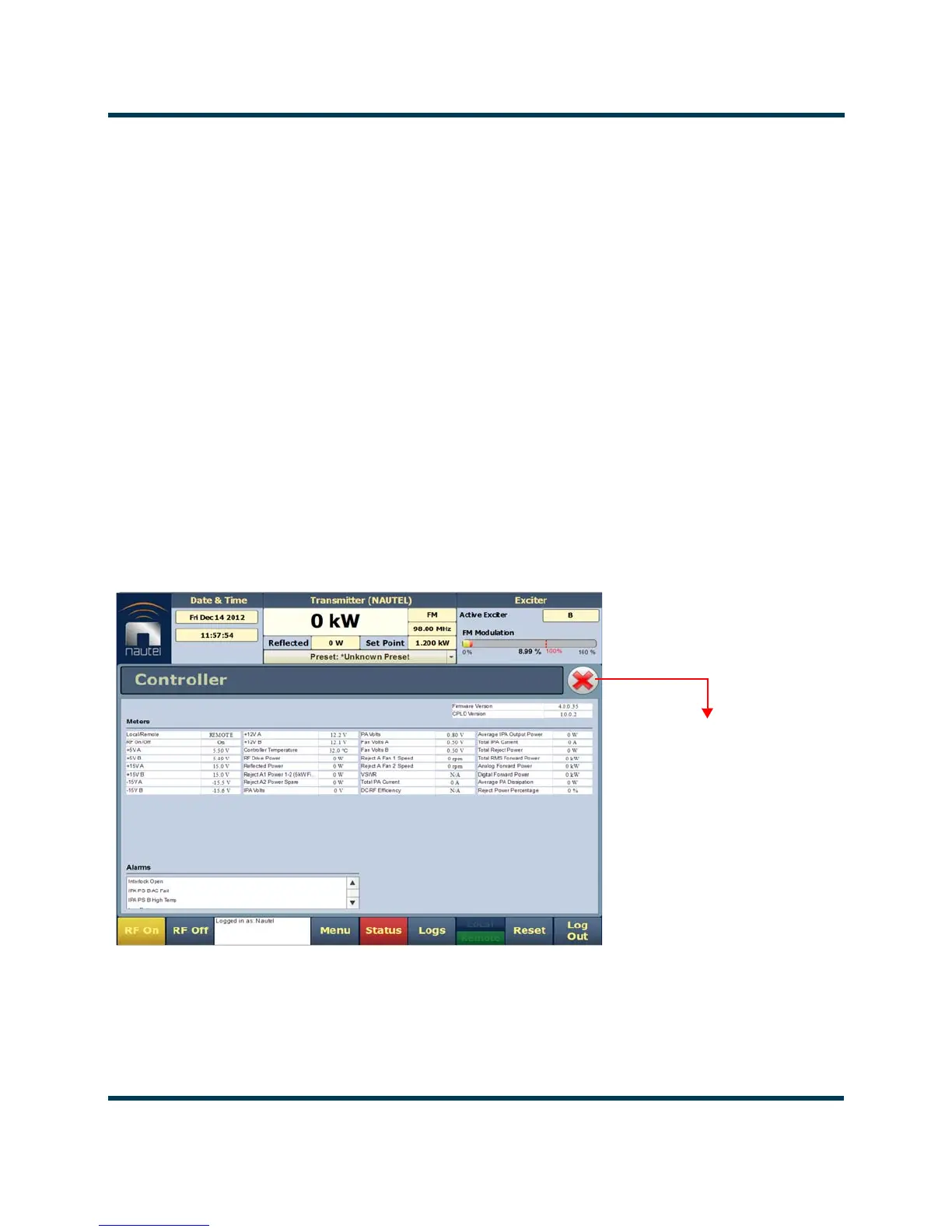
page (see Figure 2.7 on page 2-15). During navigation, all Menu pages will feature a red exit page
button(see Figure 2.5). Press this button to exit the Menu page you are on and return to the Home
page.
Figure 2.5: Exit Page Button
Press this button to exit
all menu pages.



 To Next Page