NV30/NV40 Operations and Maintenance Manual Operating the transmitter
Issue 3.3 2014-12-10 Page 2-75
Audio input calibration
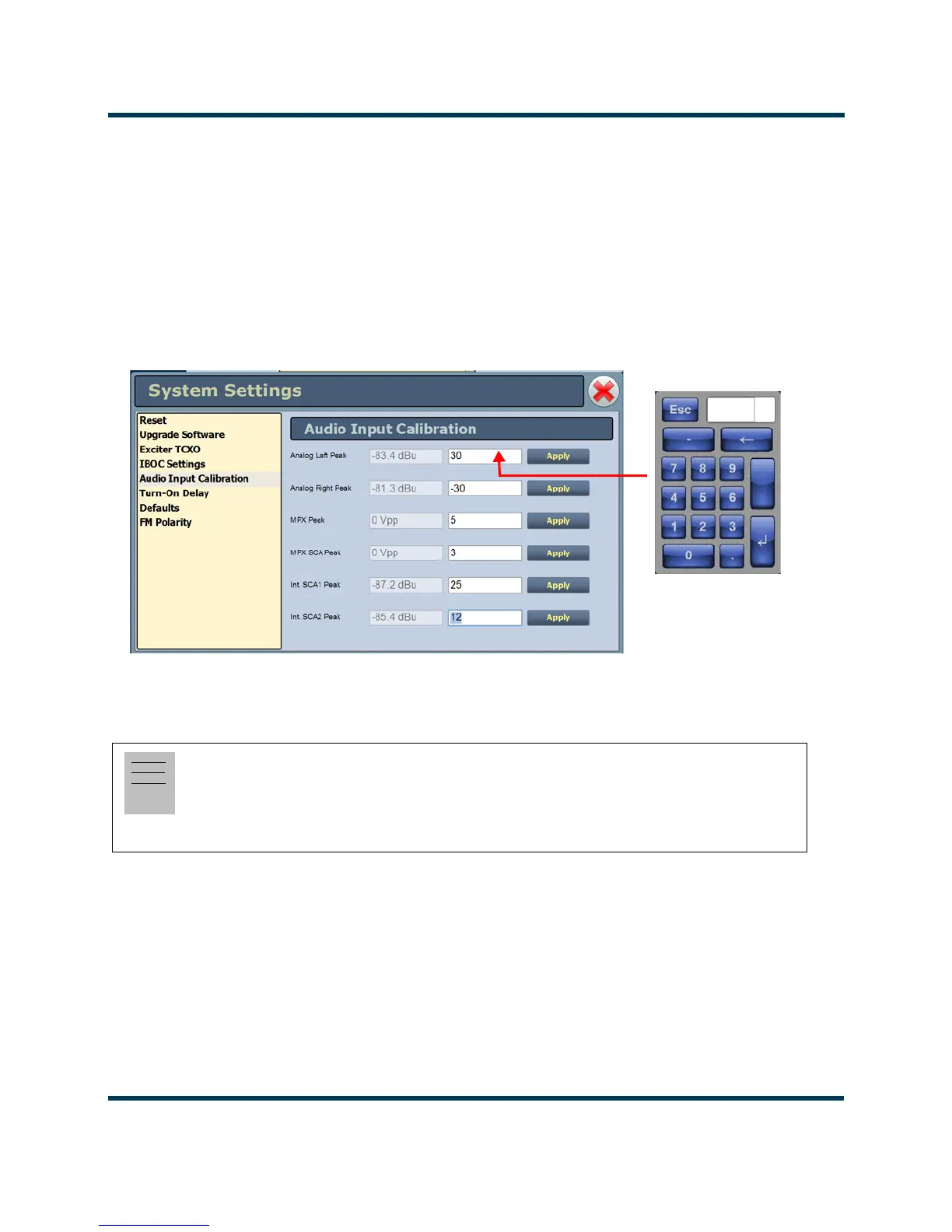
This system setting (see Figure 2.56) supports the calibration of analog and MPX (composite) audio
inputs. The peak meter value of each calibrated audio input (
Analog Left Peak, Analog Right Peak,
MPX Peak, MPX SCA Peak, Int. SCA1 Peak and Int. SCA2 Peak) will be displayed (when the
associated audio input source is connected). Enter the calibration value and press Apply to save
changes. Changes apply to the active exciter (A or B) only. To calibrate the other exciter, switch to the
other exciter and repeat the calibration.
Figure 2.56: System Settings - Audio Input Calibration
Note:
Audio inputs are factory set using a high accuracy source and do not typically require user
adjustment. Changes to factory calibrations could cause low or excessive modulation and
noncompliance to strict regulatory limits



 To Next Page