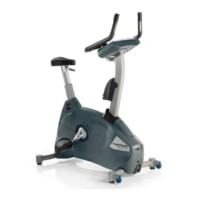
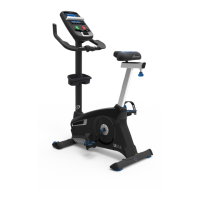
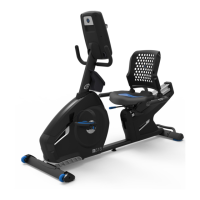
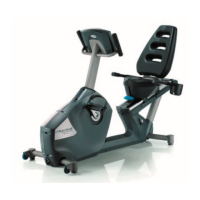
EasyManua.ls Logo

Nautilus Schwinn 800IC - User Manual

Nautilus Schwinn 800IC
97 pages
Print Icon
To Next Page IconTo Next Page
Loading...
1
8024500.121521.G
Service Manual
Table of Contents
Nautilus, Inc., www.NautilusInc.com, 5415 Centerpoint Parkway, Groveport, OH 43125 U.S.A. - Customer Service: North America (800) 605-3369, csnls@nautilus.com | outside U.S.
www.nautilusinternational.com | © 2019 Nautilus, Inc. | Nautilus, the Nautilus logo, Bowex and Schwinn are trademarks owned by or licensed to Nautilus,Inc., which are registered or
otherwise protected by common law in the United States and other countries. | ORIGINAL DOCUMENT - ENGLISH VERSION ONLY
8024502.121521.G
Schwinn
IC4 / IC8 / 800IC and Bowex
C6 Bike
Service Manual
Section Code Section Page Number
1 Important Safety Instructions 2
1 Safety Warning Labels and Serial Number 3
1 FCC Compliance 3
1 Specications 4
1 Maintenance 5
1 Moving/Storing the Machine 6
1 Leveling the Machine 6
1 Heart Rate Armband 7
1 Adjustments 8
1 Locking the Flywheel for Storage 9
1 Troubleshooting 10
1 Maintenance Parts Exploded View 12
1 Replacement Procedure Skill Level 13
Mechanical Procedures
2 Adjust the Belt Tension 14
3 Calibrate the Magnetic Resistance Sensor 18
4 Install the Handlebar Bushing Kit 21
Part Replacement
5 Replace the Emergency Brake Pad 25
6 Replace the Brake / Resistance Knob Assembly 28
7 Replace the Crank Arm 32
8 Replace the Drive Belt 36
9 Replace the Drive Belt Cover 43
10 Replace the Drive Pulley 46
11 Replace the Fender 51
12 Replace the Flywheel Assembly 53
13 Replace the Flywheel Tensioners 61
14 Replace the Handlebar and Seat Post Bushing 65
15 Replace the Pedals 71
16 Replace the Power Inlet 74
17 Replace the Resistance Sensor and Sensor Magnet 79
18 Replace the Speed Sensor 83
19 Replace the Wiring Harness 91

Questions and Answers

  • M
    Michael PerkinsAug 17, 2025
    How to fix no display on Nautilus Schwinn 800IC?
    • B
      Brian DillonAug 17, 2025
      First, ensure the exercise bike is plugged into a functioning wall outlet. Check that the connection is secure and undamaged, replacing the adapter or connection if necessary. Inspect the cable for any crimped or cut wires, and replace it if damaged. Confirm the cable is securely connected and oriented correctly, with the small latch on the connector lined up and snapped into place. Examine the console display for cracks or damage, and replace the console if needed. If the console shows only a partial display and all connections are fine, replace the console. If these steps don't solve the issue, further assistance may be needed.
  • H
    Hannah WongAug 20, 2025
    Why does my Nautilus Schwinn 800IC Exercise Bike console shut off during use?
    • S
      Samuel DominguezAug 20, 2025
      To resolve the issue of the console shutting off during use, first ensure the Nautilus exercise bike is plugged into a functioning wall outlet and that the connection is secure and undamaged, replacing the adapter if necessary. Check the cable for any damage and replace if needed, ensuring it’s correctly connected with the latch secured. Try unplugging the unit for 3 minutes and then reconnecting it. Also, verify that the magnet is in place on the pulley and that the speed sensor is aligned with the magnet and properly connected; realign or replace the sensor if damaged.
  • W
    wendybeckerAug 22, 2025
    Why is the speed displayed not accurate on my Nautilus Schwinn 800IC?
    • M
      mcclurenatalieAug 22, 2025
      To correct inaccurate speed readings on your Nautilus Exercise Bike, ensure the speed sensor magnet is properly positioned on the flywheel.
  • J
    jtaylorAug 26, 2025
    What to do if my Nautilus Schwinn 800IC Exercise Bike speed displayed is always “0”/stuck in Pause mode?
    • S
      shawnbarrAug 26, 2025
      If your Nautilus Exercise Bike displays a constant '0' speed or remains stuck in pause mode, ensure the data cable is securely connected to both the console and the main frame assembly. Also, verify that the RPM sensor magnet and the RPM sensor are correctly in place.
  • M
    Margaret LiAug 27, 2025
    How to fix no speed/RPM reading on Nautilus Schwinn 800IC Exercise Bike?
    • T
      Tiffany FarmerAug 28, 2025
      To troubleshoot a missing speed or RPM reading on your Nautilus Exercise Bike, check that all wires in the cable are intact, replacing the cable if any are cut or crimped. Ensure the cable is securely connected and correctly oriented, with the latch properly aligned. Verify the speed sensor magnet is in place on the flywheel. Also, confirm the speed sensor assembly is aligned with the magnet and connected to the data cable; realign the sensor if necessary, and replace it if damaged.
  • N
    nicoleestesAug 30, 2025
    Why is Bluetooth Heart Rate (HR) not displayed on my Nautilus Schwinn 800IC Exercise Bike?
    • M
      Matthew CookAug 30, 2025
      To resolve issues with the Bluetooth Heart Rate (HR) not displaying on your Nautilus Exercise Bike, ensure the device is directly against your skin and the contact area is wet. If the device uses replaceable batteries, try installing new ones. Move the unit away from potential sources of interference like TVs or microwaves. If the problem persists after these steps, the device or console may need replacement.
  • R
    Ronald GarrettSep 2, 2025
    What to do if my Nautilus Schwinn 800IC Bluetooth® HR displayed incorrectly?
    • L
      Lisa JohnsonSep 2, 2025
      If your Nautilus Exercise Bike displays an incorrect Bluetooth® HR reading, the console might still be connected to a previous user. Press the Connect Bluetooth® button to disconnect and connect to your heart rate sensing device.
  • H
    Hannah FreemanSep 5, 2025
    How to stop my Nautilus Schwinn 800IC Exercise Bike from rocking?
    • J
      Jennifer WattsSep 5, 2025
      To address rocking or unevenness in your Nautilus Exercise Bike, adjust the levelers to stabilize the machine. If the surface is extremely uneven, consider moving the bike to a more level area.
  • K
    Kenneth DiazSep 7, 2025
    Why are the pedals loose on my Nautilus Schwinn 800IC?
    • S
      Steven MahoneySep 7, 2025
      To address loose pedals, difficulty pedaling, or skipping/slipping pedals on your Nautilus Exercise Bike, ensure the pedal is tightly secured to the crank arm, making sure the connection isn't cross-threaded. Also, confirm that the crank arm is securely tightened to the axle.
  • T
    Tracey RiveraSep 10, 2025
    Why is there a clicking sound when pedaling my Nautilus Exercise Bike?
    • B
      briandavisSep 12, 2025
      If you hear a clicking sound when pedaling your Nautilus Exercise Bike, remove the pedals and check the threads for any debris. Reinstall the pedals after cleaning the threads.

Summary

Important Safety Instructions and General Troubleshooting Information

Important Safety Instructions

Essential safety guidelines for operating and servicing the exercise equipment.

Safety Warning Labels and Serial Number

Information on safety labels and identifying the machine's serial number.

FCC Compliance

Regulatory compliance information regarding radio frequency emissions and FCC rules.

Specifications

Maintenance

Adjustments and Operations

Moving and Storing the Machine

Instructions for safely moving and storing the exercise bike to prevent damage.

Leveling the Machine

Procedures for ensuring the bike is stable and level on various surfaces.

Emergency Stop

How to quickly stop the bike's pedals and flywheel in an emergency situation.

Seat Adjustment

Guide for properly adjusting the seat height and position for optimal comfort and safety.

Foot Position; Pedal Strap Adjustment

How to adjust foot restraints and pedal straps for secure footing and efficiency.

Using the Shoe Clips (Cleats)

Instructions for engaging and using cycling shoe clips with the bike's pedals.

Handlebar Adjustment

Steps for adjusting the handlebar height and position for user comfort.

Locking the Flywheel for Storage

How to lock the flywheel for safe storage of the exercise machine.

Changing Unit Measures (English Imperial;Metric)

Instructions on how to switch between metric and imperial units on the console display.

Troubleshooting

Mechanical Procedures

Adjust the Belt Tension

Step-by-step guide to adjust the drive belt tension for optimal performance.

Calibrate the Magnetic Resistance Sensor

Procedure to recalibrate the magnetic resistance sensor for accurate resistance control.

Install the Handlebar Bushing Kit

Instructions for replacing the handlebar bushing kit to ensure proper handlebar locking.

Part Replacement

Replace the Emergency Brake Pad

Guide for replacing the emergency brake pad to ensure proper braking function.

Replace the Brake; Resistance Knob Assembly

Instructions for replacing the entire brake and resistance knob assembly.

Replace the Crank Arm

Procedure for replacing a crank arm, including pedal installation guidance.

Replace the Drive Belt

Step-by-step instructions for replacing the drive belt of the exercise bike.

Replace the Drive Belt Cover

Guide for removing and reinstalling the drive belt cover for access to internal components.

Replace the Drive Pulley

Instructions for replacing the drive pulley, a critical component in the drivetrain.

Replace the Fender

How to replace the front fender, primarily for cosmetic or protective purposes.

Replace the Flywheel Assembly

Detailed steps for replacing the entire flywheel assembly.

Replace the Flywheel Tensioners

Instructions for replacing the flywheel tensioner components.

Replace the Handlebar and Seat Post Bushings

Guide for replacing bushings in the handlebar and seat post for smoother adjustment.

Replace the Pedals

Instructions for replacing the pedals, emphasizing correct installation to prevent injury.

Replace the Power Inlet

Procedure for replacing the power inlet port if it becomes damaged or faulty.

Replace the Resistance Sensor and Sensor Magnet

Guide for replacing the resistance sensor and magnet for accurate resistance feedback.

Replace the Speed Sensor

Instructions for replacing the speed sensor to ensure accurate speed and distance readings.

Replace the Wiring Harness

Steps for replacing the entire wiring harness that connects electronic components.

Nautilus Schwinn 800IC Specifications

General IconGeneral
BrandNautilus
ModelSchwinn 800IC
CategoryExercise Bike
LanguageEnglish

Related product manuals