EasyManua.ls Logo

Nautilus U616 - User Manual

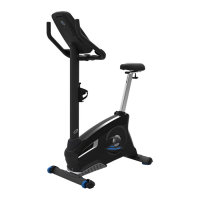
Nautilus U616
38 pages
Print Icon
To Next Page IconTo Next Page
Loading...
ASSEMBLY MANUAL / OWNER’S MANUAL

Other manuals for Nautilus U616

Questions and Answers

  • V
    Veronica TranSep 16, 2025
    Why is my Nautilus Exercise Bike display not working or only partially working?
    • W
      William GarnerSep 17, 2025
      If your Nautilus Exercise Bike has no display, a partial display, or won't turn on, first ensure it's plugged into a functioning wall outlet. Check that the connection is secure and undamaged, replacing the adapter or connection at the unit if either are damaged. Ensure all wires in the cable are intact, replacing the cable if any are visibly crimped or cut. Confirm the cable is connected securely and oriented properly, with the small latch on the connector lined up and snapped into place. Inspect the console display for cracks or damage, and replace the console if damaged. If the console only shows a partial display and all connections are fine, replace the console. If these steps don't resolve the issue, further assistance may be needed.
  • D
    Daniel WalkerAug 25, 2025
    What to do if my Nautilus U616 display is not working?
    • S
      Sergio OlsonAug 25, 2025
      If your Nautilus Exercise Bike's display isn't working, ensure the unit is plugged into a functioning wall outlet. Check that the connection is secure and undamaged, replacing the adapter or connection if necessary. Verify all wires in the cable are intact, replacing the cable if any are crimped or cut. Ensure the cable is securely connected and properly oriented, with the small latch on the connector lined up and snapped into place. Also, inspect the console display for cracks or damage, and replace the console if damaged.
  • X
    Xavier YangAug 25, 2025
    Why is the resistance not changing on my Nautilus U616 Exercise Bike?
    • A
      Amanda BurnsAug 26, 2025
      If the resistance on your Nautilus Exercise Bike isn't changing, first replace the batteries and check for proper operation. Inspect the console for any signs of damage and replace it if necessary. Ensure all wires in the cable are intact, replacing the cable if any are visibly crimped or cut. Verify the cable is securely connected and properly oriented, reseating all connections. If the magnets move, adjust them until they are within the proper range. If the magnets don't move, replace the Servo Motor if it is not functioning properly.
  • C
    Carrie BoydAug 26, 2025
    What to do if my Nautilus Exercise Bike workout results will not sync?
    • E
      ehowellAug 27, 2025
      If your Nautilus Exercise Bike workout results aren't syncing with your Bluetooth® device, make sure the machine is in Idle Mode by pushing the PAUSE/END button until the Power-Up Mode screen is displayed. Ensure the workout was longer than 1 minute to be saved and posted by the Console. Unplug the unit from the electrical outlet for 5 minutes, then reconnect it. Check that the Bluetooth® wireless feature is enabled on your device.
  • S
    Sara WadeSep 18, 2025
    What does it mean when my Nautilus Exercise Bike console displays 'Please Pedal'?
    • J
      Joan BurnsSep 18, 2025
      If your Nautilus Exercise Bike console displays a 'Please Pedal' error code and there's no speed/RPM reading, ensure all wires in the cable are intact, replacing the cable if any are cut or crimped. Also, confirm the cable is connected securely and oriented properly, making sure the small latch on the connector lines up and snaps into place. Check that the magnet is in place on the pulley. Verify the speed sensor is aligned with the magnet and connected to the data cable; realign the sensor if necessary, and replace it if there is any damage to the sensor or the connecting wire.
  • R
    ramseybrandonDec 1, 2025
    Why does my Nautilus U616 console shut off during use?
    • B
      Brenda EvansDec 1, 2025
      If your Nautilus Exercise Bike console shuts off or enters sleep mode while you're using it, try these steps: * Make sure the unit is plugged into a functioning wall outlet. * Ensure the connection is secure and undamaged; replace the adapter or connection at the unit if either is damaged. * Check that all wires in the cable are intact; replace the cable if any are cut or crimped. * Verify the cable is connected securely and oriented properly, ensuring the small latch on the connector lines up and snaps into place. * Unplug the unit from the electrical outlet for 3 minutes, then reconnect it. * Check that the magnets are in place on the pulley. * Ensure the speed sensor is aligned with the magnets and connected to the data cable. Realign the sensor if necessary and replace ...
  • V
    Vicki WeaverSep 9, 2025
    How to post workout results from Nautilus Trainer App to MyFitnessPal?
    • J
      Jordan FigueroaSep 9, 2025
      To post workout results from the Nautilus Trainer™ App to your MyFitnessPal® account or Under Armour® Connected Fitness, select the Sync to MyFitnessPal® or Under Armour® Connected Fitness option from the Menu icon on the Nautilus Trainer™ App.
  • L
    Lauren HughesSep 10, 2025
    Why does my Nautilus Exercise Bike say 'Please Pedal'?
    • J
      James GardnerSep 10, 2025
      If your Nautilus Exercise Bike console displays a 'Please Pedal' error, it indicates there's no speed/RPM reading. Check that all wires in the cable are intact and replace the cable if any are cut or crimped. Ensure the cable is securely connected and properly oriented, making sure the small latch on the connector lines up and snaps into place. Also, verify the magnet is in place on the pulley and that the speed sensor is aligned with the magnet and connected to the data cable. Realign the sensor if necessary, and replace it if damaged.
  • B
    billybergSep 3, 2025
    Why are the pedals loose or the unit difficult to pedal on my Nautilus Exercise Bike?
    • A
      Alexandra BlackSep 3, 2025
      If the pedals are loose or the unit is difficult to pedal on your Nautilus Exercise Bike: * Ensure the pedal is tightened securely to the crank, and verify the connection isn't cross-threaded. * Make sure the crank is tightened securely to the axle and that the cranks are connected at 180 degrees from each other.
  • J
    James PetersonSep 1, 2025
    How to stabilize a Nautilus Exercise Bike that rocks?
    • B
      bryan71Sep 1, 2025
      To stabilize a Nautilus Exercise Bike that rocks or doesn't sit level, adjust the levelers until the bike is level. Keep in mind that adjustments may not compensate for extremely uneven surfaces, so consider moving the bike to a more level area.

Summary

Safety Instructions

General Safety Instructions

Read and follow all warnings and instructions for safe operation and assembly.

Safety Warnings and Compliance

Assembly Instructions Part 1

Attach Stabilizers to Main Frame

Step-by-step instructions for attaching the front and rear stabilizers to the main frame.

Install Console Mast and Mast Boot

Instructions for connecting the console mast and mast boot to the main assembly.

Assembly Instructions Part 2

Install Handlebars on Console Mast

Guide for securely attaching the handlebars to the console mast.

Assembly Instructions Part 3

Install Console on Console Mast

Steps for mounting the console onto the console mast.

Assembly Instructions Part 4

Install Seat Post on Frame

Instructions for inserting and securing the seat post into the frame.

Attach Seat to Seat Post

Steps to correctly attach the seat to the seat post.

Assembly Instructions Part 5

Install Pedals

Instructions for attaching the left and right pedals to the crank arms.

Assembly Instructions Part 6

Connect AC Adapter and Final Inspection

Instructions for connecting the power adapter and performing a final check of the assembly.

Before You Start

Leveling Your Bike

Guide on how to adjust the levelers to ensure the bike is stable and balanced.

Heart Rate Monitoring

Operations and Usage

Setup and User Profiles

Advanced Workout Modes

Maintenance and Care

General Maintenance Guidelines

Important safety precautions and general maintenance advice for regular care of the machine.

Troubleshooting Part 1

Display and HR Sensor Issues

Solutions for problems like no display, partial display, or contact HR not being displayed.

Telemetric HR and Speed;RPM Issues

Troubleshooting steps for telemetric HR not displaying correctly or no speed/RPM readings.

Troubleshooting Part 2

Resistance, Fan, and Leveling Issues

Solutions for problems with resistance changes, fan operation, and unit leveling.

Pedal and Crank Arm Issues

Troubleshooting for loose pedals, difficult pedaling, and crank arm connections.

Troubleshooting Part 3

Sound, Cycling Screens, and Bluetooth Sync Issues

Solutions for clicking sounds, console cycling through screens, and Bluetooth sync problems.

Warranty Information

Nautilus U616 Specifications

General IconGeneral
TypeUpright Exercise Bike
Resistance Levels25
DisplayLCD
Programs29
Bluetooth ConnectivityYes
User Profiles4
SpeakersYes
Resistance TypeMagnetic
Seat TypePadded
Transport WheelsYes
Heart Rate MonitoringContact and Telemetry Enabled
Maximum User Weight300 lbs
Seat AdjustabilityVertical
PedalsStandard

Related product manuals