EasyManua.ls Logo

Nautilus U624 - User Manual

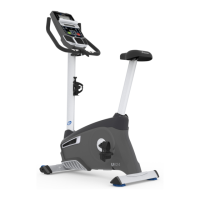
Nautilus U624
36 pages
Print Icon
To Next Page IconTo Next Page
Loading...
ASSEMBLY MANUAL / OWNER’S MANUAL
This product is compliant with the
applicable CE requirements.

Other manuals for Nautilus U624

Questions and Answers

  • G
    George PattersonAug 20, 2025
    How to stabilize my Nautilus Fitness Equipment that rocks?
    • C
      Christian HansonAug 20, 2025
      To stabilize your Nautilus fitness equipment, adjust the levelers until the bike is level. Keep in mind that adjustments may not compensate for extremely uneven surfaces, so consider moving the bike to a more level area.
  • R
    Randy BeasleyAug 22, 2025
    How to stop seat post movement on Nautilus Fitness Equipment?
    • C
      Chad HarrisonAug 22, 2025
      To stop seat post movement on your Nautilus fitness equipment, first ensure the adjustment pin is locked into one of the seat post adjustment holes. Also, be sure the knob is securely tightened.
  • A
    Amber WilliamsonAug 25, 2025
    What to do if my Nautilus U624 Exercise Bike has no display or a partial display, and won't turn on?
    • S
      Seth SmithAug 25, 2025
      If your Nautilus Exercise Bike isn't displaying anything or only shows a partial display, and the unit won't power on, try these steps: * Ensure the unit is plugged into a functioning wall outlet. * Check the adapter and connection at the unit for any damage, replacing if necessary, if there is any damage. * Inspect the cable for any crimped or cut wires, replacing the cable if needed. * Confirm the cable is securely connected and correctly oriented, ensuring the small latch on the connector snaps into place. * Inspect the console display for cracks or damage, replacing the console if damaged. If the console shows a partial display and all connections are fine, replace the console. If these steps don't solve the problem, contact your local distributor for help.
  • D
    Dalton ReedAug 26, 2025
    How to fix seat post movement on Nautilus U624 Exercise Bike?
    • B
      brownianAug 26, 2025
      To stop seat post movement on your Nautilus Exercise Bike: * Ensure the adjustment pin is locked into one of the seat post adjustment holes. * Make sure the knob is securely tightened.
  • D
    Daniel JenningsAug 28, 2025
    What to do if my Nautilus Fitness Equipment displays 'Please Pedal'?
    • D
      Daniel AllenAug 28, 2025
      If your Nautilus fitness equipment displays a 'Please Pedal' error, start by checking the cable wires for any cuts or crimps and replace the cable if necessary. Ensure the cable is securely connected and oriented correctly, making sure the small latch on the connector aligns and snaps into place. Verify that the magnet is in place on the pulley. Also, check that the speed sensor is aligned with the magnet and connected to the data cable. Realign the sensor if needed, and replace it if there's any damage to the sensor or the connecting wire.
  • H
    huberheatherAug 30, 2025
    Why does my Nautilus Fitness Equipment console shut off during use?
    • T
      Tracie PierceAug 30, 2025
      If your Nautilus fitness equipment console shuts off during use, ensure the unit is plugged into a functioning wall outlet. Check that the connection is secure and undamaged; replace the adapter or connection at the unit if either is damaged. Inspect the cable wires to ensure they are intact; replace the cable if any wires are cut or crimped. Confirm that the cable is securely connected and oriented properly, ensuring the small latch on the connector aligns and snaps into place.
  • T
    Tammy RussoAug 31, 2025
    What to do if my Nautilus Fitness Equipment doesn't display Contact HR?
    • M
      Michael ChapmanAug 31, 2025
      If your Nautilus fitness equipment operates but doesn't display 'Contact HR', first ensure the cable is securely connected to the console. Make sure your hands are centered on the HR sensors, kept still, and applying relatively equal pressure to each side. Note that sensors may have difficulty with dried out or calloused hands; using a conductive electrode cream may help.
  • P
    Patricia ThompsonSep 2, 2025
    Why are the pedals loose on my Nautilus Fitness Equipment?
    • T
      Taylor StewartSep 2, 2025
      If the pedals on your Nautilus fitness equipment are loose, ensure the pedal is tightened securely to the crank. Also, make sure the connection is not cross-threaded.
  • J
    Joseph DelacruzSep 4, 2025
    Why does my Nautilus Exercise Bike console shut off while I'm using it?
    • J
      Jay MorrisSep 4, 2025
      The console might be shutting off due to power issues or loose connections. Here's what to check: * Ensure the bike is plugged into a working wall outlet. * Check the adapter and connections for damage, replacing if necessary. * Inspect the cable wires for cuts or crimps, and replace the cable if damaged. * Make sure the cable is securely connected and properly oriented, with the latch snapped in place. Additionally, try unplugging the unit for 3 minutes and then reconnecting it. Also, verify that the magnet is in place on the pulley and that the speed sensor is correctly aligned with the magnet and connected to the data cable. Realign or replace the sensor if needed.
  • R
    rhondatoddSep 6, 2025
    Why is my Nautilus U624 Exercise Bike showing a 'Please Pedal' error and no speed/RPM reading?
    • C
      Claire MasonSep 6, 2025
      If your Nautilus Exercise Bike console displays a 'Please Pedal' error and you're not getting any speed or RPM readings, check the following: * Make sure all wires in the cable are intact, replacing the cable if any are cut or crimped. * Ensure the cable is securely connected and properly oriented, with the small latch on the connector lined up and snapped into place. * Verify that the magnet is in place on the pulley. * Check that the speed sensor is aligned with the magnet and connected to the data cable. Realign the sensor if necessary, and replace it if there's any damage to the sensor or the connecting wire.

Summary

Important Safety Instructions for Assembly

Safety Warning Labels and Serial Number Information

Product Specifications and Pre-Assembly Guidance

Assembly Instructions: Stabilizers and Console Mast

Assembly Instructions: Handlebars

Assembly Instructions: Console Installation

Assembly Instructions: Seat Post and Seat

Assembly Instructions: Pedal Installation

Assembly Instructions: Water Bottle Holder, Adapter, and Final Inspection

Setup and Operation Preparation

General Important Safety Instructions for Use

Console Features and Keypad Functions

Nautilus Dual Track Display: Upper Display Details

Nautilus Dual Track Display: Lower Display Details

Contact Heart Rate Sensors

Using Heart Rate Sensors

Proper technique for using handlebar sensors for accurate heart rate detection.

Heart Rate Calculations and Target Zones

Machine Operations and User Setup

Initial Console Setup

Steps for setting date, time, and measurement units on the console.

Quick Start and Manual Workout Program

Edit User Profile Settings

Customizing User Profile Data

Detailed steps for editing user name, age, weight, height, gender, and display settings.

Profile Programs Overview

Workout Profile and Goal Setting

Setting Workout Goals

How to select profile programs, goals (distance, time, calories), and values.

Fitness Test Program

Performing the Fitness Test

Guide to taking the fitness test to measure and improve physical fitness level.

Heart Rate Control (HRC) Workouts

Using HRC Programs

How to set and use heart rate goals for effective cardio workouts.

Goal Track Statistics and Achievements

Console Setup Mode Configuration

Setting Console Preferences

Guide to configuring date, time, units, machine type, and sound settings.

Equipment Maintenance Schedule and Guidelines

Troubleshooting Common Issues

Troubleshooting: Unit Stability and Pedals

Nautilus U624 Specifications

General IconGeneral
Resistance Levels16
Display TypeLCD
Weight Capacity300 lbs
User Profiles2
Bluetooth ConnectivityYes
Resistance TypeMagnetic
Flywheel Weight13 lbs
Seat TypePadded
Handlebar AdjustabilityYes
Transport WheelsYes
Programs22
Heart Rate MonitoringContact Grips, Telemetry Enabled

Related product manuals