EasyManua.ls Logo

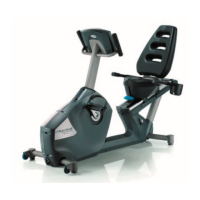
Nautilus R618 - User Manual

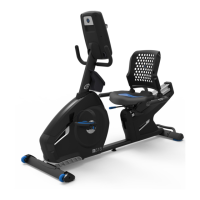
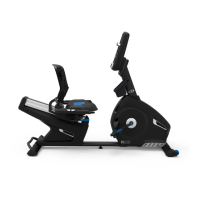
Nautilus R618
68 pages
Print Icon
To Next Page IconTo Next Page
Loading...
1
Nautilus
R618 Recumbent Bike Service Manual
8012456.051519.C
Service Manual
Section Code Section Page Number
1 Important Safety Instructions 2
1 Safety Warning Labels and Serial Number 3
 5HDGLQJWKH3URGXFW6SHFL¿FDWLRQ/DEHO
 6SHFL¿FDWLRQV
1 Maintenance 5
1 Leveling the Machine 5
1 Moving the Machine 6
1 Connectivity 6
1 Heart Rate Chest Strap Battery Replacement 7
1 Troubleshooting 7
1 Console Service Mode 10
1 Maintenance Parts Exploded View 12
1 Replacement Procedure Skill Level 13
0HFKDQLFDO3URFHGXUHV 
 %HOW7HQVLRQ$GMXVWPHQW 
3 Setting the Brake Tension (Calibration) 17
Part Replacement 20
 &RQVROH 
5 Pedals 22
 &UDQN$UPV 
7 Transport Wheels, Front Endcaps and Footpads 28
8 Shrouds 30
9 Console Mast (Upright Handlebar Assembly) 35
10 Data Cable in the Mast 37
 +HDUW5DWH5HVLVWDQFH&DEOH$VVHPEO\LQWKH0DVW 
 6HDW%DFN6HDW%RWWRPDQG6HDW)UDPH$VVHPEO\ 
 6HDW5HFOLQH6KRFN$VVHPEO\ 
 6HDW5DLO$VVHPEO\ 
15 Brake Assembly 53
16 Servo Motor 56
17 Drive Belt and Flywheel Assembly 59
18 Belt Tensioner Assembly (Idler Assembly) 62
 5306HQVRU6SHHG6HQVRU 
20 Power Inlet 66
Table of Contents
1DXWLOXV,QFZZZ1DXWLOXV,QFFRP&HQWHUSRLQW3DUNZD\*URYHSRUW2+86$&XVWRPHU6HUYLFH1RUWK$PHULFDFVQOV#QDXWLOXVFRP_RXWVLGH86
ZZZQDXWLOXVLQWHUQDWLRQDOFRP_1DXWLOXV,QF_1DXWLOXVWKH1DXWLOXVORJRDQG1DXWLOXV7UDLQHUDUHWUDGHPDUNVRZQHGE\RUOLFHQVHGWR1DXWLOXV,QFZKLFKDUHUHJLVWHUHGRURWKHUZLVH
protected by common law in the United States and other countries. Polar
®
2ZQ&RGH
®
*RRJOH3OD\8QGHU$UPRXU
®
and MyFitnessPal
®
are trademarks of their respective owners. App Store is
a service mark of Apple Inc. The Bluetooth
®
ZRUGPDUNDQGORJRVDUHUHJLVWHUHGWUDGHPDUNVRZQHGE\%OXHWRRWK6,*,QFDQGDQ\XVHRIVXFKPDUNVE\1DXWLOXV,QFLVXQGHUOLFHQVH
ORIGINAL DOCUMENT - ENGLISH VERSION ONLY
%

Other manuals for Nautilus R618

Questions and Answers

  • E
    evansdavidAug 16, 2025
    What to do if my Nautilus Fitness Equipment won't turn on?
    • A
      anthonyturnerAug 16, 2025
      If your Nautilus Fitness Equipment isn't turning on, start by ensuring it's plugged into a functioning wall outlet. Check the adapter and connection at the unit for any damage, replacing them if necessary. Inspect the cable for crimps or cuts, and replace it if damaged. Make sure the cable is securely connected and properly oriented, with the small latch on the connector snapped into place. Finally, examine the console display for cracks or damage; replace the console if you find any.
  • R
    Rebecca RoseAug 22, 2025
    How to fix a Nautilus R618 that won't turn on?
    • J
      Justin SteeleAug 22, 2025
      If your Nautilus Exercise Bike isn't turning on, try these steps: * Ensure the bike is plugged into a working wall outlet. * Check the connection at the front of the unit to ensure it is secure and undamaged; replace the adapter or connection if damaged. * Inspect the data cable for any crimped or cut wires and replace if necessary. * Confirm the data cable is securely connected and properly oriented, with the small latch on the connector snapped into place. * Inspect the console display for cracks or damage, and replace the console if damaged.
  • S
    Susan ReedAug 26, 2025
    Why does my Nautilus R618 Exercise Bike display 'Please Pedal'?
    • A
      Adam PatrickAug 26, 2025
      If your Nautilus Exercise Bike console shows a 'Please Pedal' error, it indicates a problem with the speed/RPM reading. Here’s what to check: 1. Inspect the data cable for any cuts or crimps and replace it if damaged. 2. Make sure the data cable is securely connected and properly oriented, ensuring the small latch on the connector snaps into place. 3. Check the magnet position on the pulley (this requires shroud removal) to ensure it is in place. 4. Verify the speed sensor is aligned with the magnet and connected to the data cable (this also requires shroud removal); realign the sensor if needed, and replace it if damaged.
  • S
    Samantha CampbellAug 28, 2025
    What to do if the resistance doesn't change on my Nautilus Exercise Bike?
    • P
      Peter AlvaradoAug 28, 2025
      If the resistance on your Nautilus Exercise Bike isn't changing, even though the machine turns on, try the following: * Replace the batteries (if your model uses them) and check for proper operation. * Inspect the console for any signs of damage and replace it if damaged. * Check the data cable for any crimped or cut wires and replace it if necessary. * Ensure the data cable connections are secure and properly oriented, reseating all connections and making sure the small latch on the connector snaps into place. * Check the Servo Motor (requires shroud removal); if the magnets move, adjust them until they are within the proper range, and replace the Servo Motor if it's not functioning correctly.
  • S
    Scott BensonAug 31, 2025
    Why isn't the telemetric heart rate displaying on my Nautilus R618 Exercise Bike?
    • S
      Steven ClarkAug 31, 2025
      If your Nautilus Exercise Bike operates but the telemetric heart rate (HR) is not displayed, consider these possible solutions: * If using a chest strap, ensure it is POLAR® compatible and uncoded, positioned directly against the skin, and the contact area is wet. * If the chest strap has replaceable batteries, install new ones. * Check the user profile settings on the console and ensure that the WIRELESS HR setting is turned ON. * Try moving the unit away from potential sources of interference like TVs or microwaves. * If the issue persists after eliminating interference, try replacing the chest strap.
  • R
    Ryan HunterSep 3, 2025
    Why is the contact heart rate not showing on my Nautilus R618 Exercise Bike?
    • A
      Alan GarnerSep 3, 2025
      If your Nautilus Exercise Bike is working but the contact heart rate (HR) isn't displaying, check these items: * Ensure the HR cable is securely connected to the console. * Verify that the cables from the handlebars and the cable to the console are secure and undamaged. * Make sure your hands are centered on the HR sensors and kept still, with equal pressure applied to each side. * If you have dry or calloused hands, use a conductive electrode cream (heart rate cream) to improve contact.
  • A
    andersonnicholasSep 6, 2025
    What causes incorrect telemetric heart rate display on a Nautilus R618?
    • D
      Dr. John GarzaSep 6, 2025
      If your Nautilus Exercise Bike displays the telemetric heart rate (HR) incorrectly, ensure that the HR receiver is not blocked by a personal electronic device placed on the left side of the media tray.
  • C
    claytonnguyenSep 9, 2025
    Why does the console on my Nautilus Exercise Bike keep cycling through program screens?
    • M
      Michael BensonSep 9, 2025
      If the console on your Nautilus Exercise Bike is continuously cycling through program screens, it is likely in demonstration mode. To exit this mode, hold down the PAUSE/END button and the Left button together for 3 seconds.
  • P
    philliphernandezSep 10, 2025
    How to fix a Nautilus Fitness Equipment with no display?
    • N
      nathanwrightSep 12, 2025
      If your Nautilus Fitness Equipment has no display, first ensure the unit is plugged into a working wall outlet. Next, check the adapter and connection at the unit for any damage and replace if needed. Inspect the cable for any visible damage like crimps or cuts, and replace the cable if necessary. Also, verify that the cable is securely connected and oriented correctly, ensuring the small latch on the connector snaps into place. Finally, check the console display for any cracks or damage and replace the console if damaged.
  • D
    David ThompsonSep 12, 2025
    Why is there no display on my Nautilus Fitness Equipment?
    • J
      Jasmine SmithSep 12, 2025
      If there's no display on your Nautilus Fitness Equipment, it could be due to several reasons. First, ensure the equipment is properly plugged into a functioning wall outlet. Then, check the adapter and connection at the unit for any signs of damage, replacing them if necessary. Inspect the cable for visible damage like crimps or cuts; if any are present, replace the cable. Also, ensure the cable is securely connected and correctly oriented, making sure the small latch on the connector snaps into place. Lastly, inspect the console display for any cracks or damage. If damaged, the console should be replaced.

Summary

Safety and Overview

Important Safety Instructions

Key safety guidelines and precautions for using and servicing the exercise machine.

Safety Warning Labels and Serial Numbers

Identification and understanding of warning labels and serial number locations on the machine.

Reading the Product Specification Label

Guidance on interpreting the product specification decal for date codes and details.

Specifications

Technical details including maximum user weight, dimensions, power requirements, and battery type.

Maintenance and Troubleshooting

Maintenance

Routine maintenance schedules and cleaning instructions for daily, weekly, and monthly tasks.

Leveling the Machine

Instructions for adjusting the machine's levelers to ensure stability during use.

Moving the Machine

Steps and precautions for safely moving the exercise equipment.

Connectivity

Information on connecting the machine to fitness apps via Bluetooth for data syncing.

Heart Rate Chest Strap Battery Replacement

Procedure for replacing the battery in the heart rate chest strap accessory.

Troubleshooting

Common issues and their solutions for various machine malfunctions and display errors.

Console Service Mode

Accessing and using the console's service mode for settings, diagnostics, and statistics.

Parts and Procedure Guidance

Maintenance Parts Exploded View

Visual diagram of machine components with corresponding part numbers for identification.

REPLACEMENT PROCEDURE SKILL LEVEL

Classification of repair procedures based on required mechanical knowledge and experience.

Adjust the Belt Tension

Set the Brake Tension (Calibration)

Replace the Console

Replace the Pedals

Replace the Crank Arms

Replace the Transport Wheels, Endcaps and Footpads

Replace the Shrouds

Replace the Console Mast

Replace the Data Cable in Console Mast

Replace the Heart Rate;Resistance Cable Assembly in Console Mast

Replace the Seat Back, Seat Bottom and Seat Frame Assembly

Replace the Seat Recline Shock Assembly

Replace the Seat Rail Assembly

Replace the Brake Assembly

Replace the Servo Motor

Replace the Drive Belt and Flywheel Assembly

Replace the Belt Tensioner Assembly (Idler Assembly)

Replace the RPM Sensor (Speed Sensor)

Replace the Power Inlet

Nautilus R618 Specifications

General IconGeneral
Resistance Levels25
Bluetooth ConnectivityYes
Workout Programs29
Resistance TypeMagnetic
DisplayLCD
Heart Rate MonitoringContact
Warranty10 year frame, 1 year labor

Related product manuals