1 nbn recommends the power supply is plugged directly into a fixed power point.
2 Where a fixed power point is not available, a safe extension cord, double adapter
or power board can be used.
3 The nbn
™
connection box will switch to battery power if you turn the power
o at the power point. When the battery goes flat, the nbn
™
connection box
will turn o, and your phone or data services will no longer work.
4 Don’t switch o your nbn
™
supplied equipment. The power used by
the system is minimal – equivalent to a 15W light bulb.
5 The life of the battery in a Power Supply with Battery Backup will be reduced
if the power is routinely turned on and o, or left switched o.
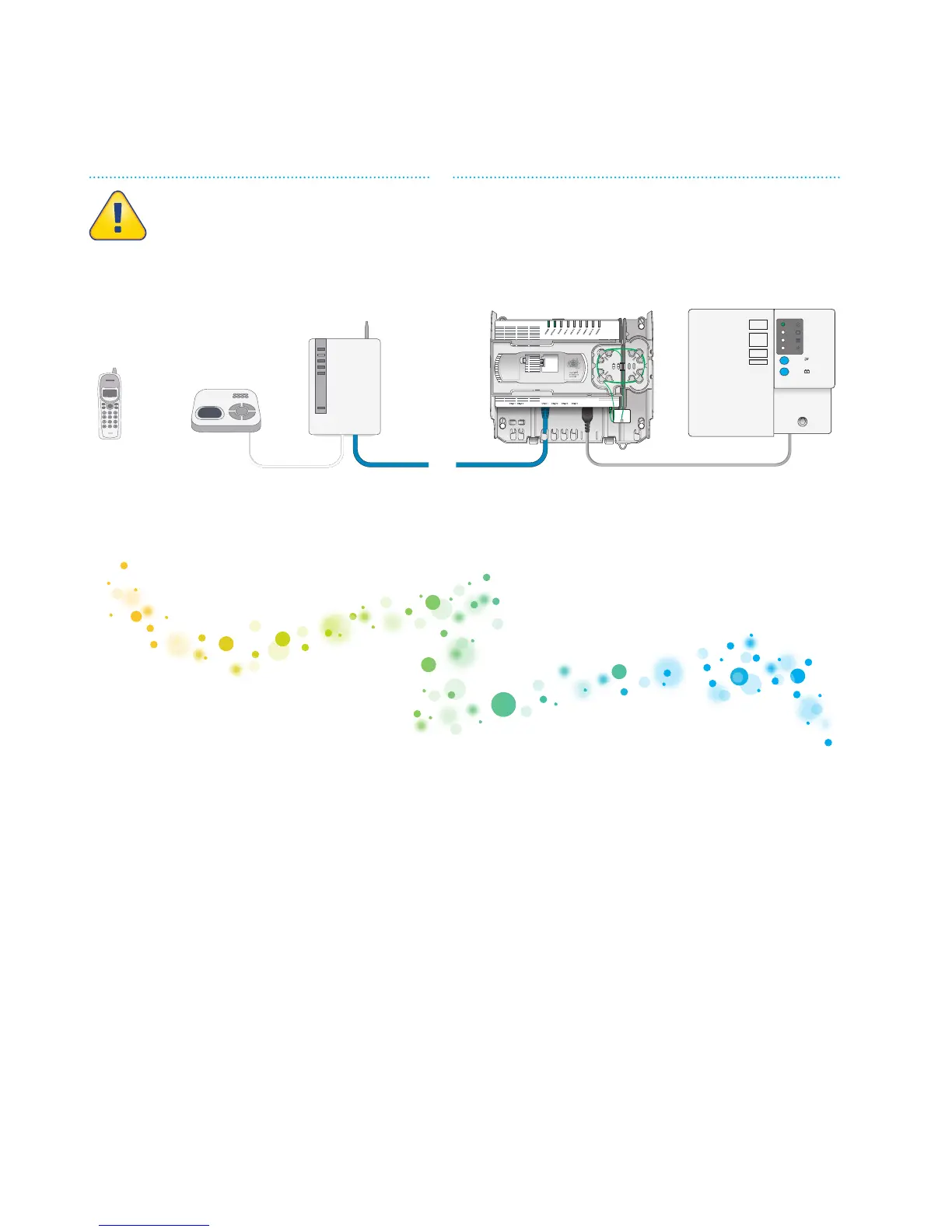
Connecting to the mains power supply
Power Supply with
Battery Backup
nbn
™
connection
box UNI-D port
Cordless
phone
handset
Cordless
phone base
station
Router or “box”
from your
phone service
provider
Propert y of NBNCo - Do not Rem ove
Contact your service provider for
assistance with this equipment
Propert y of nbn
™
- Do not Remove
SYSTEM
STATUS
BATTERY
POWER
REPLACE
BATTERY
ALARM
SILENCE
ALARM
SILENCE
BATTERY
EMERGENCY
USE
Propert y of NBNCo - Do not Rem ove
Contact your service provider for
assistance with this equipment
Propert y of nbn
™
- Do not Remove
SYSTEM
STATUS
BATTERY
POWER
REPLACE
BATTERY
ALARM
SILENCE
ALARM
SILENCE
BATTERY
EMERGENCY
USE
Propert y of NBNCo - Do not Rem ove
Contact your service provider for
assistance with this equipment
Propert y of nbn
™
- Do not Remove
SYSTEM
STATUS
BATTERY
POWER
REPLACE
BATTERY
ALARM
SILENCE
ALARM
SILENCE
BATTERY
EMERGENCY
USE
Propert y of NBNCo - Do not Rem ove
Contact your service provider for
assistance with this equipment
Propert y of nbn
™
- Do not Remove
SYSTEM
STATUS
BATTERY
POWER
REPLACE
BATTERY
ALARM
SILENCE
ALARM
SILENCE
BATTERY
EMERGENCY
USE
Powered for up to five hours
(including emergency reserve)
by nbn
™
Power Supply with
Battery Backup
Need their own
battery backup



 To Next Page