© 2015 nbn co ltd | ABN 86 136 533 741
Contact your service provider for
assistance with this equipment
Property of NBNCo - Do not Remove
Contact your service provider for
assistance with this equipment
Property of nbn - Do not Remove
SYSTEM
STATUS
BATTERY
POWER
REPLACE
BATTERY
ALARM
SILENCE
ALARM
SILENCE
BATTERY
EMERGENCY
USE
Property of NBNCo - Do not Remove
Contact your service provider for
assistance with this equipment
Property of nbn - Do not Remove
SYSTEM
STATUS
BATTERY
POWER
REPLACE
BATTERY
ALARM
SILENCE
ALARM
SILENCE
BATTERY
EMERGENCY
USE
SYSTEM
STATUS
BATTERY
POWER
REPLACE
BATTERY
ALARM
SILENCE
ALARM
SILENCE
BATTERY
EMERGENCY
USE
Property of NBNCo - Do not Remove
Contact your service provider for
assistance with this equipment
Property of nbn - Do not Remove
SYSTEM
STATUS
BATTERY
POWER
REPLACE
BATTERY
ALARM
SILENCE
ALARM
SILENCE
BATTERY
EMERGENCY
USE
Contact your service provider for
assistance with this equipment
Property of NBNCo - Do not Remove
Contact your service provider for
assistance with this equipment
Property of nbn - Do not Remove
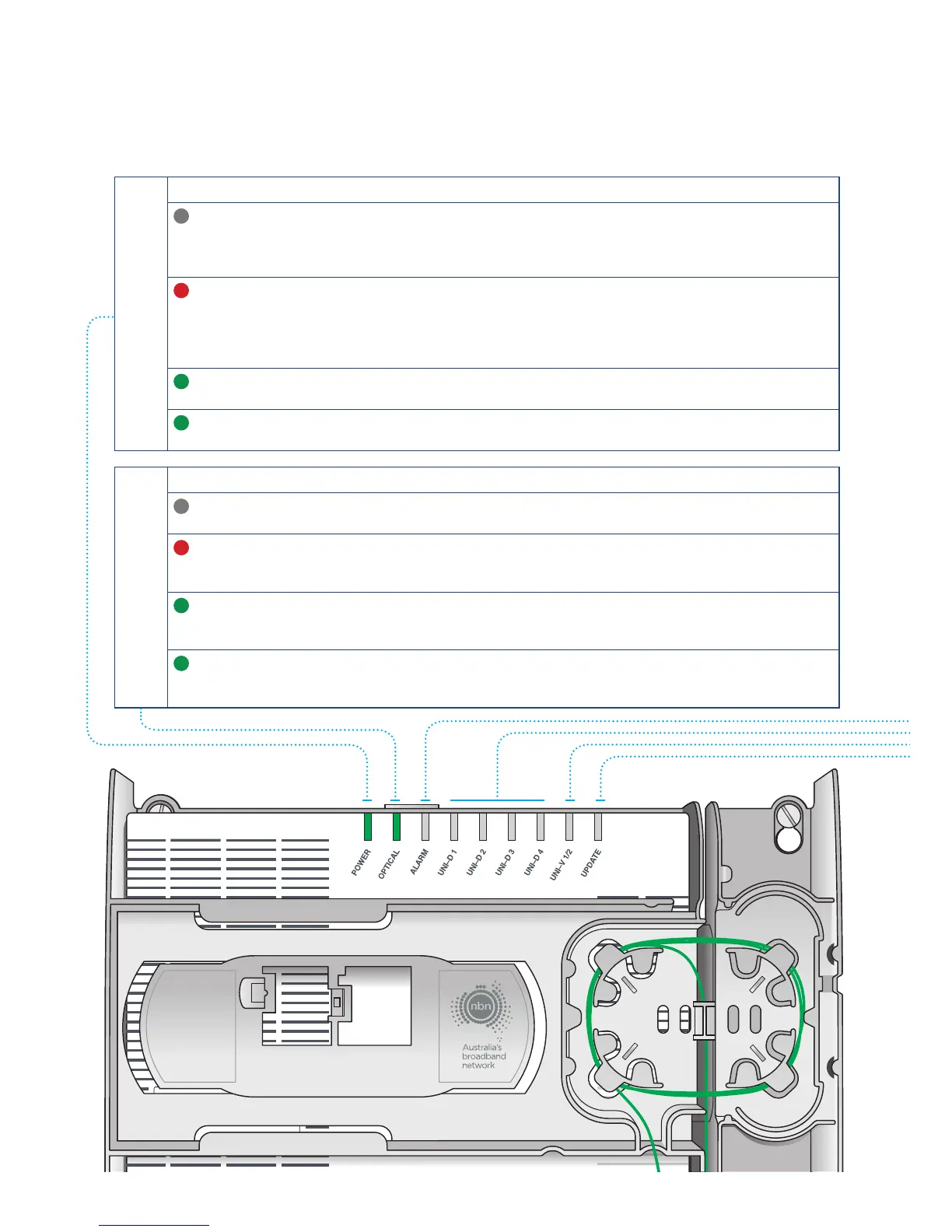
Power
Indicator
Indicator Meaning Action
O This means there is no power
to your nbn
™
connection box
Check the power supply is plugged in and
switched on and is connected to your nbn
™
connection box. If there is still no power
light contact your service provider
Red Your power supply is operating
on backup battery power
If there is a mains power failure, you will
only have services over the nbn
™
for a
limited period of up to five hours. Refer
to the Power Supply with Battery Backup
section of this guide
Green Your power supply is working
normally
No action is required
Green
Flashing
Your nbn
™
connection box
is starting up
No action is required. The flashing light
should turn into a green solid light shortly
Optical
Indicator
Indicator Meaning Action
O Your nbn
™
connection box
has been disabled externally
Contact your service provider
for further instructions
Red Your nbn
™
connection box
has lost connection with the
fibre network
Contact your service provider
for further instructions
Green Your nbn
™
connection box
is connected and working
properly
No action is required
Green
Flashing
This is normal and simply
means there is activity on
the network
No action is required
nbn
™
connection box indicator lights



 To Next Page