Getting started
Once your nbn
™
connection box has been installed and your service provider has
advised your services are now active, just follow the simple steps below to begin
enjoying your new service over the nbn
™
network.
1 Connect any compatible equipment to the nbn
™
connection box. Use the port
designated for that service
C
as directed by your phone and internet service
providers. Further information on the ports can be found on the next page.
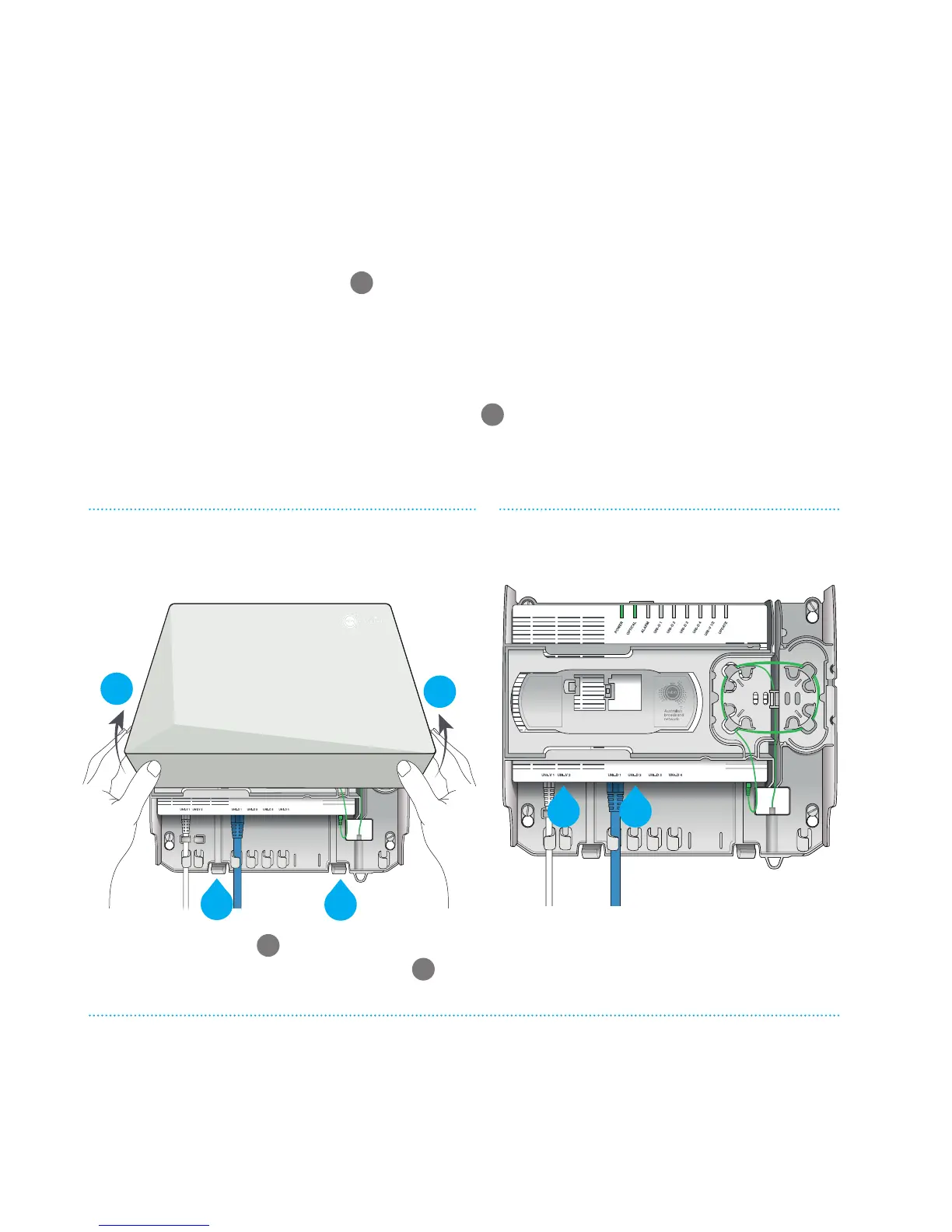
To remove the cover to access the ports, refer to the diagram below.
2 If you have arranged a phone service to be supplied through the voice (UNI-V)
port then your phone should be connected to the designated active voice
(UNI-V) port on the nbn
™
connection box
D
(or to your existing phone sockets if
a registered cabler has wired them up to your nbn
™
connection box). Your phone
and internet service providers will also let you know which connection to use.
Press the two clips
A
to release the cover.
Lift the cover at an angle to remove
B
.
Things to note:
• If you have the Power Supply with Battery Backup, the ‘system status’ light
on it should glow green.
• The nbn
™
connection box ‘power’ and ‘optical’ lights will both glow green.
For more information on indicator lights, see pages 14 and 25.
Removing the nbn
™
connection box cover
Property of NBNCo - Do not Remove
Contact your service provider for
assistance with this equipment
Property of nbn
™
- Do not Remove
nbn
™
connection box
(with cover removed)
D C
Proper ty of NBNCo - Do not R emove
Contact your service provider for
assistance with this equipment
Proper ty of NBNCo - Do not R emove
B
B
A
A



 To Next Page