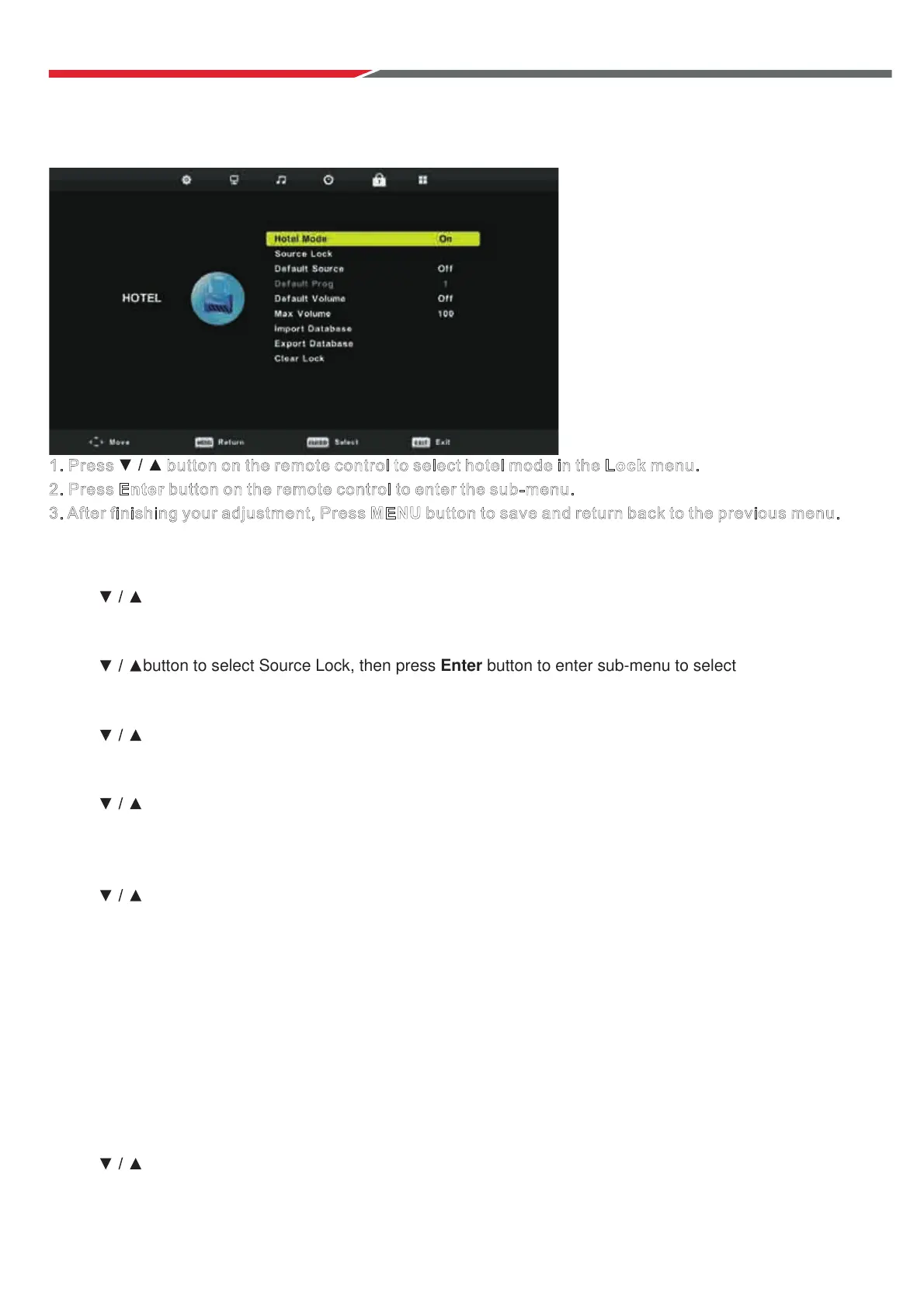
H
o
tel
M
o
de
1. Press button on the remote control to select hotel mode in the Lock menu.
2. Press Enter button on the remote control to enter the sub-menu.
3. After finishing your adjustment, Press MENU button to save and return back to the previous menu.
Ho
tel Mode
Press button to select Hotel Mode, then press ◄ / ► button to select on or off.
Source Lock
Press
button to select Source Lock, then press Enter button to enter sub-menu to select.
De
fault Source
Press button to select Default Source, then press Enter button to enter sub-menu to select.
Default Prog
Press button to select Default Prog, then press ◄ / ► button to adjust.
It is available when the default source is TV.
Max Volume
Press button to select Max Volume, then press ◄ / ► button to adjust.
Import Database
Import parameter of Audio/ Channel/Lock/Setup from a USB drive. Insert USB drive,
choo
se “Import Database” and press enter to import
Export Database xport
Clear Lock
Press button to select Clear Lock, then press Enter button to clear the setting you have done before.
.
Export Database
Export parameters of Audio/Channel/Lock/Setup to a USB drive. Insert USB disk,
choose “ ” and press Enter to E .
29
With Hotel Mode ON, settings cannot be adjusted



 To Next Page