Sel
ect Language:
Setup page
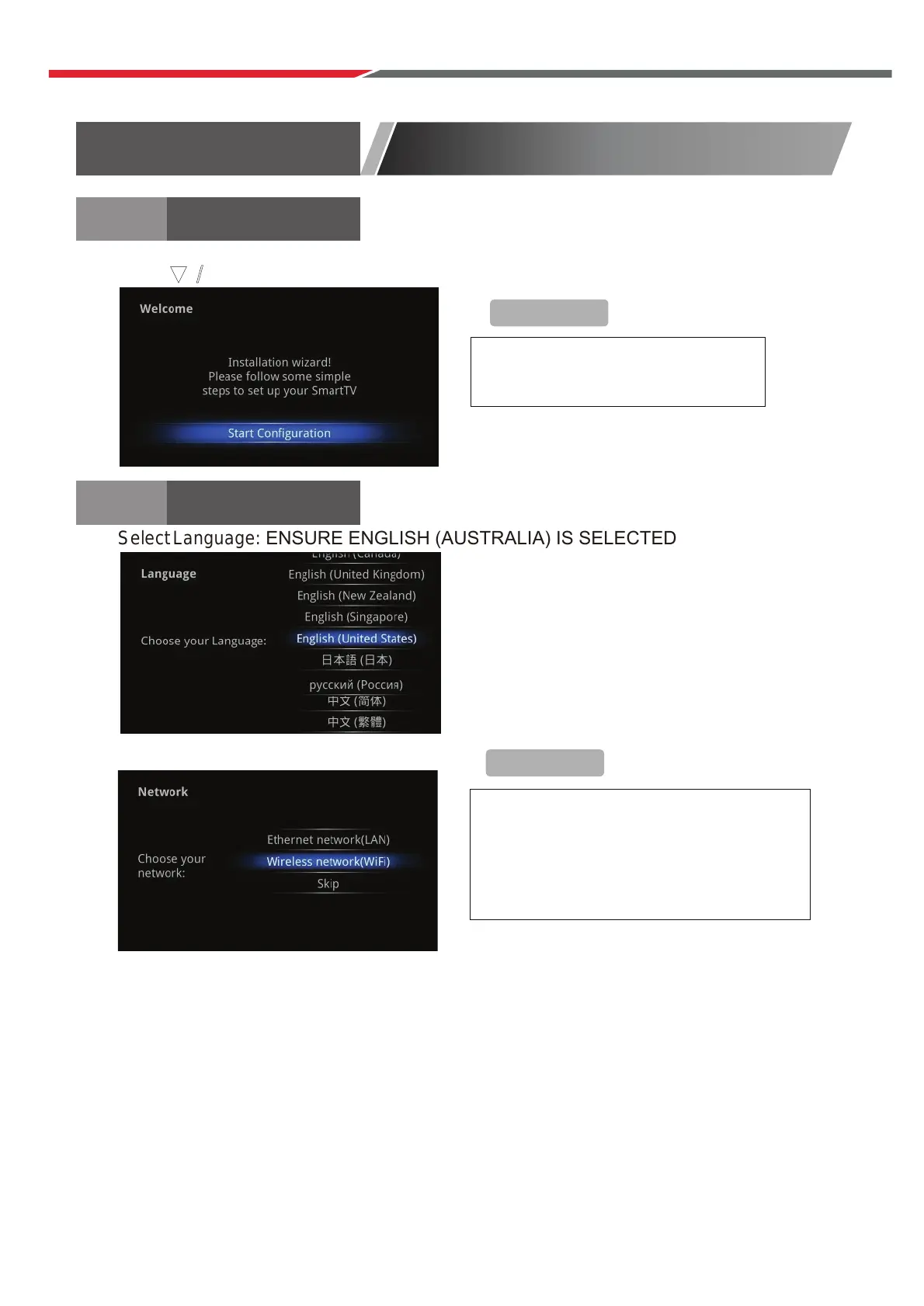
Select Language: ENSURE ENGLISH (AUSTRALIA) IS SELECTED
Se
lect network type:
Instal
l Wizard
WELCOME
PAGE
+Remi
n
der
+Remin
der
To skip this wizard, press
“HOME”
key. Once this guide is used, it
will not auto-open again.
If you do not wa
nt
to cho
ose
you
r
net
work,
ski
p
this s e
p
by pre
ssing “SKIP”.
Yo
u
will als
o
find th
e
ne
twork
sett
ings
in
the “Settings”.
Wh
en the TV is first powered up, the Welcome Page will be shown.
Press buttons to select. Press Enter button to confirm. Press Enter to continue.
▼ / ▲
Auto Tuning
ATV: Press MENU and then left arrow button to skip ATV tuning.
DTV: Press MENU and then left arrow button to skip DTV tuning.
40



 To Next Page