Au
dio Languages
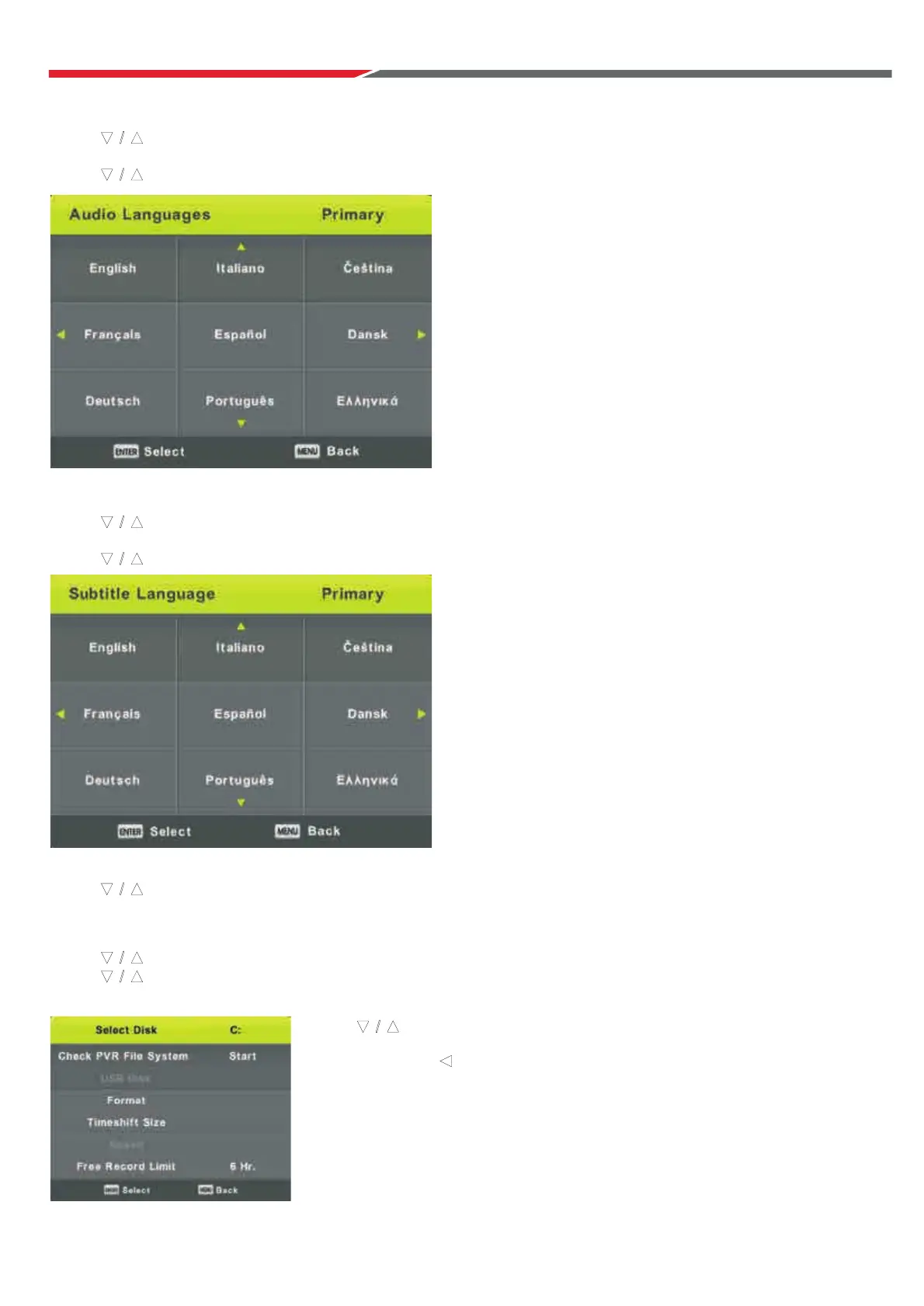
Press button to select Audio Languages, then press Enter button to enter sub-menu.
Press ◄ / ► button to select the primary or secondary audio language.
Press / ◄ / ► button to select the Audio Languages.
Subtitle Language
Press button to select Subtitle Language, then press Enter button to enter sub-menu.
Press ◄ / ► button to select the primary or secondary subtitle language.
Press / ◄ / ► button to select the Subtitle Language.
Hearing Impaired
Press button to select Hearing Impaired, then press Enter button to select On or Off.
PV
R File System
Press button to select PVR File System, then press Enter button to enter sub-menu.
Press button to select Check PVR File System,
then press Enter button to enter. Then it will check the USB speed.
▼
/ ▲
▼ / ▲
Pr
ess button to select format, then
Press Enter button to enter sub-menu.
P
Note: USB device must be formatted before
programs can be recorded.
ress Enter and to start format.
▼
/ ▲
▲
▼ / ▲
▼ / ▲
▼ / ▲
▼ / ▲
▼ / ▲
31



 To Next Page