3-17 Using the N3000
Activating/Deactivating the Second LAN
To disable the integrated Network Adapter, do the following:
1.
From the Windows taskbar, select Start→Control Panel.
2.
From the Control Panel items, select Device Manager.
3.
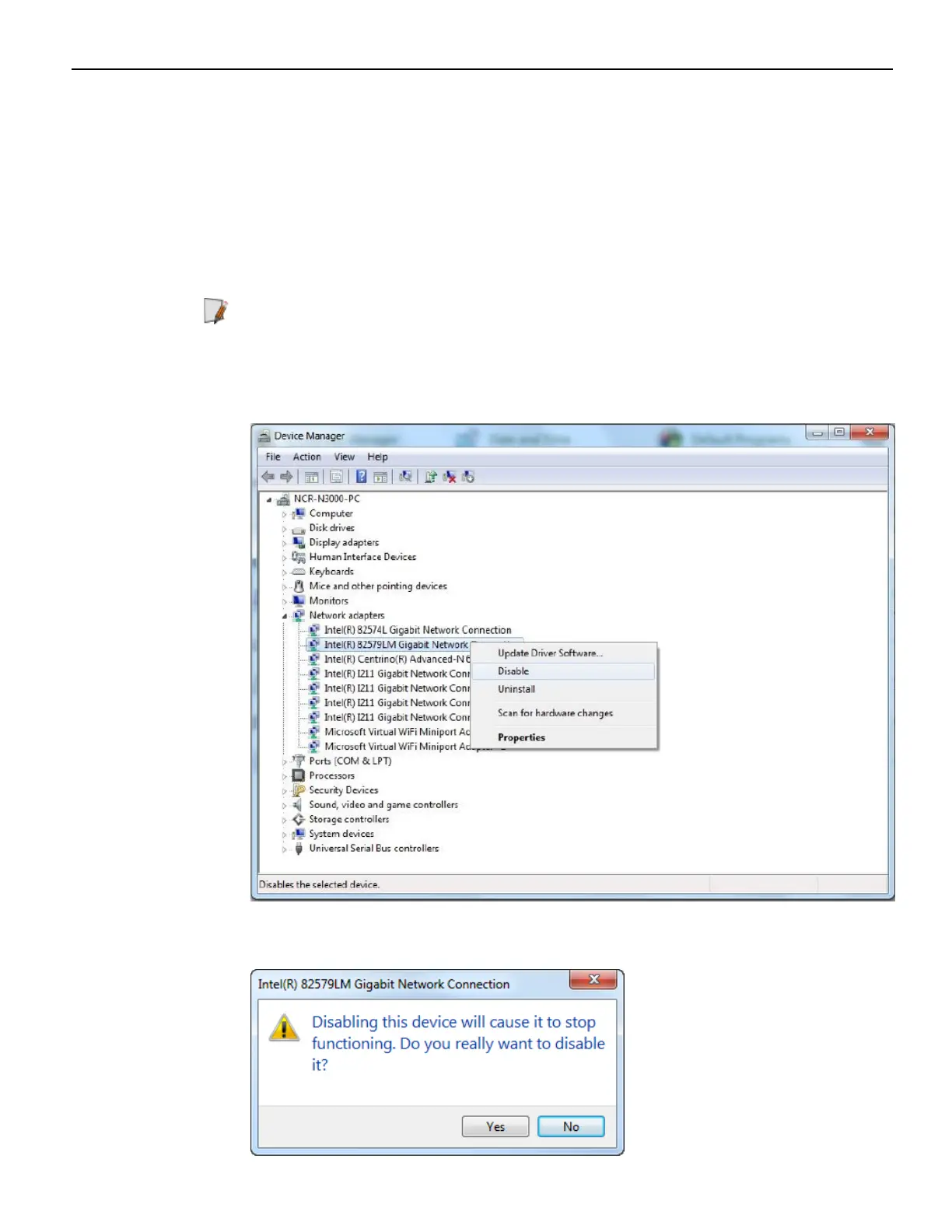
In the Device Manager window, expand Network adapters. A list of available
network connections is then displayed.
Note: Intel
®
82574L (Ethernet LAN) and Intel
®
82574LM (Intel AMT) are the
network adapters integrated into the motherboard.
4. Right–click either of the above–mentioned network adapters and then select
Disable.
A warning message is then displayed.


 To Next Page