QUICK START GUIDE
Additional Maps and Upgrades – Please visit www.ndrive.com
Technical Help – Please contact the helpline on 0844 557 9677
Quick Start Guide
Please make sure that you read all of the information contained within this user
guide before operating this unit.
If you experience any problems, please go through the user guide before contacting
the customer helpline.
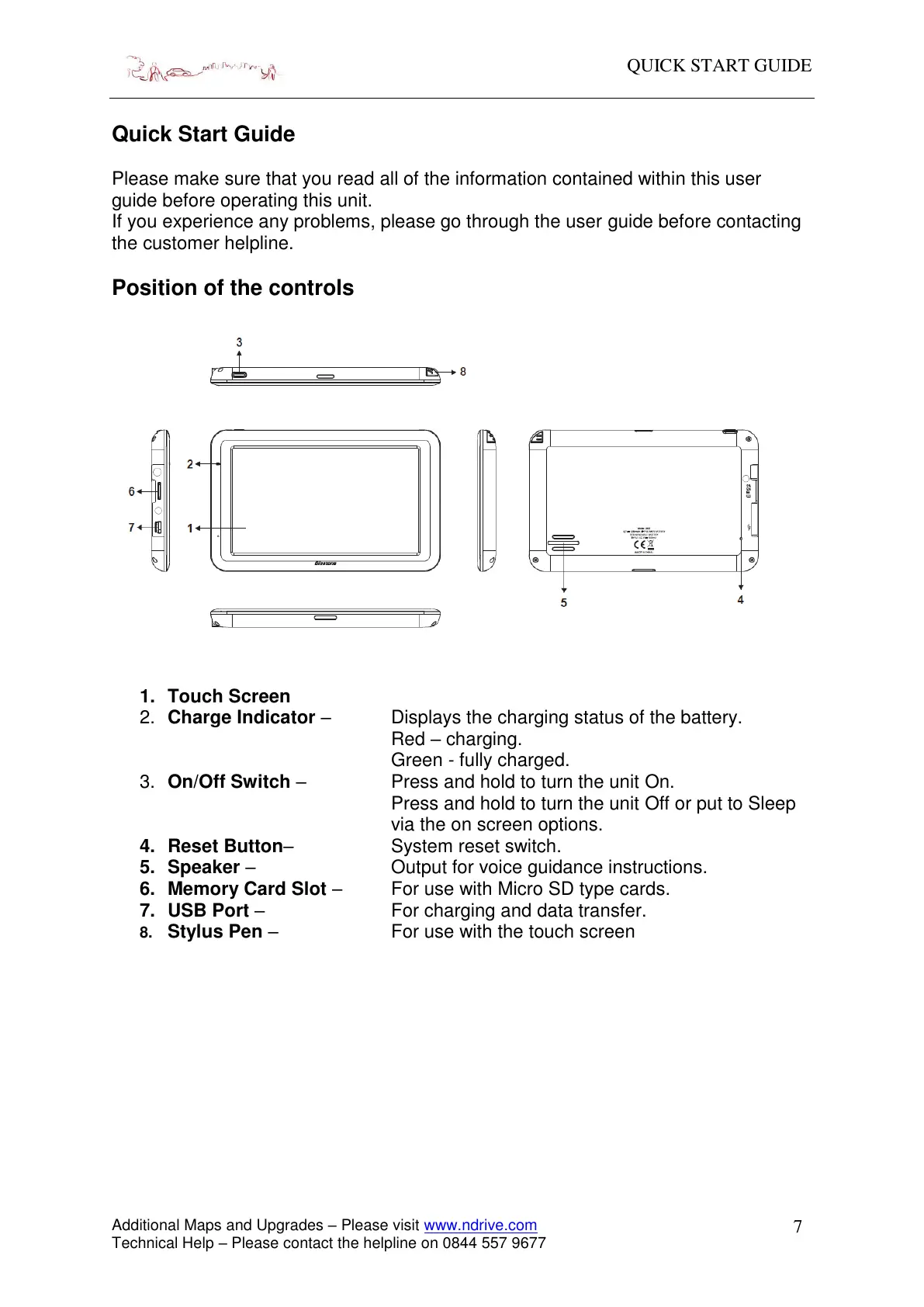
Position of the controls
1. Touch Screen
2. Charge Indicator – Displays the charging status of the battery.
Red – charging.
Green - fully charged.
3. On/Off Switch – Press and hold to turn the unit On.
Press and hold to turn the unit Off or put to Sleep
via the on screen options.
4. Reset Button– System reset switch.
5. Speaker – Output for voice guidance instructions.
6. Memory Card Slot – For use with Micro SD type cards.
7. USB Port – For charging and data transfer.
8. Stylus Pen – For use with the touch screen


 To Next Page