FEATURES
One-Touch Dialling
This telephone set is equipped with 10 one-touch dial memory keys for
programming your most frequently dialled telephone numbers. You can
store up to 21 digits in each one-touch key. When using this telephone as
a PBX extension, you may need to include a Trunk Access Code followed
by a pause to gain an access to an outside line.
Index Label:
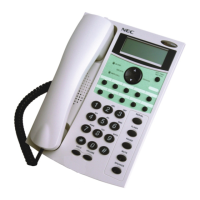
Surrounding the one-touch keys is an index label. When numbers are
entered into the one-touch keys, remove the plastic cover and make a note
against each key to remind you which number is stored in the memory.
To Store a Number under a One-Touch Key:
1. Ensure the phone is idle.
2. Dial the number you want to store (up to 21 digits).
This may include digits 0~9, ¿, # and Pause.
3. Press and hold the one-touch key (1-10) for approx. 2 seconds, until
you see “SAVE” shown on the display.
To Change the Number under a One-Touch Key:
You can change a stored number by simply following the storage procedure
above. The new number will overwrite the previously stored number.
To Dial the Number under a One-Touch Key:
1. Press SPEAKER (or pick up the handset).
2. Press the desired one-touch key.
3. The stored number is automatically dialled out.
To Preview the Number before Dialling:
1. Press first the desired one-touch key. The stored number is displayed.
2. Press SPEAKER, PBX DIAL, or pick up the handset.
3. The stored number is automatically dialled out.
15


 To Next Page