6
1. Introduction
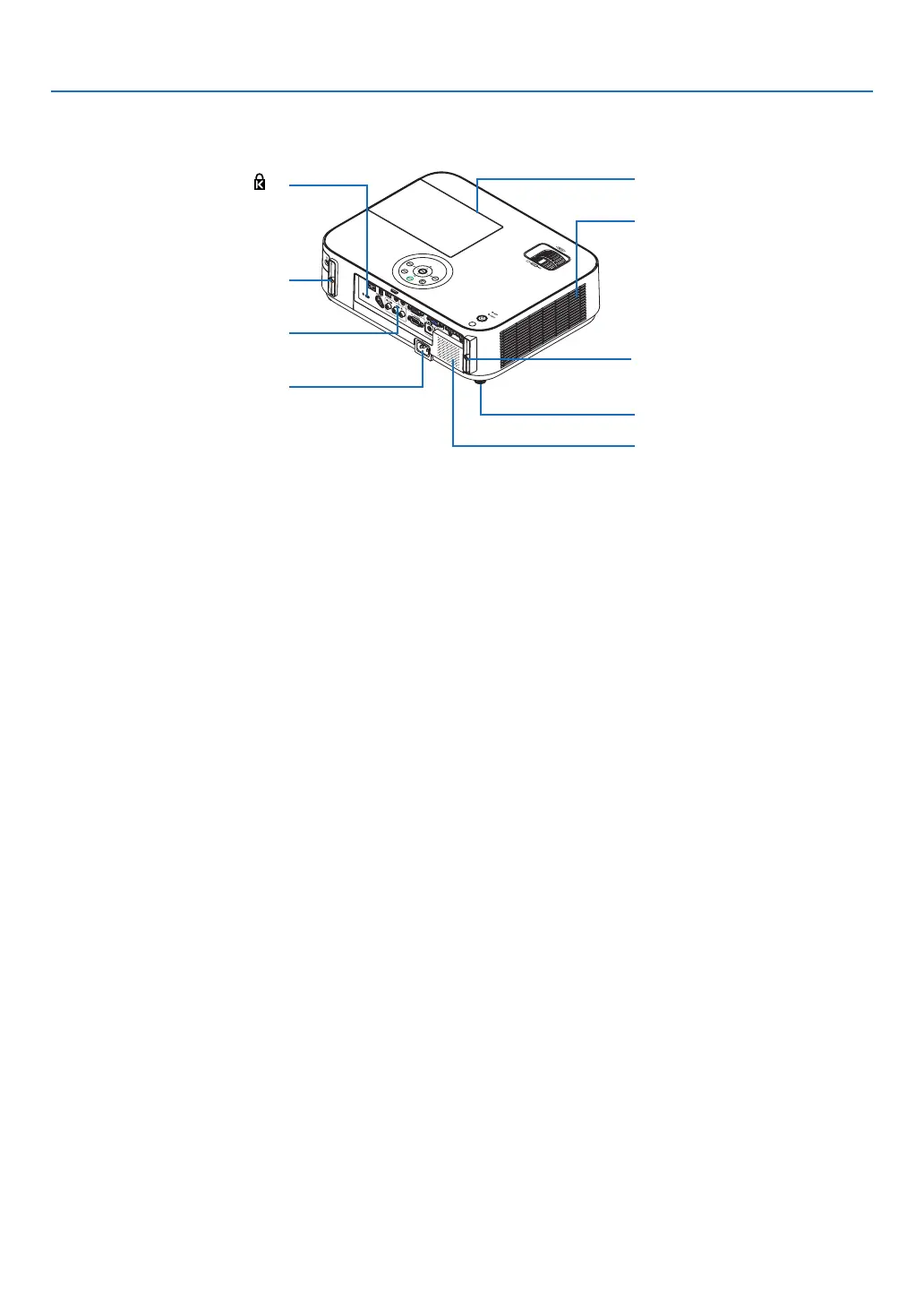
ACInput
Connect the supplied power cord’s
three-pin plug here, and plug the
other end into an active wall outlet.
(→ page 16)
Built-in Security Slot (
)*
Terminal Panel (→ page 9)
Connection for cable cover (Left)
Screw holes
(→ page 144)
Connection for cable cover (Right)
Screw holes
(→ page 144)
Lamp Cover (→ page 132)
Rear Feet (→ page 21)
IntakeVent
(→ page 131)
Rear
[M402W/M362W/M322W/M402X/M362X/M322X/M282X]
MonauralSpeaker(20W)
* ThissecurityslotsupportstheMicroSaver
®
SecuritySystem.


 To Next Page