17
2. Projecting an Image (Basic Operation)
TIP:
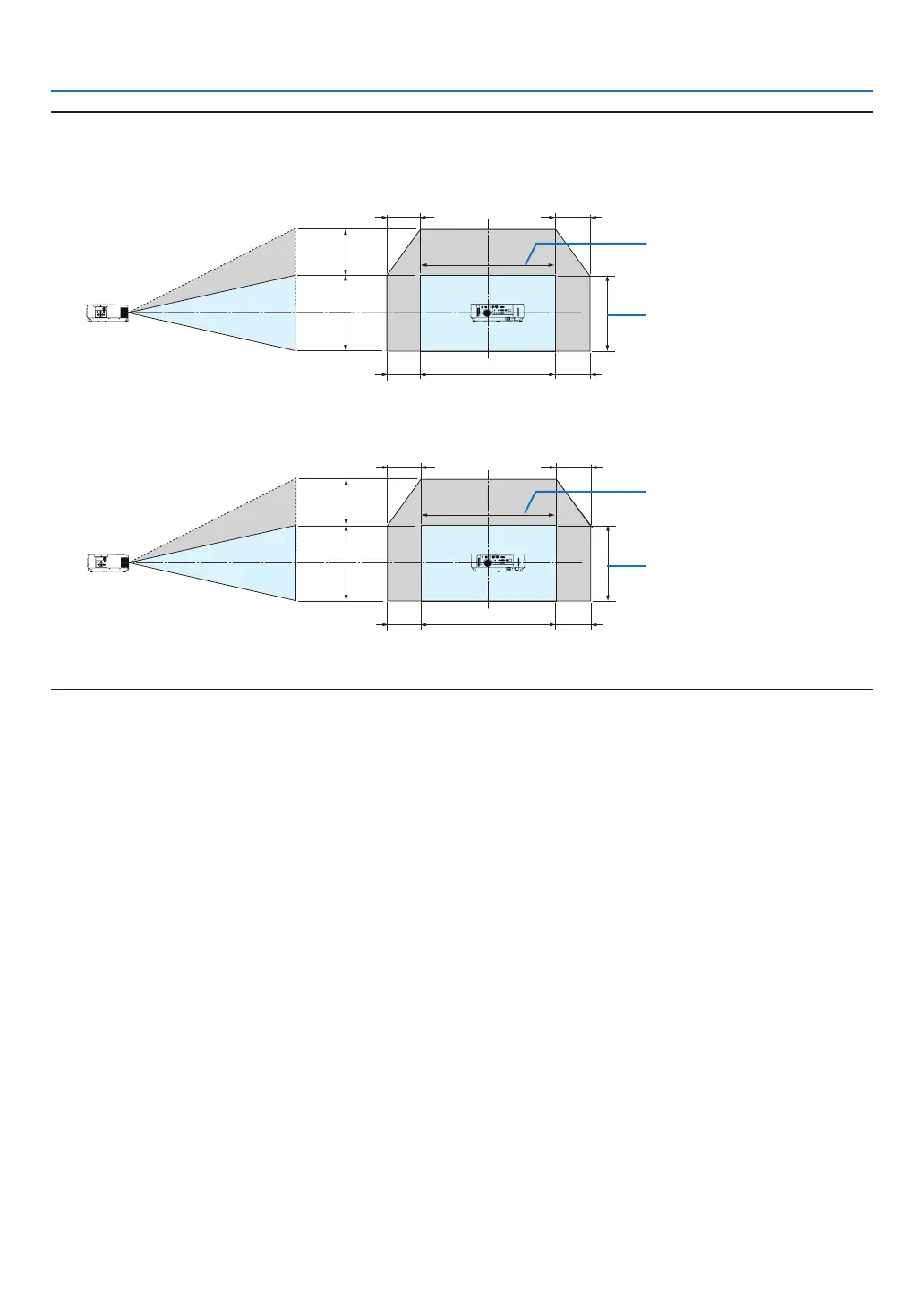
• Thediagrambelowshowsthelensshiftadjustmentrange([ORIENTATION]:[DESKTOPFRONT]).
• Forthelensshiftadjustmentrangeregardingthe[CEILINGFRONT]projection,seepage91.
[P554U/P474U/P554W/P474W]
100%V
55%V
100%H
15%H
15%H
15%H
15%H
Height of projected image
Width of projected image
[P604X/P603X]
100%V
50%V
100%H
15%H
15%H
15%H
15%H
Height of projected image
Width of projected image
Descriptionofsymbols:Vindicatesvertical(heightoftheprojectedimage),Hindicateshorizontal(widthoftheprojectedimage).



 To Next Page