© by NECTA VENDING SOLUTIONS SpA
27
0101 Brio C-I
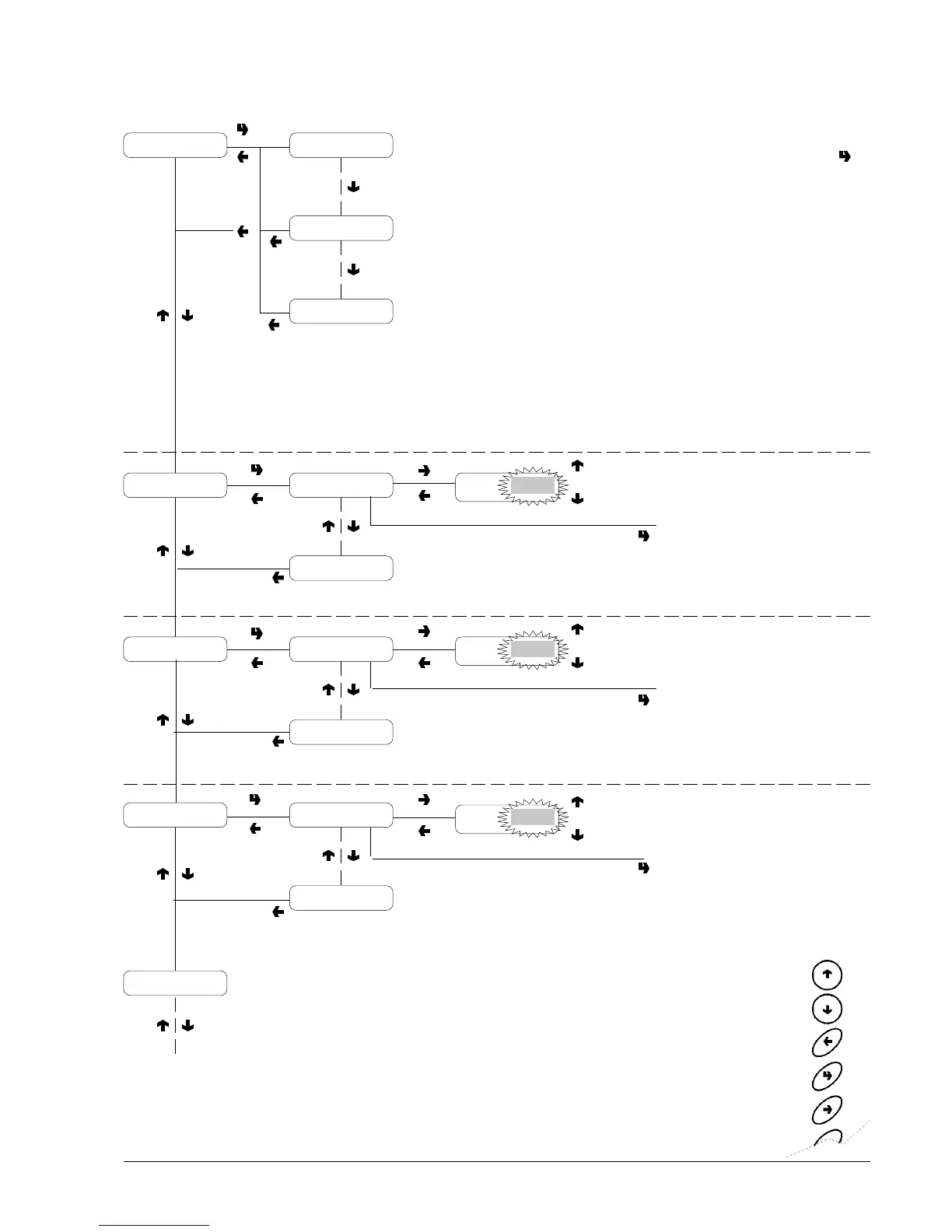
Programming menu
PREVIOUS FUNCTION/
DECREASE DATA UNIT (-1)
NEXT FUNCTION/
INCREASE DATA UNIT (+1)
DELETE DATA/
EXIT FUNCTION
CONFIRM DATA/
CONFIRM FUNCTION
CHANGE DATA
If no failures are present,
when pressing button
the message "No failures"
is displayed for 1 second
LIST OF FAILURES
N. 1 - Air-Break
N. 2 - Boiler
N. 3 - Payment system
N. 4 - EEprom data
N. 5 - Water failure
N. 6 - Cup failure
N. 7 - Liquid waste full
N. 8 - Volumetric counter
N. 9 - Coffee unit
N. 10 - Coffee failure
N. 11 - Coffee release
FAILURE DISPLAY
WATER DOSES
Refer to the selection dose
table for the correspond-
ence between dose code
and water dose
PRICE VALUE
POWDER DOSES
Refer to the selection dose
table for the correspond-
ence between dose code
and powder dose
dC
XXXX
dC
XXXX
XXXX
Price N.1
xxxxxxxx
Liquid waste full
Air-Break failure
Water doses dC XXXX
A1
Powder doses
A1
dC XXXX
Set Prices Price N.1XXXX
Price N. 8
Set Prices/Sel.
XXXX - 1
XXXX - 1
XXXX - 1
XXXX + 1
XXXX + 1
XXXX + 1
Failure list








 To Next Page