19
Cleaning and Care
Manual cleaning steps:
Note: To make cleaning more convenient,
the oven offers you the following options:
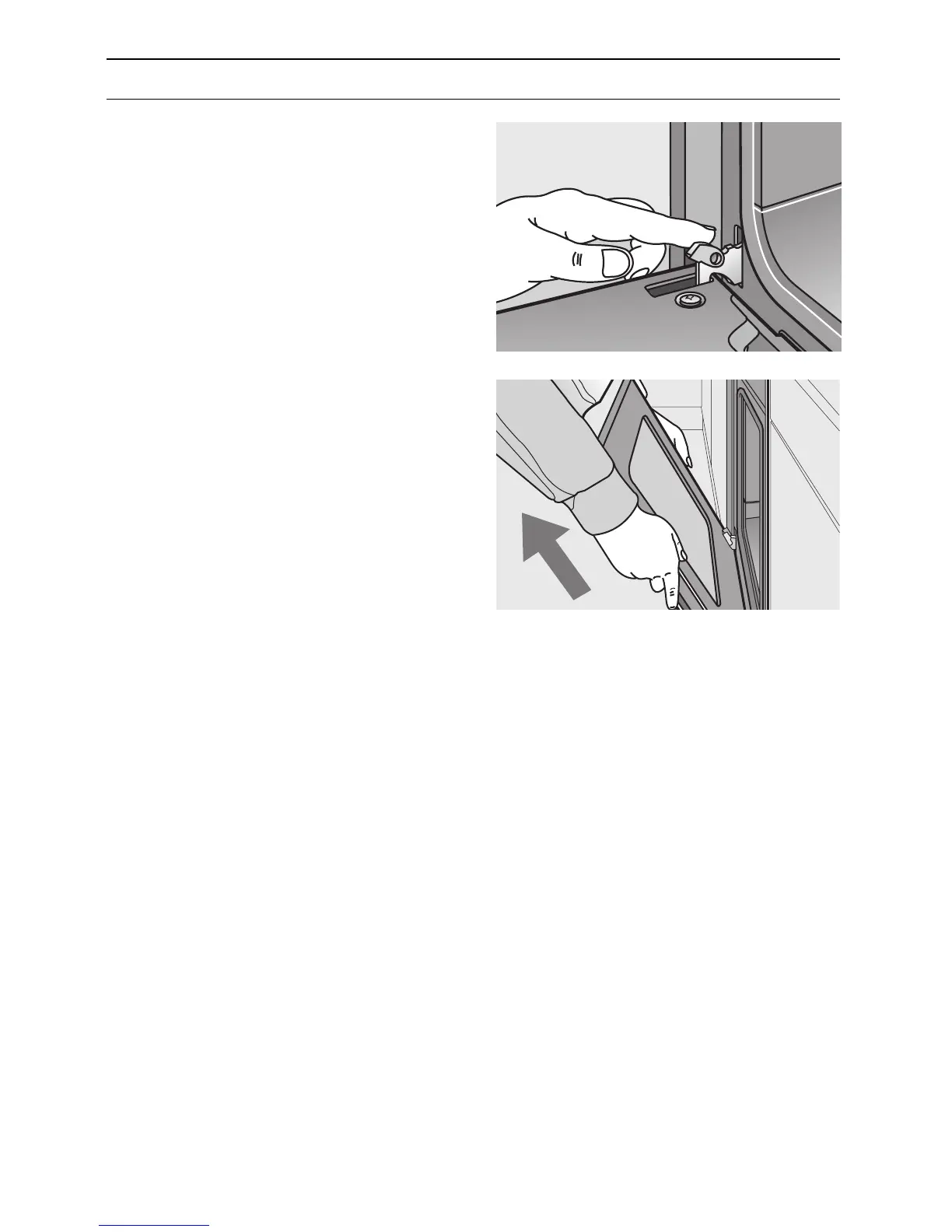
Removing the oven door:
1. Fully open the oven door.
2. Move the catch levers on the right and
left-hand sides to the fully open position.
3. Placing the door at an upward angle
toward you, grasp the door with both
hands and lift it out of the hinges toward
you.
Replacing the oven door:
1. Set both hinges into their respective
receptacles on the left and right, and
swing the oven door downward.
2. Close the catch levers on the left and
right.
3. Close the oven door.
Switch on the oven light:
❑ Set the function selector to a random
position.



 To Next Page