15
Switching the Oven ON and OFF
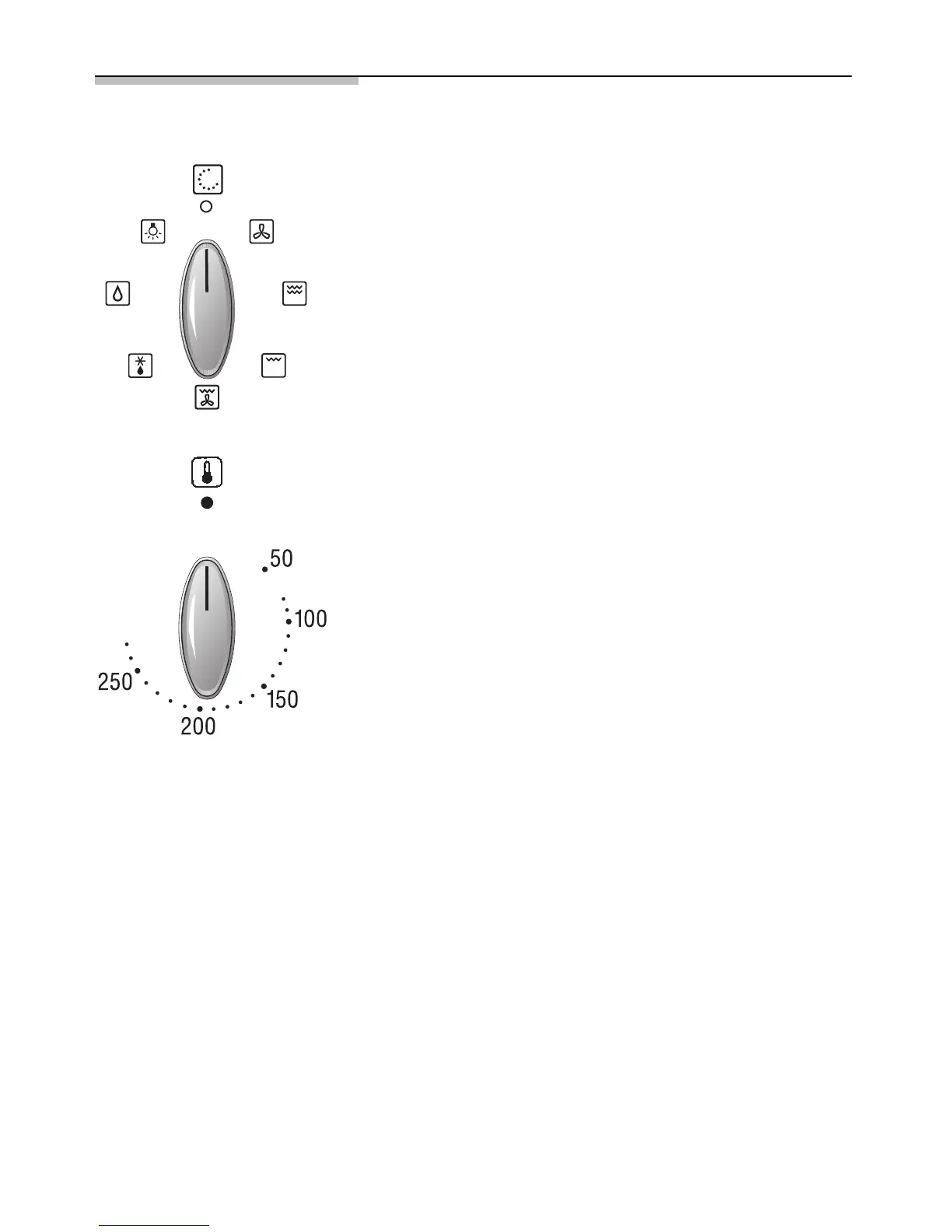
Before switching on your oven, you should decide
which heating system you wish to use.
Switching the oven ON:
1. Use the function selector to determine the
desired system.
2. Set the temperature control knob to the desired
temperature.
The selected temperature will be controlled
automatically.
The oven temperature control lamp illuminates when
the oven is first switched on, and extinguishes when
the required temperature has been reached.
Switching the oven OFF:
To switch the oven OFF, turn both the temperature
selector and functions selector to the »0« position.
Notes:
The appliance features a cooling fan which runs until
the oven has cooled down.



 To Next Page