34
Replacing the oven light bulb
Replace faulty oven light bulbs.
You can obtain replacement light bulbs from customer service
or specialist retailers: E14, 220 - 240 V, 40 W, heat resistant to
300 °C. Only use these oven light bulbs.
ã=Risk of electric shock !
Disconnect the appliance from the power supply. Switch off the
circuit breaker or remove the fuse from the household fuse box.
1.Place a tea towel in the cold cooking compartment to prevent
damage.
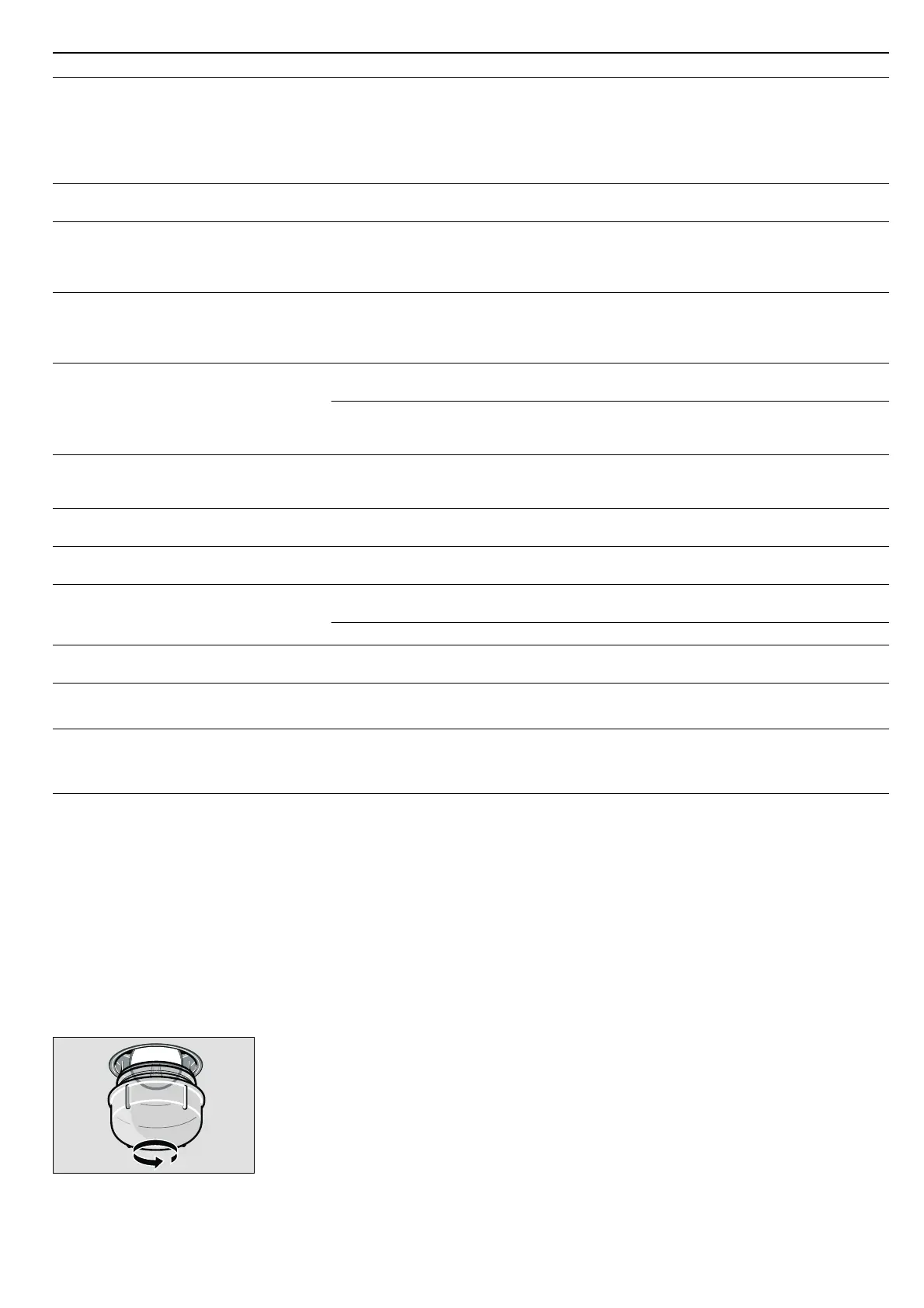
2.Turn the glass cover anticlockwise and remove it.
3.Replace the oven light bulb with a bulb of the same type.
4.Screw on the glass cover again.
5.Remove the tea towel and switch on the circuit breaker.
Note: If the glass cover cannot be unscrewed: use rubber
gloves to turn it. You can order a special removal tool through
the after-sales service (order no. 613634)
Changing halogen bulbs
Replace faulty halogen bulbs. You can obtain replacement light
bulbs from the after-sales service or from specialist retailers:
Osram Ministar Axial Reflector 12 V - GY 6.35; 20 W. Only use
these bulbs.
ã=Risk of burns!
Halogen bulbs become very hot when switched on. When
replacing them, wait until the bulb has cooled down.
Caution!
Clouding in halogen bulbs: Do not touch halogen bulbs with
bare fingers. This causes oils to get onto the glass which are
then burnt on and cloud the glass. Use a clean cloth to change
the bulb.
1.Remove the appliance door (see section: Removing and
refitting the appliance door).
2.Remove the door panel (see section: Cleaning the door
panels).
The halogen bulbs are located on the left- and right-hand
sides next to the door hinges (Fig. A).
The appliance does not heat up, the two
dots flash on the clock display and
‚‡‹©,
for example, appears in the temperature
display
A button combination was actuated
Turn the operating mode selector to the
Û
off position, press and hold the
± info but-
ton for 3 seconds, then press and hold
the
KJ clock function button for
4 seconds, then press and hold the
± info
button again for 3 seconds
Electronically controlled functions are mal-
functioning
Energy surges (e.g. lightning strike) Reset the function concerned
Once you have switched on an operating
mode,
• or œ appears on the temperature
display, and "Not possible" appears on the
text display
The appliance has not cooled down fully Wait until the appliance has cooled down,
then switch on the operating mode again
The appliance has switched off automati-
cally. "Safety cut-out" appears in the text
display,
‹:‹‹ flashes in the temperature
display
The appliance has switched off to protect
itself from overheating
Turn the operating mode selector back to
the
Û position
Smoke is generated during roasting or
grilling
Fat is burning on the grill element Continue grilling or roasting until the fat on
the grill element is burnt away
Wire rack or universal pan inserted incor-
rectly
Place the wire rack in the universal pan
and insert them together at a lower shelf
height
High levels of condensation are generated
in the cooking compartment
Normal occurrence (e.g. when baking
cakes with very moist toppings or roasting
a large joint)
Open the appliance door briefly from time
to time during operation
Enamelled accessories have light, matt
marks
Normal occurrence caused by dripping
meat or fruit juices
Not possible
Door panels are misted up Normal occurrence caused by tempera-
ture differences
Heat the appliance up to 100 °C and then
switch off again after 5 minutes
Cooked dishes turn out too moist or too
dry when cooking with steam-assisted
applications
The wrong altitude range has been set Check the altitude range in the Basic set-
tings menu and adjust if necessary
The wrong steam intensity was selected Select a higher or lower steam intensity
The appliance requires frequent descaling The water hardness has been set too high Check the water hardness in the Basic set-
tings menu and adjust if necessary
"E870" appears in the temperature display The pump has pumped air several times in
succession
Press the
KJ clock function button.
Fill the water tank and slide it fully in
"E8XX" appears in the temperature display The steam-assisted function is malfunc-
tioning
Press the
KJ clock function button.
Note: Applications without steam assist-
ance are ready for operation
Problem Possible cause Remedial action



 To Next Page