7
Note: The baking tray or universal pan may become distorted
during use. This is caused by the considerable temperature
differences acting on the accessories. This may happen when
only a part of the accessory is covered with food or when
frozen items such as pizza have been placed on the accessory.
Before using the appliance for the first time
Once your new appliance has been connected, "Select
language" appears in the text display. Before you can use the
appliance, you must make some settings:
■ Set the language
■ Set the water hardness
■ Calibrate the altitude
■ Set the time of day
■ Clean the appliance before using it for the first time.
Note: You can correct these settings at any time. To change
the language, water hardness and altitude calibration,
see section: Changing basic settings; to change the time, see
section: Electronic clock.
Setting the language
"Select language English" is preset. If necessary, set another
language for the text display.
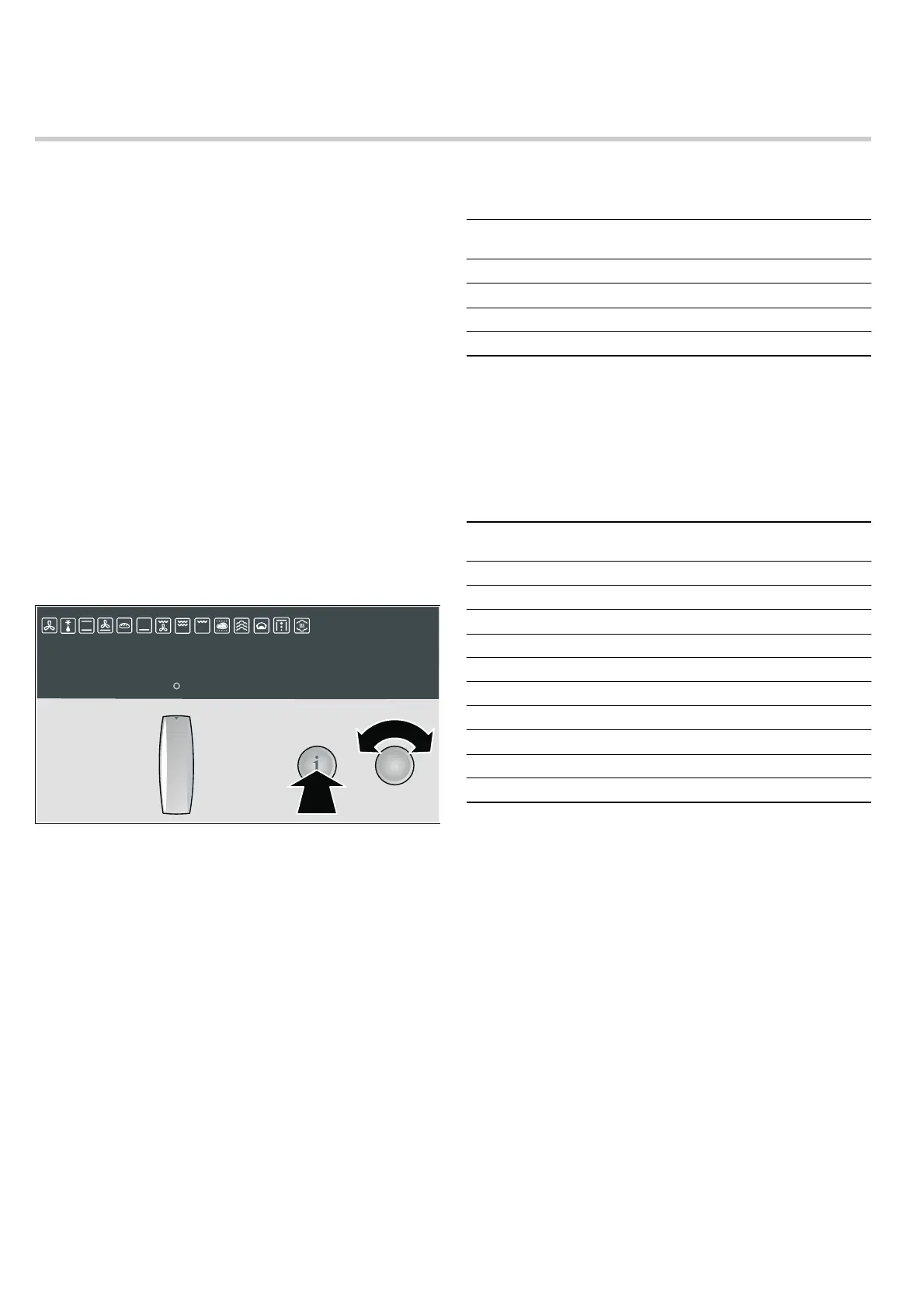
1. Turn the temperature selector until the language you require
appears on the text display.
2. Press and hold the ± info button for 3 seconds.
Your setting is saved. "Water hardness 3 - hard" appears in
the text display.
Setting the water hardness
Caution!
The appliance may become damaged due to the use of
unsuitable liquids.
Do not use distilled water, highly chlorinated tap water
(> 40 mg/l) or other liquids.
Only use cold, fresh tap water, softened water or uncarbonated
mineral water.
"Water hardness 3 - hard" is preset. Change this setting if your
water is softer.
You can use the test strip supplied to determine the water
hardness, or you can ask your water supplier.
Notes
■ If your water is very hard, we recommend that you use
softened water.
■ If you use only softened water, you can set your appliance to
"Water hardness (softened)".
■ If you use mineral water, set the hardness to "Water hardness
3 - hard".
■ If you use mineral water, you must only use non-carbonated
mineral water (see section "Filling and emptying the water
tank").
1. Use the temperature selector to set the water hardness.
2. Press and hold the ± info button for 3 seconds.
Your setting is saved. "Altitude calibration 0 - 300 m" is
shown in the text display.
Altitude calibration
The altitude range is preset to "0 - 300m". Change this setting if
the location of your appliance is at a higher or lower altitude.
1. Use the temperature selector to set the altitude range.
2. Press and hold the ± info button for 3 seconds.
Your setting is saved.
Setting the clock
Note: When you press the KJ clock function button, you have
3 seconds to set the clock using the rotary selector. Should this
have been insufficient for you, you can amend the clock time
later.
‹:‹‹ flashes in the clock display.
1. Briefly press the KJ clock function button to go to the
setting mode.
The
KJ and 3 symbols light up. ‚ƒ:‹‹ appears in the
clock display.
2. Set the current time using the rotary selector.
Your setting is accepted after 3 seconds.
Water hardness Setting symbol (temperature
display)
softened
™†‹
1 soft
™†‚
2 medium
™†ƒ
3 hard
™†„
Altitude range Setting symbol (temperature
display)
below 0 m
™‡‹
0 - 300m
™‡‚
300 - 600m
™‡ƒ
600 - 900m
™‡„
900 - 1200m
™‡…
1200 - 1500m
™‡†
1500 - 1800m
™‡‡
1800 - 2100m
™‡ˆ
2100 - 2400m
™‡‰
above 2400m
™‡Š



 To Next Page