69
Setting the minute minder
The minute minder is a timer which counts down and
gives an audible signal once the set duration has
elapsed.
The minute minder runs independently of the oven.
Setting the duration
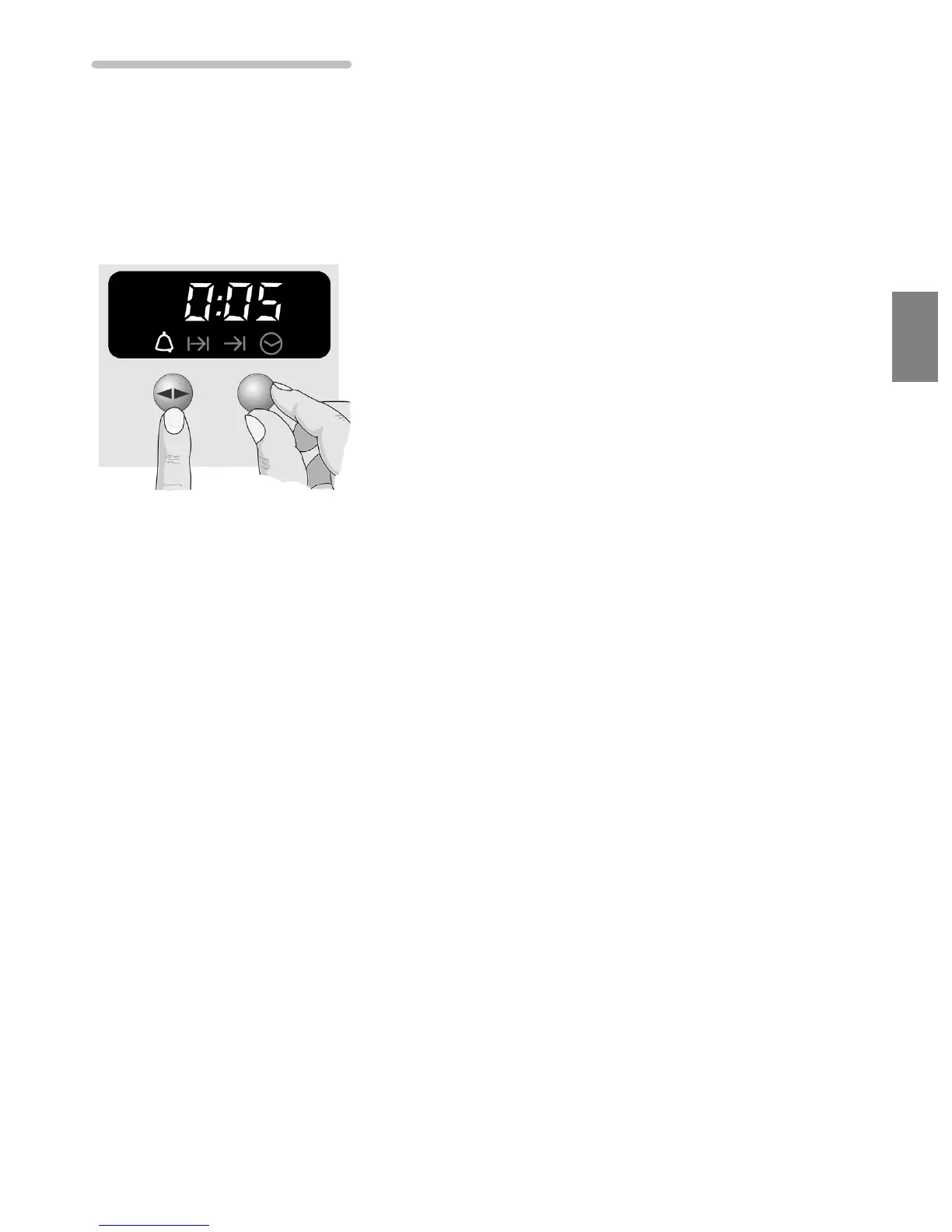
Example: 5 minutes
1. Press the Ì Í function button until the
a
symbol
flashes.
2. Set the cooking time using the rotary selector.
Once the minute minder is switched on, the
a
symbol
is lit and the remaining time is displayed.
Duration has elapsed Once the time has elapsed, a signal sounds and the
a
symbol flashes. To stop the signal early, press the
Ì Í function button.
Note You can set a duration of up to 24 hours.



 To Next Page