71
Switching on and off automatically
Baking or roasting starts for the set duration at a later
time which you have selected.
Setting the cooking
duration
Example: The cooking time is
90 minutes.
1. Turn the control knob for the main oven to the
desired temperature or cooking function.
The main oven switches itself on.
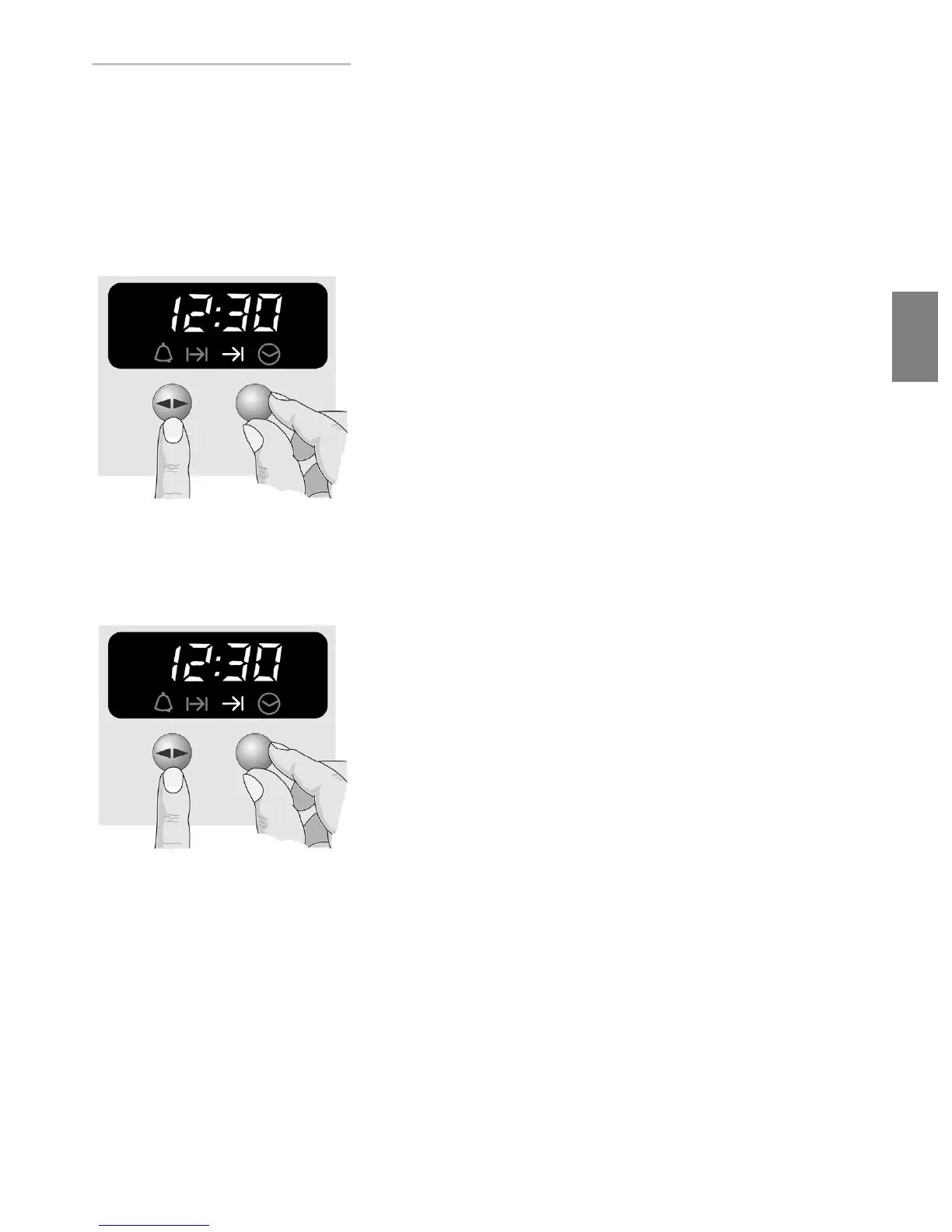
2. Press the Ì Í function button several times until
the
?
symbol flashes.
3. Set the operating time using the rotary selector.
Setting the end of the
cooking time
Example: The dish should be
ready at 12.30.
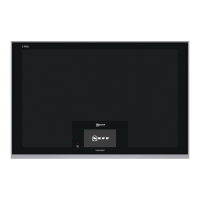
4. Press the Ì Í function button several times until
the
>
symbol flashes.
5. Set the end of the cooking time using the rotary
selector.
The main oven switches itself off momentarily. The
current time appears in the display panel.
The main oven starts later automatically.
Cooking time has elapsed A signal sounds and the
>
symbol flashes.
The main oven switches off.
1. To stop the signal early, press the Ì Í function
button.
2. Turn the control knob to position 0.
3. Press the Ì Í function button again to switch off
the automatic timer.



 To Next Page