NS20A & NS20N Heavy Duty Gun Page 14 Revision 1.20 2/19/08
MAINTENANCE INSTRUCTIONS
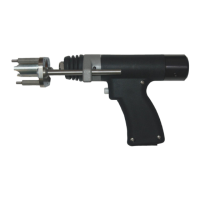
Installing New Weld Cables -All Guns
1. Loosen leg screws (39), remove foot and leg
assembly, and unscrew chuck adapter (31).
Remove cable (26) from threaded hex shaft
adapter (15).
2. Remove handle cover screws 36 & 37. Lift off
handle cover (16).
3. Remove cable (26) and cable support assembly
(25). Disassemble cable support assembly (25)
and remove cable.
4. Install new cable into cable support assembly
allowing 12 inches of cable to extend forward
from the front face of the cable support to the
centerline of the cable lug. The end of the
Neoprene tubing is to be flush with the cable
support. Reassemble the cable support.
5. Install cable and cable support into gun handle.
Reinstall handle cover (16) and secure with
screws (36) and (37).
6. Reattach cable to threaded hex shaft adapter
(15) and secure with chuck adaptor (31).
7. Reinstall foot and leg assembly and adjust the
plunge as described in on page 2.



 To Next Page