20
Version: 9a
13.11.2018
EN
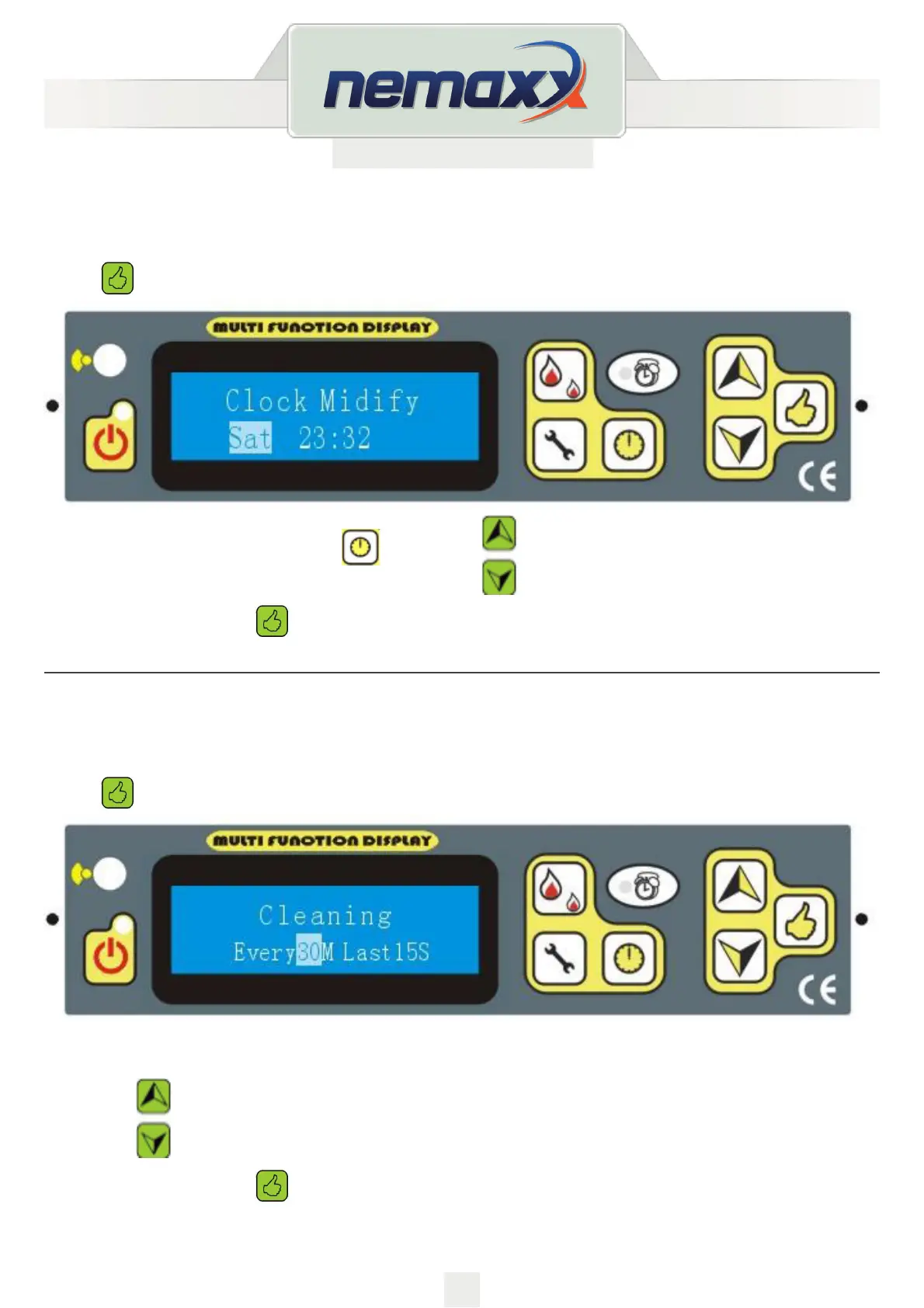
CLOCK SETTING
Begin as described on page 18.
Press
until the following message appears:
You can select week or time by keys
also using to change the day or time.
To sav e t h e setti n g p r e ss
and enter the next setting.
CLEANING SETTING
Begin as described on page 18.
Press
until the following message appears:
You can adjust the time of cleaning during the operation- “every X mins, last Y” Seconds to cleaning the
burning pot
by the key
. For example every 30mins Last 15 seconds:
To sav e t h e setti n g p r e ss
and enter the next setting.


 To Next Page