12
User Manual
•
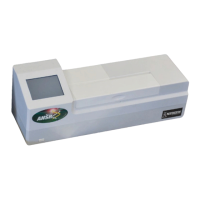
Neogen ANSR reader and software
9. Limited warranty
Neogen Corporation warrants the ANSR product(s) to the original
Customer for a period of one year after date of installation against
defects in material and workmanship and defect arising from fail-
ure to conform to specifications applicable on the date of installation,
and Neogen agrees to correct, either by repair or, at its election, by
replacement, any such defect found on examination to have occurred,
under normal use and service, during such one-year period provided
Neogen Corporation is promptly notified in writing upon discovery of
such defect. All of the product elements in the ANSR product and the
total system are warranted to be new or equivalent to new for the full
product warranty period of one year.
Neogen Corporation shall have no liability for any instrument or part
failure which Neogen determines, at its sole discretion, resulted
from accident, improper installation or site preparation, unauthorized
modification, customer-supplied software or interfacing, inadequate
maintenance, misuse, failure to maintain proper environment, misap-
plication of the product or failure to follow instructions set out in ANSR
product literature.
10. Terms and conditions
For Neogen’s full terms and conditions, please visit www.neogen.
com/Corporate/termsconditions.html.
3. Select the desired search criteria and enter the search
information.
Go to test number
This function allows the user to search by test number.
1. Touch the magnifying glass (Search) icon on the Home screen.
2. Select Search by test number.
3. Input the desired test number and press the green check mark
to search.
7. Cleaning and maintenance
To clean spills or stains on the reader, dampen a lint-free wipe with
isopropyl alcohol or 10% bleach solution. Gently wipe the down read-
er. Do not use any free liquid.
If liquid is spilled into the reader, contact Neogen Technical Services
for assistance by calling 800/234-5333 or 517/372-9200.
8. Troubleshooting
Q: Why won’t the reader and the computer connect?
A: Restart the reader while it is connected to the computer. Ensure
the touch screen on the reader says “remote mode.” Also, check
to make sure the first three numbers of the version software
on the computer match the first three numbers of the firmware
version on the reader, which is located under About this device.
See Section 6.3 for more information.
Q: Why did the reader display an invalid reading?
A: In the reader displays an invalid reading, re-run the sample. This
may occur if the reader’s lid is not properly closed during a test
run or if the run isn’t started quickly after samples have been
added.
Q: Why do error messages appear when I attempt to load test
type files or update the reader firmware using a USB drive?
A: Ensure the USB drive is formatted for a PC and not Mac.
For other questions, please contact Neogen Technical Services.


 To Next Page