3
Questions? Call Neogen at 800/234-5333 or 517/372-9200
Turning the reader on and off
To turn the reader on, press the rectangular power button located on
the lower left corner of the reader’s front panel for 2–3 seconds. The
reader will take about 2 minutes to boot.
To turn the reader off, press the power button for 2–3 seconds.
5. Using the ANSR reader with a computer
(remote mode)
5.1 Set up
Setting up the reader depends on the desired usage: with a computer
or stand-alone. If using a computer, ensure the reader is connected
to the laptop before turning on the reader. Once the reader is turned
on, it will heat to its resting temperature. NOTE: The reader’s default
setting is remote mode. To switch a reader previously used for stand-
alone mode to remote mode, see Section 6. The reader is in stand-
alone mode if the touch screen displays three icons upon start up: a
test tube, a set of gears and a magnifying glass.
Remote mode (connected to a computer)
This mode allows the reader to be used with a computer and the
Neogen ANSR software. Results will be displayed on the computer
screen. NOTE: Prior to starting the reader, ensure connected computer
is on and the ANSR software is running.
1. Plug the reader into a power source, using one of the provided
outlet adapters if necessary. NOTE: If the computer is to be con-
nected to a network, do so prior to connecting the reader to the
computer.
2. Using either the provided USB cable or the Ethernet cable, con-
nect the reader to the computer by plugging the cable into the
appropriate port on the back of the reader. Connect the other end
of the cable to the provided laptop. NOTE: If using an Ethernet
cord to connect the reader to the computer, the computer will
not be able to connect to a network via Ethernet.
3. Press the rectangular power button located in the lower left cor-
ner on the reader’s front panel for 2–3 seconds. The reader will
take about 2 minutes to boot.
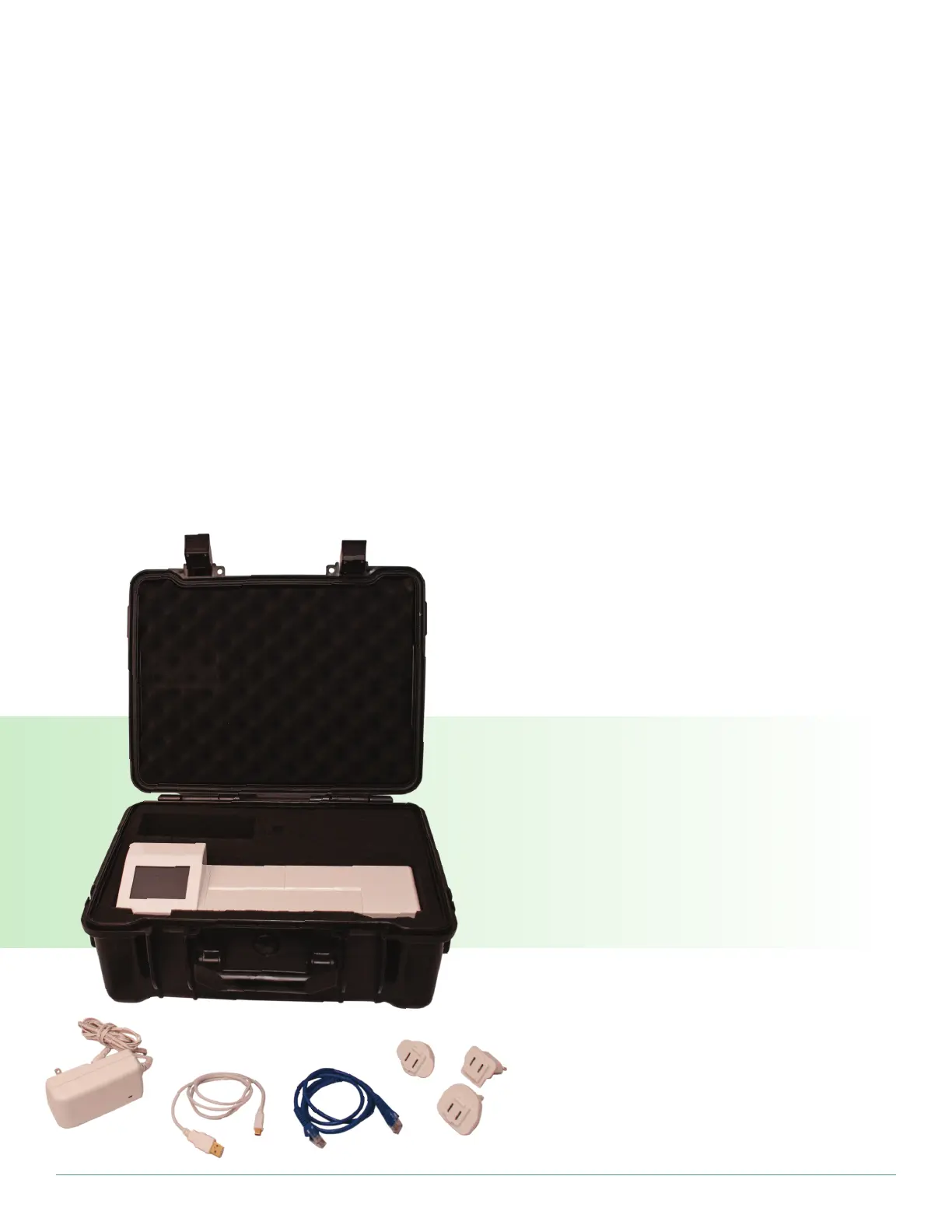
ANSR reader with case, power cord, USB cable,
Ethernet cable, and alternate plug adapters


 To Next Page