5 of 15
CF40MESH – Wireless Troubleshooting Guide
FA01365 v. 1.01 10 February 2023
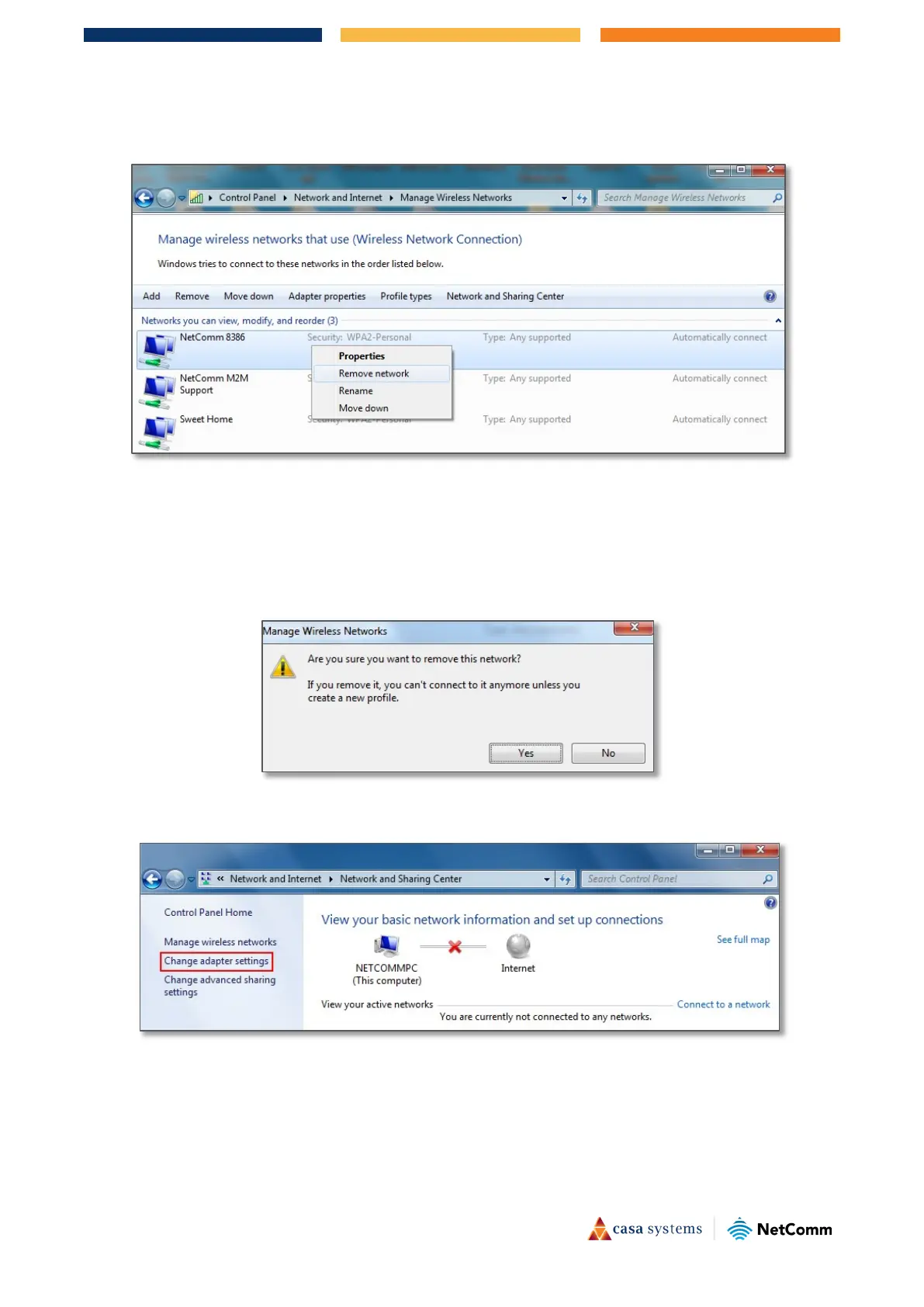
3 Select your WiFi network name/SSID, right click and select Remove network from the popup menu.
These are stored settings and passwords for connecting to the listed networks.
If your WiFi network name/SSID is not listed here, close this window and return to the
Network and
Sharing Center
.
4
Click Yes in the confirmation dialog box.
5 Click on
"Change Adapter settings" on the left-hand side.



 To Next Page