6 of 15
CF40MESH – Wireless Troubleshooting Guide
FA01365 v. 1.01 10 February 2023
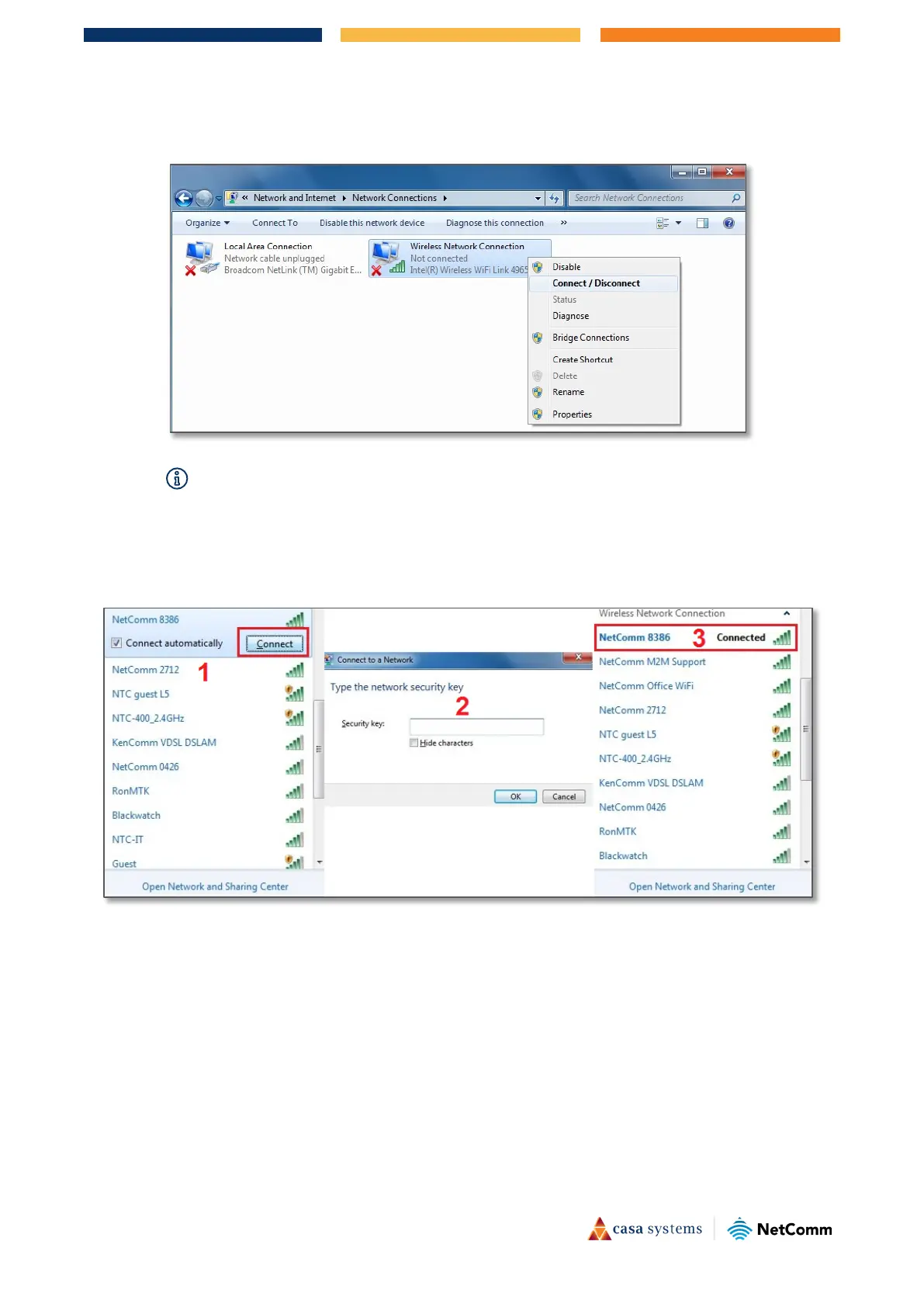
6 Right-click on "Wireless Network Connection" and select "Connect / Disconnect".
–
If you cannot see a “Wireless Network Connection” item, your wireless adapter may not be installed or inserted
correctly.
Please check this before continuing with steps in this guide.
7 You should see a network listed with the SSID you obtained at the start of this guide. Select your wireless
network and click
Connect. Enter your WiFi security key/password and click OK. You will be connected
to the WiFi network (Example: NetComm 8386).
Do not forget to disconnect your ethernet cable.



 To Next Page