Manage Your Network
27
NETGEAR Wireless Cable Gateway
Connection Status
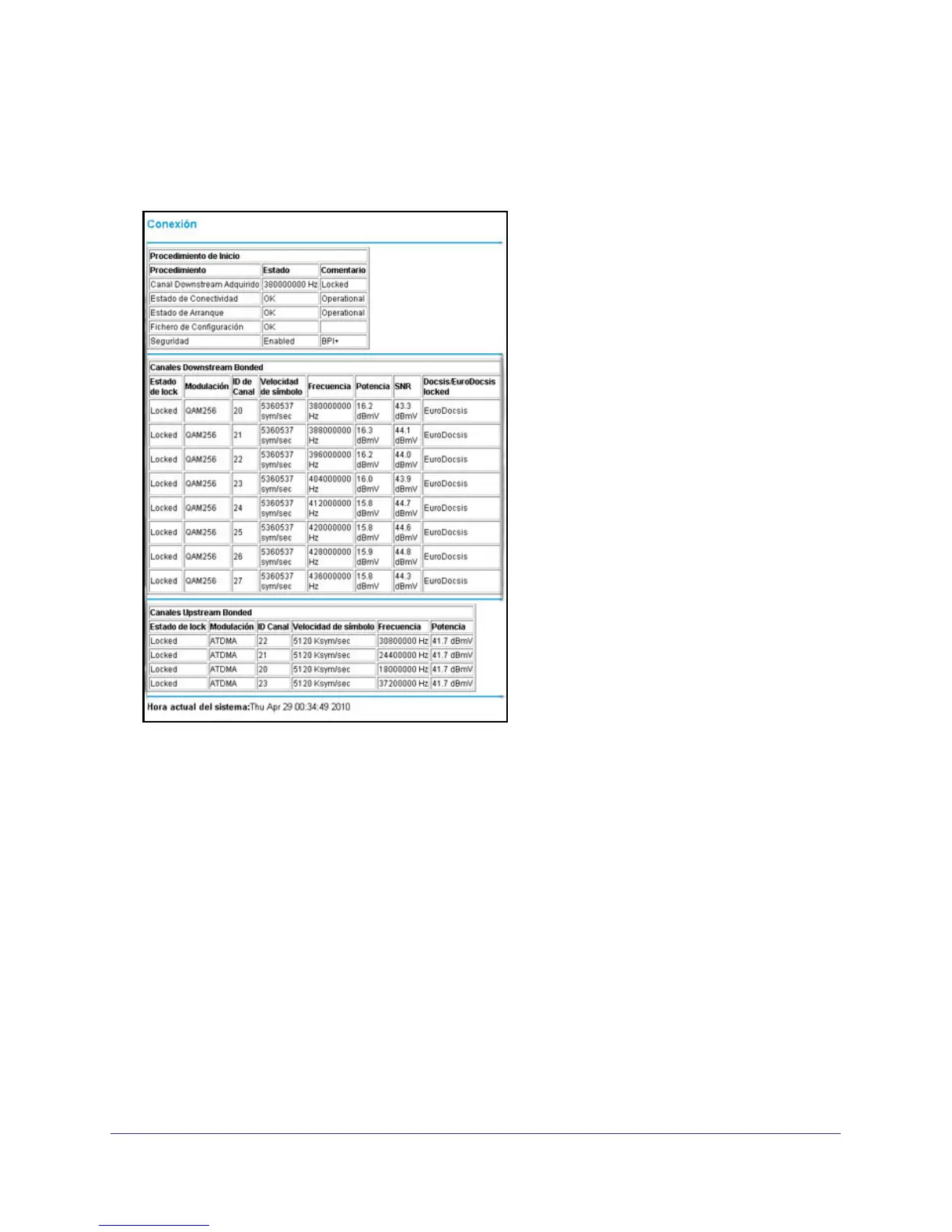
Select Maintenance > Connection Status to view connection status information.
Use the Connection screen to track the gateway’s initialization procedure, and to get details
about the downstream and upstream cable channel. The time is displayed after the gateway
is initialized.
The gateway automatically goes through the following steps in the provisioning process:
• Scan and lock the downstream frequency, and then link back in upstream direction.
• Obtain an IP address for the gateway itself. Then the gateway assigns an IP address for
the connected PC.
• Connect to the Internet.


 To Next Page
 Loading...