EasyManua.ls Logo

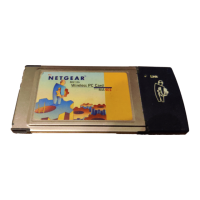
NETGEAR MA521 - User Manual

NETGEAR MA521
25 pages
Print Icon
To Next Page IconTo Next Page
Loading...
User's Guide
802.11b Wireless PC Card
2.4 GHz MA521

Other manuals for NETGEAR MA521

Questions and Answers

  • B
    Brandy NelsonAug 10, 2025
    Why is the Lnk LED off on my NETGEAR MA521?
    • A
      ashleypetersonAug 11, 2025
      If the Lnk LED is off on your NETGEAR Computer Hardware, it typically means the Wireless PC Card isn't properly associated with an Access Point, or the wireless settings don't match. Here's what you can do: * First, ensure that the Access Point is powered on. * Next, verify that the SSID and WEP encryption settings on both the Access Point and the Wireless PC Card are identical. * Finally, the Access Point might be too far away. Try moving closer or adjusting the antenna. Elevating the Access Point can also improve signal reception.
  • D
    Daisy StevensAug 19, 2025
    How to fix no lights on NETGEAR MA521 Wireless PC Card?
    • V
      vbradleyAug 19, 2025
      If no lights are lit on your NETGEAR Computer Hardware's Wireless PC Card, it indicates a connection or driver issue. Here's how to troubleshoot: * Begin by removing and reinserting the Wireless PC Card to ensure it's properly seated in the CardBus slot. * Next, use the device manager in Windows to confirm the adapter card is recognized. If not, reload the driver. * If the problem persists, try installing the Wireless PC Card in a different CardBus slot, if available.
  • G
    Gregory HowardAug 31, 2025
    What to do if NETGEAR MA521 is connected to Access Point but cannot see other computers?
    • C
      Corey GutierrezAug 31, 2025
      If your NETGEAR Computer Hardware is connected to an Access Point but can't see other computers on the Ethernet side, it's likely a physical connection or network configuration issue. Try these steps: * First, check that the Access Point is physically connected to the Ethernet network. * Then, ensure that the IP addresses and Windows networking parameters are configured correctly.

NETGEAR MA521 Specifications

Network Specifications IconNetwork Specifications
network speeds1, 2, 5.5, 11 Mbps (auto rate capable)
modulation typeDBPSK, DQPSK, CCK
frequency band2400 - 2497 MHz ISM band (channels 1 - 14)
Operating Environment IconOperating Environment
operating temperature0 to 55° C (32 to 131° F)
storage temperature-20 to 75° C (-4 to 167° F)
operating humidity10-90% room humidity, noncondensing
Weight and Dimensions IconWeight and Dimensions
dimensions100 x 54 x 5 mm (3.93 x 2.13 x 0.2 in.)
weight37 g (1.3 oz)

Related product manuals