EasyManua.ls Logo

NETGEAR WAG511 - User Manual

NETGEAR WAG511
105 pages
Print Icon
To Next Page IconTo Next Page
Loading...
202-10041-01 September 2004
202-10041-01
Version v2.0
September 2004
NETGEAR, Inc.
4500 Great America Parkway
Santa Clara, CA 95054 USA
Users Manual for the
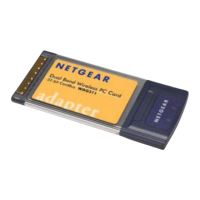
NETGEAR Dual Band
Wireless PC Card 32-bit
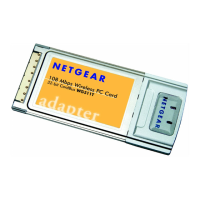
CardBus WAG511

Table of Contents

Other manuals for NETGEAR WAG511

Questions and Answers

  • C
    Charles ThompsonAug 11, 2025
    What to do if the two LEDs are blinking alternately on NETGEAR WAG511?
    • K
      Kyle NelsonAug 11, 2025
      If the two LEDs on your NETGEAR Computer Hardware are blinking alternately, it means the Wireless PC Card isn't properly associated with any Access Point. This might be because the wireless settings on the wireless nodes don't match the Access Point's settings. Here’s what you can do: * Ensure the Access Point is powered on. * Verify that the SSID, turbo mode option, and WEP encryption settings are the same on both the Access Point and the WAB501 Wireless PC Card. * Try moving closer to the Access Point or adjusting its antenna. You might also want to place the Access Point in a higher spot for better signal reception.
  • C
    Christian WilsonAug 20, 2025
    Why can't I see other computers on the Ethernet side of the network with my NETGEAR WAG511?
    • E
      Elizabeth SanchezAug 20, 2025
      If you're connected to an Access Point with your NETGEAR Computer Hardware but can't see other computers on the Ethernet side, it could be a physical connection issue or a network configuration problem. First, check that the Access Point is physically connected to the Ethernet network. Also, ensure that the IP addresses and Windows networking parameters are correctly configured.
  • B
    Bruce WatkinsAug 30, 2025
    How to fix no lights on NETGEAR Wireless PC Card?
    • K
      Kimberly WilkinsAug 30, 2025
      If no lights are lit on your NETGEAR Wireless PC Card, it could be due to the card not being properly inserted or the correct driver not being loaded. Try these steps: * Remove and reinsert the Wireless PC Card. * Check the Device Manager in Windows to ensure the adapter card is recognized. If not, reload the driver. * If possible, try installing the Wireless PC Card in a different CardBus slot.

NETGEAR WAG511 Specifications

General IconGeneral
BrandNETGEAR
ModelWAG511
CategoryComputer Hardware
LanguageEnglish

Related product manuals