Getting To Know The UX
This section describes the controls and indicators found on the hardware and in the user interface (UI).
UX Status LEDs
UX Ethernet and USB Ports
UX2000 Rear Panel
UX System User Interface
UX System Hardware Reference
Compliance and Regulatory Information
Declaration of Conformity
Electromagnetic Compatibility Information
Product Disposal
UX1000 FCC and Industry Canada Compliance Statements
UX2000 FCC and Industry Canada Compliance Statements
Hardware Expansion Modules
Application Solution Module (ASM)
Digital Signal Processing (DSP) Modules
Safety Precautions
Electrostatic Discharge (ESD) Precautions
Safety Requirements
Power Connection Requirements
Restricted Access Location Requirements
System Grounding Requirements
UX1000 Hardware Specifications
UX1000 Power Supplies
UX2000 Hardware Specifications
UX2000 Power Supplies
UX2000 Interface Cards
Inserting and Removing Interface Cards
T1-E1 PSTN Interface Cards
Installing the UX2000 Hardware
UX2000 Chassis Installation Requirements
Installing the UX1000 Hardware
UX1000 Chassis Installation Requirements
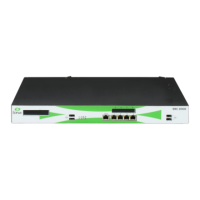
UX Status LEDs
This section describes the Status LEDs located on the front panel of the UX chassis, their status values and meaning.


 To Next Page